




Yasd
Community Team
-
Joined
-
Last visited
Everything posted by Yasd
-
finds raus... es ist standardmäßig E
-
... du brauchst stoptheped... dann dein stp menu öffnen und coroner anfordern...
-
Remove LSPDFR+.
-
i got that problem, too. but i successfully disabled it in the lspdfr.ini. just copy and paste it. Main.PreloadAllModels = false Networking.DisableServerCommunication = false Networking.DisableDiscordRichPresence = false Main.DisableAmbientScriptHooks = True AmbientSpawn.MaxCopsInArea = 0 WorldEvents.IntervalMultiplier = 0.0f WorldEvents.MaxNumberOfEvents = 0 Callouts.Multiplier = 250 Chase.CopsCanCommandeerVehicles = false Callouts.DisableBigRadar = false Ambient.DisableAmbientGameCopSpawnBlock = true Chase.DisableTrafficDensityAdjustments = true Chase.ExhaustionInterval = 25000 Chase.ExhaustionDuration = 30000 AmbientSpawn.DisableRandomUnits = true Chase.DisableAmbientAI = true PoliceStation.DisableAmbientSpawn = true Ambient.DisablePlayerFlashlightOverride = True Ambient.DisableEscapedSuspectEncounter = true Main.DisableGameBlipHiding = true AmbientSpawn.DisableRandomUnits=true I think the fat ones are the ones for disabling ambient spawns. If its not working just copy and paste everything.
-
remove the plugins, so you can make sure its not the plugins. there is no error in your log.
-
Could not load type 'System.ValueTuple`2' from assembly 'mscorlib, Version=4.0.0.0, Culture=neutral, PublicKeyToken=b77a5c561934e089'. maybe wrong file name? i have a file called System.ValueTuple without ´2 !!
-
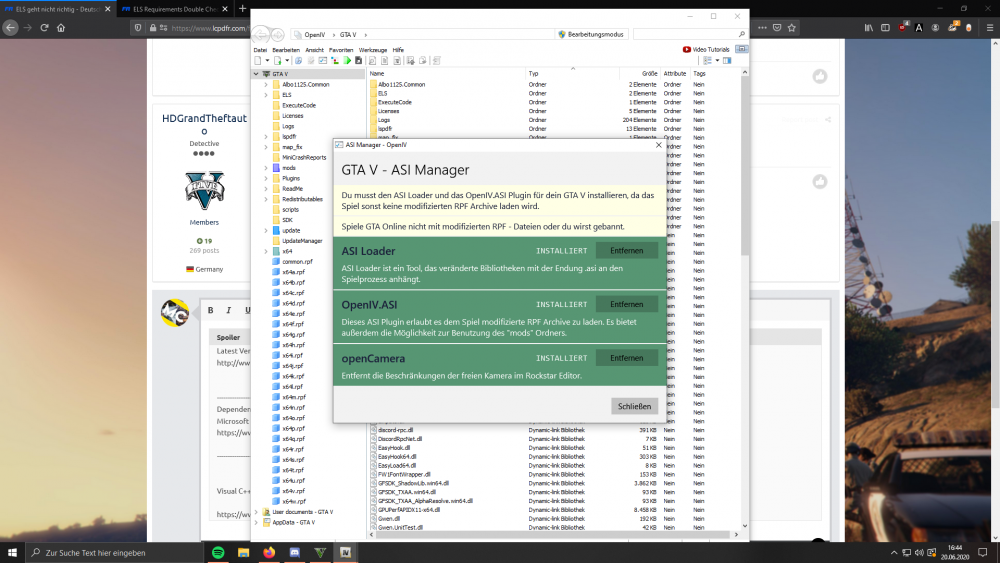
Hast du das alles installiert?
-
Das hab ich auch versucht, habe es auf F5 gelegt, jedoch wenn du F5 drückst, ist trotzdem noch die Sirenenfunktion von ELS aktiviert, das ist scheinbar gekoppelt. In der .ini kann man auch keine Tasten ändern.
-
Die ist im Hauptverzeichnis von GTA. Außerdem kannst du den LSPDFR Troubleshooter vergessen.
-
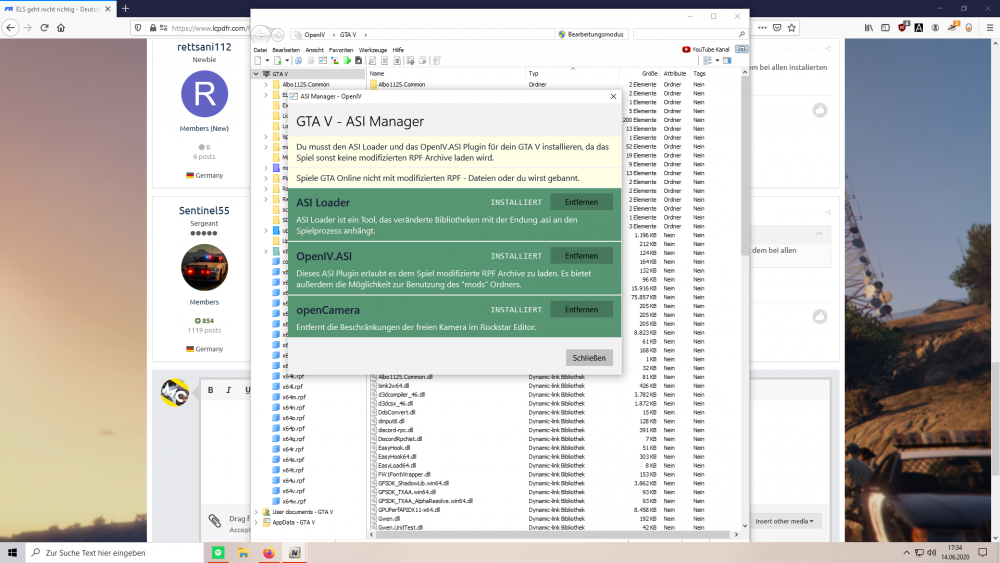
Haste das installiert? Hast du ScripthookV?
-
You probably didnt disable it comepletely.
-
What antivirus do you have?
-
bad antivirus. Disable your antivirus (and maybe firewall.)
-
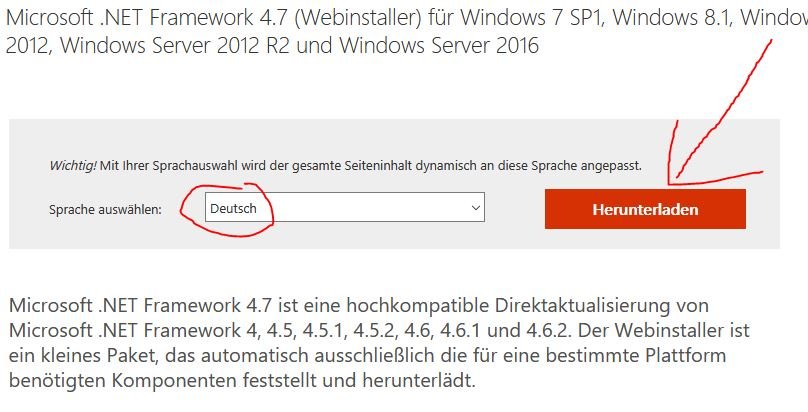
Update Net Framework: https://www.microsoft.com/de-DE/download/details.aspx?id=55170
-
Post a screenshot of your main folder.
-
Game version is the newest, its fine. Looks like an issue with ambient spawn. Add the follwing in lspdfr.ini: Main.DisableGameBlipHiding = true Main.PreloadAllModels = false WorldEvents.IntervalMultiplier = 0.0f Ambient.DisableAmbientGameCopSpawnBlock = true AmbientSpawn.DisableRandomUnits = true PoliceStation.DisableAmbientSpawn = true
-
Can you explain a little further what exactly you did? I didn't understand. 🙂
-
No crash in your log. Rename mods folder to _mods , disable all your plugins except for lspdfr.
-
How did you know that he has to update Net Framework? @Matteov2.0
-
rename mods folder to _mods
-
What about your graphic card?
-
post your ragepluginhook.log , the crash cannot be caused by assorted callouts
-
rename your mods folder to _mods
-
everything via drag and drop...
-
Update RPH



