


OfficerMod
Members
-
Joined
-
Last visited
Everything posted by OfficerMod
-
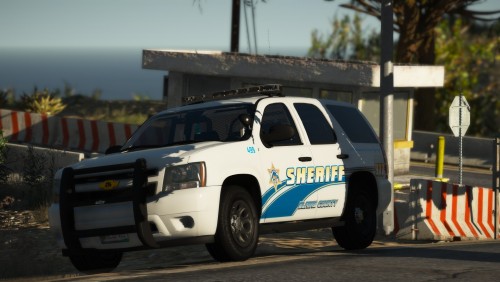 Thanks for quickly uploading the red and blues. Love the pack, just like all of your other previous works!! 👌
- 9 comments
- 14 reviews
-
-

- 1
-
-
-
I meant as in, I can't find it there. The interaction menu for me is no where to be found.
-
My lspdfr 0.4 interaction menu doesn't work. I can't even find the key bindings.
-
 AdvancedhookV keeps crashing my game, everything works fine until I put it in my directory. I really wish to use my els vehicles but I can't.
- 2,655 comments
- 234 reviews
-
My GTA V keeps crashing whenever I have advancedhookv.dll in. I Would take it out but it is needed for els to work... Someone please help. Everything is up to date.
-
What do you mean copy all folders? Like all the x64's?
-
I reinstalled my New York vehicles and peds to the game and noticed something was missing, all the unmarked NYPD vehicles. But the author of that mod removed it, so it's all gone. Does anyone have it?
-
I wish there were more callout locations, Especially for the warrant and officer not responding. Just please base them in the hood (Davis, Strawberry, El burto Heights, Even grove street for a warrant, and have them running in the back yards.)
- 15 comments
- 12 reviews
-
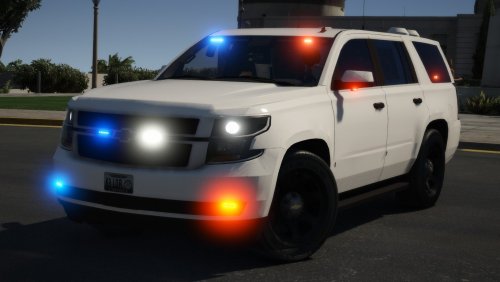 Please, I really beg you, could make a version without the big white boxes on the back, or make them an extra it would be so so so much appreciated. By the looks of it, this is my fav Tahoe.
- 15 comments
- 3 reviews
-
-
- 1
-
-
 Every going to update and add more callouts, this pack has been my go-to since late 2017.
- 204 comments
- 22 reviews
-
 I love it, it is what's in the screenshots perfect for E.U.P. Yet, I have a problem. When I use this belt, it looks great up close, on the first third person in-game setting after first-person. When I zoom out a little, the belt gets this subtle white outline, on the radio, the mags, and the belt piece itself. All the way zoom out in third person, the white outline gets worse. I use M.V.G.A. and redux effects.
- 124 comments
- 37 reviews
-
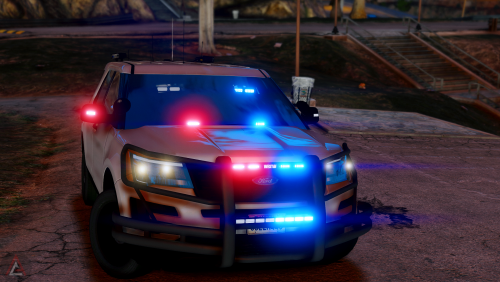 Hello, the FPIU looks gorgeous, can you tell me what graphics those are? I use M.V.G.A.
- 36 comments
- 14 reviews
-
-
.thumb.png.5c25cdd0845a5847ad9cba9a704a5cb5.png) @Xander6478 What graphics do you use? Your game looks stunning and the belt you are using how does it look so clean. I downloaded the belt codewynne released but when I zoom out it doesn't look so good but zoomed in it looks great.
@Xander6478 What graphics do you use? Your game looks stunning and the belt you are using how does it look so clean. I downloaded the belt codewynne released but when I zoom out it doesn't look so good but zoomed in it looks great.- 21 comments
- 9 reviews
-
-
 I've been using this for a while and I forgot to review. This pack is outstanding, given the fact that the duty belt has never been done before and you were the first to implement into E.U.P. is awesome. Love that it matches your fellow officers and have the same gear. Only thing wrong is that there isn't a LSPD version.
- 108 comments
- 19 reviews
-
-
- 1
-
-
-
 Real talk. Closest thing is this charger in Deputy's Unmarked Tahoe pack, but the rear lights don't do me justice.
 -
I hope to god. This beast is a beauty.
-
 Love this beauty of a pack. However could you please add unmarked liveries for the dodge ram and charger, please I beg you?
- 66 comments
- 26 reviews
-
-
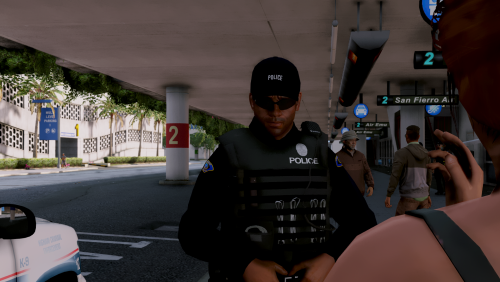 Love the pack, especially the vest, Oakley, and cap combo. Any chance of a EUP version?
- 25 comments
- 10 reviews
-
-
- 1
-
-
.thumb.png.ccb0302957ee78eebc9b6db9b98a38d2.png) @SRS Bladez I think good spawn points would be the freeways and city intersections so EMS and fire could arrive on scene and allow for the player to then try and block traffic.
@SRS Bladez I think good spawn points would be the freeways and city intersections so EMS and fire could arrive on scene and allow for the player to then try and block traffic.- 68 comments
- 14 reviews
-

.thumb.png.5c25cdd0845a5847ad9cba9a704a5cb5.png)


.thumb.png.ccb0302957ee78eebc9b6db9b98a38d2.png)
