


GeorgeJetSam
Members
-
Joined
-
Last visited
Everything posted by GeorgeJetSam
-
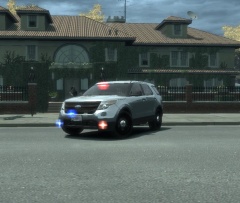
From the album: GeorgeJetSam's Photos
Should be releasing this next week... -
-
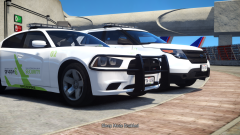 Its awesome, and I like the back story! ...only thing is, with the bulbs in the FPIU headlights, they aren't able to wig-wag...which is why you see so many hide-aways and fog lights.
 -
 Thank you! What do you think of the new set up? Better? Or was the original the way to go?
- 9 comments
- 3 reviews
-
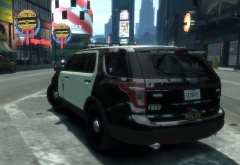
From the album: GeorgeJetSam's Photos
Constructed the Whelen Ion OutEdge myself. I'm enjoying pushing myself and seeing how quickly I'm getting results. -
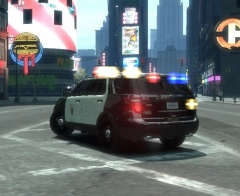
From the album: GeorgeJetSam's Photos
Code 3 from the rear. -
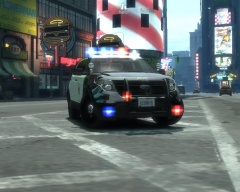
From the album: GeorgeJetSam's Photos
Code 3 -
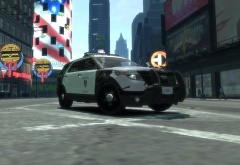
From the album: GeorgeJetSam's Photos
Release photo -
I'm getting the hang of this modding thing...Just released the first few models I'm really proud to say are mine. Here is the release: '?do=embed' frameborder='0' data-embedContent>> I just need someone with a better ENB to take pictures/videos for me...
-
I think Sgt. Kanyo is trying to take over the world with his handling lines :P
- 12 comments
- 4 reviews
-
-

- 2
-
-
-
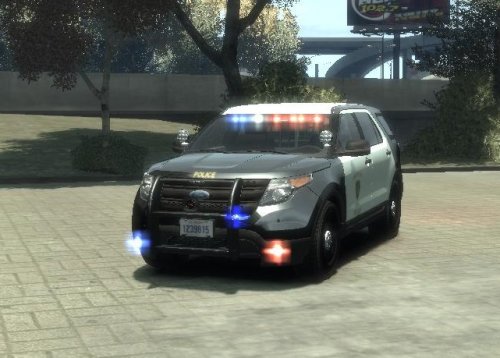 GeorgeJetSam's 2013 Slicktop LCPD FPIU! Here is the slicktop version of my last release. It is again modeled after a department close to me, with some artistic liberties taken. It is unlocked, feel free to change it however you see fit, but get permission if you are planning on redistributing it and give proper credits! This model includes the same four liveries as the marked version, with the addition of a 5th, transparent livery, so that you can make it an unmarked vehicle if you choose. Again, CONSTRUCTIVE criticism is appreciated!
- 1 comment
- 1 review
-
I think this is what you're talking about, I'm still pretty new to the Zmodeler thing.
-
Here is my second released model. This is a 2013 FPIU modeled closely after a department near me, with a few minor artistic tweaks. The model comes with both black and white and solid white liveries. This model is provided unlocked, so that you may edit it to your liking, however you must get my permission prior to redistributing and you must give proper credit! I hope you have half as much fun using this as I did in making it. Constructive criticism is appreciated. Vehicle is low poly (around 100K polys) making it Online/Multiplayer friendly. ***Update Version 1.4**** -Remapped fog lights to include alternating red/blue and white flashes. -Remapped rear Ions to flash solid colors. -Added Whelen Ion OuterEdge. -Added functioning Traffic adviser to rear of lightbar. New download includes original file as well as the updated version. It also includes a reworked ELS file. http://youtu.be/csalE6x2OsM
- 9 comments
- 3 reviews
-
-
- 1
-
-
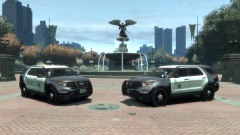
From the album: GeorgeJetSam's Photos
Getting close to releasing some of these -
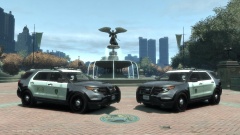
From the album: GeorgeJetSam's Photos
Getting close to releasing some of these -
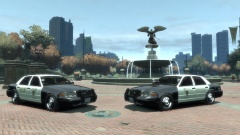
From the album: GeorgeJetSam's Photos
Getting close to releasing some of these -
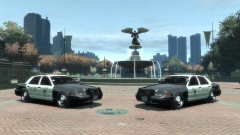
From the album: GeorgeJetSam's Photos
Getting close to releasing some of these -
-
its "ford PI hubcap" and "ford PI hubcap_spec"
-
I put them under the wheel_LF in the heirarchy
-
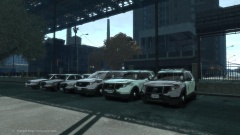
From the album: GeorgeJetSam's Photos
In with the new. -
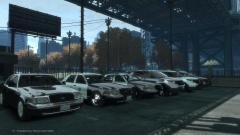
From the album: GeorgeJetSam's Photos
Out with the old... -
Hey, I'm trying to attach hubcaps to a FPIU. I've managed to add them to the wheels, but when I spawn the car in game, they're transparent. What am I doing wrong? Am I placing them in the wrong spot on hierarchy? I've successfully changed wheels out on a CVPI, so this isn't my first time with something similar, but for whatever reason, the hubcaps just aren't working. I'd appreciate the help! Thanks.
-
This is a common practice in SoCal. They leave the engine in the K-9 cars running the whole shift, so that the dog gets A/C even when the handler isn't in the car. They vent the hoods to get better air flow through the engine to keep it cool, keeping the A/C cooler.

