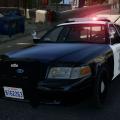
GeorgeJetSam
Members
-
Joined
-
Last visited
Everything posted by GeorgeJetSam
-
What is the best/easiest way to learn, in your opinion? any posts/videos that really helped? I have been wanting to learn how to model for a long time, and I've tried...but I've only successfully modeled one car, and all I did was add a lightbar to a vehicle, and even retracing it step-for-step, I wasn't able to recreate it...clearly I'm missing something. What helped you the most? Also, I have Zmodeler, so that is what I'll most likely be working with. Thanks in advance for all of your help!
-
Would anyone be willing to make one of the new AMR mod style ambulances with the lights mounted on the box? Here are a few videos of what I am talking about:
-
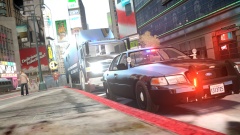 Cool picture, but LASD's unmarked cars don't have bumpers...just fyi.
 -
Fantastic, I love the attention to detail, and its only 60K polys! I did tweak the ELS.ini settings, which may be what Yung was talking about, so that on light stage 3 the reds flash instead of staying on.
- 22 comments
- 11 reviews
-
I'm having the same problems...I'm not sure if it has something to do with the wrap around you added to the bumper, but it might be something worth looking in to.
- 14 comments
- 5 reviews
-
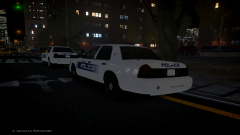 The font may be wrong....but I kind of like it better than the original...hah.
 -
Fantastic, I love the obvious effort and attention to detail put into it. Any change on making one that doesn't have the highway patrol equipment?
- 44 comments
- 9 reviews
-
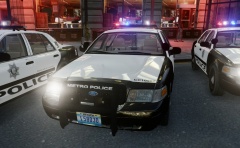 Its fantastic. There isn't an accurate version with the LED lightbar out there, other than your older version. I've been waiting for one for quite some time! It looks great.
 -
-
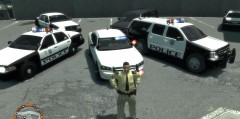 Apparently I can't post the link for the clan here...its in my profile if you'd feel like taking a look.
 -
It is a custom model made exclusively for the LVMPD clan Clan ad removed - staff
-
Its pretty good, but just a few things to help you improve the accuracy. Please don't take this as me bashing your models, just trying to help.
- 18 comments
- 4 reviews
-
-
-
-
I don't mean to badmouth your model, I love the concept, I actually prefer the ambulances with this lighting set up...
- 8 comments
- 2 reviews
-
-
Another fantastic pack! Keep up the good work man, your attention to detail is awesome. I would suggest switching the ELS secondaries from 17 to 23 though, to give it a more realistic CHP flash pattern.
- 40 comments
- 17 reviews
-
-

- 1
-
-
who modeled this fantastic lightbar and how do I talk to them about having my babies/modeling one for me?
- 29 comments
- 7 reviews
-
-
We'll maybe if we're the squeaky wheel, someone will work with us ;)
-
Hey, anyone interested in making an LVMPD caprice with the LED vector? (Like the one pictured here: http://connect.lawofficer.com/m/photo/large?id=978298%3APhoto%3A150704 ) And an explorer with the same lightbar? (Like this: http://m.policemag.com/photogallery/205/in-service-cop-cars-ford-police-interceptor-utility#&ui-state=dialog ) I would like to use these cars for my LVMPD clan, so the lower the poly count the better. On a side note, I personally love the caprice and I would be forever grateful if someone would be willing to do this for me. I would possibly even be willing to pay for it, but it would have to be done right. Let me know if you're interested! And here is a video of what the vector should look like:
-
First off, I wanna say, this car is awesome. I've been using it for awhile now. I have a few things to say though to help you make it just a tad better.
- 27 comments
- 7 reviews
-
-
- 1
-
-
This car is pretty sweet, and the lightbar is epic. My department just switched over to those, but we're using the Caprices.
- 10 comments
- 9 reviews
-
Fantastic stuff....it came out even better in the ELS V8 models! Keep up your good work man. There aren't many developers who have the skill and dedication to model like you anymore.
- 15 comments
- 7 reviews
-
-
- 1
-