




Mags
Community Team
-
Joined
-
Last visited
Everything posted by Mags
-
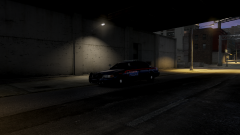 Yes!
Yes! -
I'm saying MOST of the younger generations now have no appreciation for tradition, or using a old concept with a newer touch. Like MSP is doing with old school gumdrop with full led's. Let me tell you guys if you were to travel in multiple cities, counties, or states every department most likely has the same light bar or similar features it just gets boarrrrrrrrrring. At least they like to be different!
-
 Man its just a game relax jeesh!
 -
that unmarked is bad ass
-
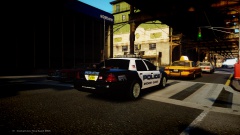 Is that a skin available?
 -
If you are on a traffic stop you can hit the caps lock key to bring up the menu and then select "partner regroup" button then the AI will put his weapon down.
-
-
Awesome I'm so glad that you back up your mod the way you guys do! That was a quick update.
-
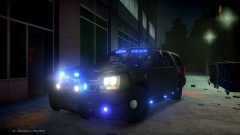 Love it! Great Lookin Truck!
 -
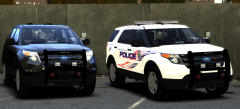
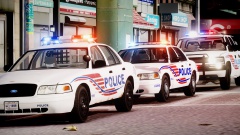 Question. The second car in the group do you recall where you download that one from?
 -
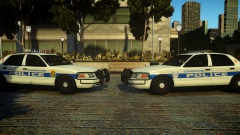 Wow the models & skins look awesome! Is there a possibility for a release.
 -
Like everyone else said.. You get what you pay for and like LMS said fast internet is not available everywhere.
-
I know there used to be one a couple of years ago... but haven't been back since. I don't know if its still around.
-
-
-
-
I am only having one problem with the car the red and blue lights in the back window are flashing but i can't see them. It looks like the car is off.
- 23 comments
- 6 reviews
-
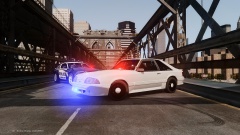 Yes Yes Yes! I don't usually ask but this will be my first. Is it going to be released?
 -
Going to have to disagree on Miami Vice the movie. The movie does no justice to Miami Vice the tv show. I would suggest - Miami Vice TV show - The Wire
-
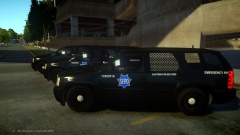 very cool!
 -
I agree with Zach on this too. Don't get me wrong it is very cool! But it could also lead you into some trouble that you may not intended on getting your self into. No i'm not saying that you going to go around pulling people over or run down the road with them on. There is always that chance the police could be looking for a impersonator and just so happens it matches the description of your vehicle or you get pulled over and the officer happens to see the switch. That just adds an extra headache to you. It being a simple traffic stop to you being stop for longer than 10 minutes because they are trying to see what other equipment you have. I mean its your car you do with it what you want. But I guarantee you if you were to ask a couple more officers in your area they would not advise you to have them. The whole thing with the company's selling the lights. I mean they can sell them to anybody they want to. Just because your buying a bunch of police lights doesn't mean your going to put them in your vehicle. I have seen multiple people use police led's for something else. One guy made a police car bed for his son and put a lightbar on it and a bunch of leds it was actually pretty cool! It lit up his whole room. Other guys have put it in there basements for there "man caves" My word of advise why not save the money so you have a good nest egg, and wait until you get into law enforcement (i'm guessing that's what you want to do) then you get to use lights on a daily basis. The thing is and what i tell everyone lights on any vehicle are not a toy if they are on a vehicle they have a purpose.
-
.... whats the point?
-
I like the idea. But I still get the taxi bug just after a little bit of playtime.
-
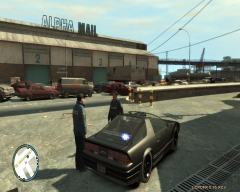
From the album: 2013
Auto Theft Task Force uses one of the departments seized vehicles and outfits it with lights and sirens. -
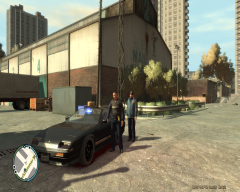
From the album: 2013
Auto Theft Task Force uses one of the departments seized vehicles and outfits it with lights and sirens.




