


Creators: Due to background reprocessing of files, approvals and file security checks may be delayed. Thanks for your patience.


Mags
Community Team
-
Joined
-
Last visited
Everything posted by Mags
-
-
 No Problem.
 -
Google News overlays
-
GIMP 2
-
From the album: Mag's 2017
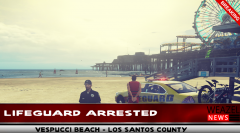
FOR IMMEDIATE RELEASE San Andreas State Beaches - Parks Lifeguard Law Enforcement Division VESPUCCI BEACH - LOS SANTOS COUNTY On August 6. 2017 around 4:00 p.m. The Life Guard Law Enforcement Division received an anonymous call stating that Mr. Obadiah Montgomery a lifeguard employed by the San Andreas State Beaches and Parks had a burglary warrant out of Blaine County Sheriffs office. Officers quickly were able to determine that Mr. Montgomery had an active warrant. Lifeguards from the Law Enforcement division were able to take Mr. Montgomery into custody without incident. Major Kenny from the Lifeguard Law Enforcement Division made this statement. "We here at San Andreas State Beaches and parks hold all employees to the highest standards. Mr. Montgomery is responsible for all lives on the beach, and is supposed to be trustworthy. Mr. Montgomery was charged with burglary that is unacceptable! The general public puts trust in our personal, and we can't loose that trust." Mr. Montgomery is being held at Los Santos County jail until he is extradited to Blaine County. -
lol your truck looks like a plow now
-
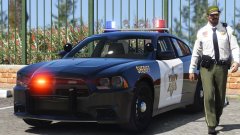 That looks awesome! I loved seeing that agency kept the old school light bar!
 -
Being from Georgia I've seen these vehicles in real life. Your on the right path. One suggestion I do have on the rear of your vehicles where it says Blaine County you need to fix the lettering so it doesn't get cut off by the Chevy/Ford emblems. Another suggestion make sure your textures are level. Hope this helps!
-
It seems like GTA speeds are totally different from real life speeding lol. A lot of times its certain areas in game they do speed on surface streets you just have to go around and look for them. But I know what you mean. There isn't any scripts out for drivers to speed, but I'm sure somebody could make one. I do know like that random events vehicles that drive around with the white dot almost 90% of the time they are speeding.
-
Everything in PC modding has its limit. You could have the best gaming pc in the world, but it will even have its limit. I say just play around with it put as many textures as you need then when you start getting a performance loss remove some.
-
Welcome! This topic was created by Ineseri. This is a basic topic to get you started! If you have questions about how to install etc., there are a lot of topics as well as videos on YouTube that can help you along the way! ** Open IV (Required to install vehicle mods, texture mods, sound mods)
-
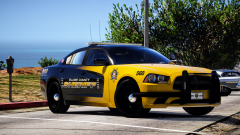 Man that is a great skin! Love it! Can't wait for the release!
 -
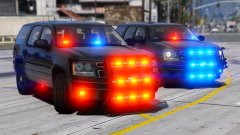 Yes!!! Definitely release that bad boy
 -
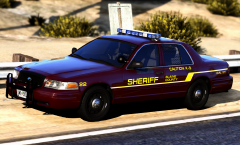 A lot of California agency's use it
 -
-
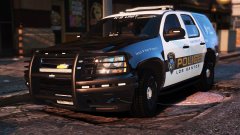 Your welcome! Hope for a release.
 -
That is awesome!
-
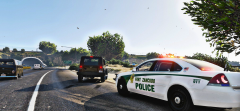
From the album: Mag's 2017
Fort Zancudo Police have been aggressively attacking reckless drivers on US Route 1 for the past week. It has been a joint effort with the San Andreas Highway Patrol along with Blaine County Sheriff's office. -
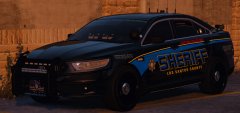 That is so sexy!
 -
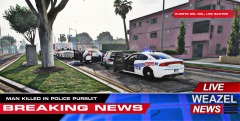
From the album: Mag's 2017
Los Santos Male was shot and killed earlier Saturday morning when police stated he carjacked a vehicle. Police caught up to the vehicle chasing the male for over 2 hours. When police was finally able to box the male in the suspect pulled a gun on police. -
I am currently trying to set one of the EUP models as the default ped in Arrest Manager. Where do I find the EUP model names?
-
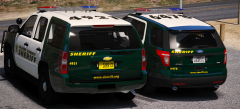 I don't know what it is about that light bar, but I like it
 -
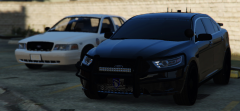 Sexy as hell!
 -
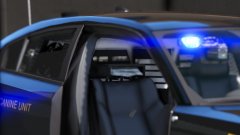 Vehicles that have those are single man units nobody sits in those seats
 -
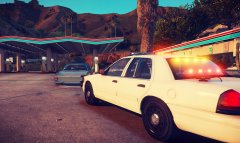
From the album: Mag's 2017




