




waynieoaks
Members
-
Joined
-
Last visited
Everything posted by waynieoaks
-
Hi - does it crash LSPDFR or completely shuts down the game? Do you have a RagePluginHook.log that we could look at? Latest GTA version? Latest LSPDFR / Rage Plughin Hook / Scripthook (if used)? Also do you have any OpenIV type mods in your game? If you do there will be a separate "mods" folder. <-- I would rename this just to see if something in there is causing the issue. Any other plugins or just LSPDFR? Does it only happen when on duty or also when off duty? Any specific callout packs etc? <-- I again would remove everything from plugins/LSPDFR just to test. Also only run LSPDFR and no other plugins to see if it is something in LSPDFR.
-
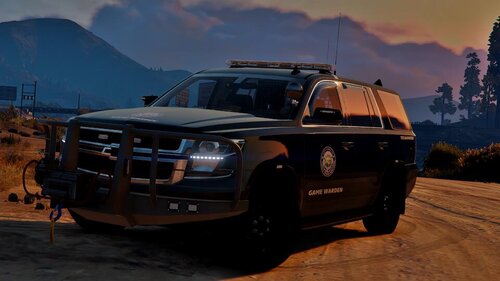 I am also finding DNR3 crashes my game. I have double checked it is installed correctly. I use 1st person and it is really hard to find vehicles where the hands are on the wheel, I am only using DNR4 and DNR5 as 1 and 2 the hands did not align up (for me anyway) but still love the vehicles and is a great pack.
- 38 comments
- 6 reviews
-
-

- 1
-
-
 Q is a fictional character, as well as the name of a race in Star Trek appearing in the Next Generation, Deep Space Nine, Voyager, and Lower Decks series and in related media. The most familiar Q is portrayed by John de Lancie. [Source:wikipedia] Hope this helps.
- 111 comments
- 21 reviews
-
- lspdfr plugin
- legacy
- lore
- non-lore
-
Tagged with:
-
 Hey @ziipzaaapM16A4, No worries- I will try and help where I can and have spent so much time in my own log files I have Notepad++ highlight errors so can see them better. I get a obsessed trying to eliminate warnings and errors from my log - even when some are obviously not causing issues and in everyone's logs they still trigger my OCD. [Edit]: My current obsession is trying to turn off the "in-game" background police scanner chatter from the game so we only hear the LSPDFR and related callout radio chatter. I have got rid of the voices, just cannot find the audio files for the start and end beeps. Anyway, I have Dev / Test installs for my own and others mods, so if you ever want someone to have a version that dumps out a load of debug info I am happy to drive round for a few hours, collect a few logs, maybe get a few crashes and see what gets spat out - just ping me sometime here or on Discord. 🙂 At the moment your mod is still only in my "Test" environment as I am rebuilding my proper install. I don't think I have managed to play LSPDFR properly yet this year. lol.
- 344 comments
- 42 reviews
-
I haven't seen that before. I would check you have rage and LSPDFR installed fully and correctly. You say you have nothing else installed? It looks to me like an error trying to sync your data with the servers (characters, what they did, who you arrested, etc) - which is then shown on your activity feed on this site. If that is causing the error you could try changing the following to true to disable (or adding if not present) the following line in the LSPDFR/lspdfr.ini Networking.DisableServerCommunication = true Networking.DisableDiscordRichPresence = true This is just a guess based on what the error looks like.
-
This is down to the individual creators of those mods I am afraid. Sounds like they have some script in their code that checks the version of LSPDFR you have installed and give a warning if it does not match. Unfortunately, if LSPDFR is updated and the individual mod is not, it is looking for an older version of LSPDFR (assuming you are on the latest version already)
-
Not quite what you are talking about, but there is a mod called "Force a callout" which has an option to mark yourself busy (so you don't go code 4 or get another call until you are ready). As well as allowing you to force a callout you can cancel a callout at any time. I found the "Busy" hotkey really handy before Grammar Police - I now prefer talking 🙂 There was also an Officer Status Menu which had all the to codes in menu format for you to select your status at any time. This is no longer developed as the replacement works alongside Grammar Police. But it may still work? The replacement, immersive Dispatch supports Grammar Police but works independently so it is not a requirement so maybe that may give you some of what you want in a menu form?
-
Hi @Bulch, Sorry - a bit longwinded as the more I read your log the more I found. Long story short: I see references to the OfficerDown callout having errors. <-- I do not have an "OfficerDown" callout in my Plugins/LSPDFR/AAIC folder - so if you have - try removing that as that may be a buggy call. I recall there was issues in the past with it so it may have been removed but still in your folder from an original install? Line 2636 - The first crash - looks like a pursuit failed: The OfficerDown callout ended when LSPDFR crashed - I recall there were problems with that callout at one point not sure if they are fixed yet - but Author should be able to advise better there. Then I see other errors in other places referencing the OfficerDown callout The later (final) crash looks like it could have been Arrest manager - Line 5212: "Rage.Exceptions.InvalidHandleableException: Operation is not valid because the specified Rage.Ped is invalid." Line 5216: "Arrest_Manager.EntryPoint.putSuspectInVehicle(Ped cop, Vehicle transportVan, Ped suspect)" It then looks like after that error, LSPDFR crashes, and AmbientAICallouts shuts down as LSPDFR is no longer active. I would try without Arrest Manager and see how it goes... Other things I have noticed: Lines 344 - 352 show invalid vehicle names - this could cause issues with police vehicles spawning and backup vehicles spawning. Are you using the San Andreas Ultimate Backup [EUP] + LSPDFR EUP Configurations? I haven't installed this update yet for the latest EUP but I believe it has some vehicles that are needed in particular slots (maybe). worth checking the readme to see if that is an issue. [3/10/2021 4:57:15 PM.695] LSPD First Response: [WARN] Invalid vehicle model hwaycar [3/10/2021 4:57:15 PM.695] LSPD First Response: [WARN] Invalid vehicle model hwaycar2 [3/10/2021 4:57:15 PM.695] LSPD First Response: [WARN] Invalid vehicle model hwaycar3 [3/10/2021 4:57:15 PM.696] LSPD First Response: [WARN] Invalid vehicle model hwayb2 [3/10/2021 4:57:15 PM.696] LSPD First Response: [WARN] Invalid vehicle model hwayb2 [3/10/2021 4:57:15 PM.701] LSPD First Response: [WARN] Invalid vehicle model rhpolice [3/10/2021 4:57:15 PM.701] LSPD First Response: [WARN] Invalid vehicle model rhpolice2 [3/10/2021 4:57:15 PM.701] LSPD First Response: [WARN] Invalid vehicle model rhpolice3 [3/10/2021 4:57:15 PM.701] LSPD First Response: [WARN] Invalid vehicle model rhpolice4 This could cause problems with LSPDFR, callouts and plugins if they try to use these missing vehicles (I could be wrong but still worth looking at) SaferChasesRPH seems to throw an error at Line 133, you may want to remove this or try to fix that but could be a red herring. Some of your other plugins are a little outdated and may cause issues (some people they work fine - others not so much so just bear that in mind and try without them if you have issues - such as: Arrest manager, Traffic Policer... I would try without these just to see if you get less crashes and put them back in if you still want them and they are not a problem. I see in the log LSPDFR crashed a couple of times for you. I personally tend to close GTA after a full LSPDFR crash and start again just to clear out any gremlins that may still be in memory - but as I said that is personal preference (after many, many crashes). I hope this helps and sorry it is such a long response.
- 344 comments
- 42 reviews
-
-
- 1
-
-
I am getting the exact same error when the game loads in - but if I run EUP Menu from the console (F4) it works fine. I cannot find the reason for the startup crash - even with a fresh install of LSPDFR / EUP 8.2 and EUP menu it still happens.
-
-min.thumb.png.68b83dcd9b809bc544984cf3c9e9696a.png) Hi - Would it also be possible to change the "talk" keybind in the .ini? That way I could make this callout pack use the same talk key as other packs 🙂 Same as X4vBond, would be really good to know when it is a K9 call so if I am not a K9 unit at the time I can ignore. 🙂
Hi - Would it also be possible to change the "talk" keybind in the .ini? That way I could make this callout pack use the same talk key as other packs 🙂 Same as X4vBond, would be really good to know when it is a K9 call so if I am not a K9 unit at the time I can ignore. 🙂 -
Hi @Doctor420, Number pad works for me for Custom Pullover and I also use it for the spotlight mod. In the .ini - I have it like this: PositionRightKey=NumPad6 PositionResetKey=NumPad5 PositionLeftKey=NumPad4 PositionForwardKey=NumPad8 PositionBackwardKey=NumPad2 PositionDownKey=NumPad3 PositionUpKey=NumPad9 Is it the same for you? Do you have a modifier key set as well? CustomPulloverLocationModifierKey=ControlKey In which case it would be Ctrl + the number key to work. I personally have set my modifier to None so I do not need to hold a modifier key. Also may be worth checking if the Num Lock key is set to on or off as this affects it and do the keys work correctly outside the game - e.g. in Notepad? Hope this helps.
- 111 comments
- 21 reviews
-
- lspdfr plugin
- legacy
- lore
- non-lore
-
Tagged with:
-
I have found others trying to do the same but nobody with the actual answer to what I am trying to find. My aim is to mute the police scanner you hear in the background in the police cars so that we just get the LSPDFR radio messages and those from other mods like "Ambient AI Callouts", "xScanner" or "More Radio Chatter". I have managed to find and mute all the actual radio sounds (police_scanner.rpf) but you still hear the intro/outro sounds. I believe they should be somewhere in resident.rpf but I have searched high and low but cannot find them. frontend.awc is the closest I could find but they are not the right ones. So unfortunately you can still hear the intro/outro beeps in the background just without the chatter. Has anyone had any luck locating these files in the past? I know they are used by LSPDFR in the audio scanner directory I just cannot find the ones to mute in the rpf files. https://github.com/waynieoaks/GTAV-BG-POLICE_SCANNER-BGONE
-
As Rich said.... For the fuel mod, I use LeFix Simple Fuel mod from that site (as it is the only one I can find that does not need scripthook.net) but there are plenty of other options along with ones for driving and damage.
-
Sorry for dragging up this old topic but has anybody been able to locate these scanner intro/outro files as used by the base game? I am trying to "mute" the background in game scanner so you only hear the radio audio from LSPDFR, callout packs or mods. Then can use something like More Radio Chatter / xScanner or AmbientAI callouts without the jibber jabber in the background behind tire radio audio. I have managed to mute all audio files in POLICE_SCANNER.rpf and have tried to do the same for any radio related files in the RESIDENT.rpf --> frontend.awc but these latter ones do not seem to be the ones used by the police scanner. So I have managed to get rid of the voice audio, but not the intro / outro beeps, tones and squelches.
-
 HI @CC2020, I'll look into it but I am not sure if it will be possible or not. All this is doing is turning on and turning off the default in game cinematic view so it is working as it would in the game.
 -
July 2025: Currently I am NOT active in GTA/LSPDFR but as far as I am aware, this plugin still works as is. Unfortunately without a working game and no time to code anymore I can no longer support my developed plugins. All my code is available on GitHub if people want to steal / update the plugins themselves. Emergency Lighting System (ELS) currently disables the in game cinematic view due to keybinding issues. However, if you change the keybindings to avoid this - the in game view is still not available in ELS vehicles. This script will simply allow you to set your own keybinding to activate / deactivate the in game cinematic view at will for both ELS and non ELS vehicles. (If not using ELS however, you do not need this unless you would like to use cinematic view while in 1st person). Note: I strongly suggest you avoid setting it to a keybinding that you use for ELS (or for any other mod for that matter). I also suggest not setting the same as the in game keybinding for cinematic view (as it can be seen as a double press, turning the view on and off again). List of potential keybindings can be found: https://docs.microsoft.com/en-us/dotnet/api/system.windows.forms.keys?view=netframework-4.8 or to disable a binding (e.g. the modifier key) set it to None Controller buttons are disabled (None) by default but can be set to: DPadLeft, DPadRight, DPadUp, DPadDown, X, Y, A, B, LeftThumb, RightThumb, LeftShoulder, RightShoulder, Back or Start Be wary of conflicts with other controller bindings Current limitations: Does not work in 1st person on motorcycles or bicycles (seems to detect 1st person as a cinematic view) Cannot "press and hold" for temporary activation like "in game" control If the keybinding is same as "in game" binding, it may turn it on and off in quick succession for non-ELS vehicles Installation: Copy the plugins folder into your "Grand Theft Auto V" install folder Edit the .ini to meet your requirements Note: Avoid conflicting keys / buttons with ELS or the in game controls Version history: Code is free and open source under the GPL-3.0 license and available from GitHub: https://github.com/waynieoaks/ELS-Cinematic
-
 This is working for me @AnLiN / @astro cop, Have you double checked you have installed in the correct location? The only issue I have is because it replaces the in game Shepherd, that I am finding random police dogs wondering the streets or sitting on porches.
- 134 comments
- 33 reviews
-
-

- 1
-
-
 Hi @TheWouter, For info: I have noticed the following in my RPH log, and cannot find the missing file or folder in the download: [12/27/2020 8:01:50 PM.643] LSPD First Response: Error while initializing plugin: WoutersCalloutsV.Main: Could not find a part of the path 'G:\SteamLibrary\steamapps\common\Grand Theft Auto V\Plugins\LSPDFR\WoutersCalloutsV\stations'. at System.IO.__Error.WinIOError(Int32 errorCode, String maybeFullPath) Many thanks.
 -
 Sad to see this is no longer being worked on, but look forward to the replacement callout pack you are working on 👍
 -
So glad to see this released. Was trying to do something similar and would never have got anything as amazing as what this looks like - can't wait to give it a go...
- 344 comments
- 42 reviews
-
-
- 1
-
-
 Thank you @PNWParksFan, in which case I am embarrassed I haven't given this a go yet and once I have a couple of separate issues fixed definitely giving this a wizz.
- 496 comments
- 33 reviews
-
Hi, I really want to try this out but have various mods installed as well which I don't want to break or override. So I have a stupid question (as I normally do). Does this install as a completely add on package or will it override any existing code / other mods)? for example, will it override existing vehicles in the vehicles.meta, etc. I have no custom boats or helis, but I do have a custom vehicles.meta and other things already. If it does, I may decide to keep a separate install for this outside normal LSPDFR. Many thanks.
- 496 comments
- 33 reviews
-
 A must have addition to the streets of Los Santos.
 -
 Sorry @ace323, Didn't see this until just now... I set mine as follows: <train_tracks version = "1"> <train_track filename="common:/data/levels/gta5/trains1.dat" trainConfigName="freight_group" isPingPongTrack="false" stopsAtStations="true" MPstopsAtStations="true" speed="15" brakingDist="20"/> <train_track filename="common:/data/levels/gta5/trains2.dat" trainConfigName="freight_group" isPingPongTrack="false" stopsAtStations="false" MPstopsAtStations="true" speed="8" brakingDist="10"/> <train_track filename="common:/data/levels/gta5/trains3.dat" trainConfigName="freight_group" isPingPongTrack="false" stopsAtStations="false" MPstopsAtStations="true" speed="8" brakingDist="10"/> <train_track filename="common:/data/levels/gta5/trains4.dat" trainConfigName="metro_group" isPingPongTrack="false" stopsAtStations="true" MPstopsAtStations="true" speed="9" brakingDist="10"/> <train_track filename="common:/data/levels/gta5/trains5.dat" trainConfigName="freight_group" isPingPongTrack="false" stopsAtStations="false" MPstopsAtStations="true" speed="8" brakingDist="10"/> <train_track filename="common:/data/levels/gta5/trains6.dat" trainConfigName="freight_group" isPingPongTrack="false" stopsAtStations="false" MPstopsAtStations="true" speed="8" brakingDist="10"/> <train_track filename="common:/data/levels/gta5/trains7.dat" trainConfigName="freight_group" isPingPongTrack="false" stopsAtStations="false" MPstopsAtStations="true" speed="8" brakingDist="10"/> <train_track filename="common:/data/levels/gta5/trains8.dat" trainConfigName="freight_group" isPingPongTrack="false" stopsAtStations="false" MPstopsAtStations="true" speed="8" brakingDist="10"/> <train_track filename="common:/data/levels/gta5/trains9.dat" trainConfigName="freight_group" isPingPongTrack="false" stopsAtStations="false" MPstopsAtStations="true" speed="8" brakingDist="10"/> <train_track filename="common:/data/levels/gta5/trains10.dat" trainConfigName="freight_group" isPingPongTrack="false" stopsAtStations="false" MPstopsAtStations="true" speed="8" brakingDist="10"/> <train_track filename="common:/data/levels/gta5/trains11.dat" trainConfigName="freight_group" isPingPongTrack="false" stopsAtStations="false" MPstopsAtStations="true" speed="8" brakingDist="10"/> <train_track filename="common:/data/levels/gta5/trains12.dat" trainConfigName="freight_group" isPingPongTrack="false" stopsAtStations="false" MPstopsAtStations="true" speed="15" brakingDist="20"/> <train_track filename="common:/data/levels/gta5/trains13.dat" trainConfigName="freight_group_2" isPingPongTrack="true" stopsAtStations="false" MPstopsAtStations="false" speed="8" brakingDist="10"/> </train_tracks>
 -
You could try symbolic links - this is how I "trick" my computer into using a particular install without renaming folders, as I have different installs for vanilla, modded, lspdfr, mod development, etc. Something like: MKLINK /j "C:\ProgramFiles(x86)\Steam\Steamapps\common\Grand Theft Auto V" "D:\New\Location\Grand Theft Auto V" https://docs.microsoft.com/en-us/windows-server/administration/windows-commands/mklink


-min.thumb.png.68b83dcd9b809bc544984cf3c9e9696a.png)
