




waynieoaks
Members
-
Joined
-
Last visited
Everything posted by waynieoaks
-
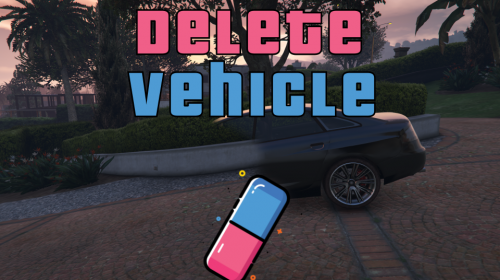 July 2025: Currently I am NOT active in GTA/LSPDFR but as far as I am aware, this plugin still works as is. Unfortunately without a working game and no time to code anymore I can no longer support my developed plugins. All my code is available on GitHub if people want to steal / update the plugins themselves. A quick little plugin I threw together for my livestreams to help with scene management chaos.... What is it? This is a simple tool that will allow you to delete the closest vehicle to you, similar to the /dv scripts you get in FiveM. It can be used alongside other scene management mods to clear vehicles out the way so you can place cones or road blocks. I plan to use this along with Automatic Roadblocks by yoep or Scene Manager by Rich et al. Why not use a trainer? While it is possible to delete vehicles in trainers, like Menyoo or Simple Trainer, I wanted a quick and simple way for me to do this at the press of a button, especially when I am livestreaming and chaos has ensued. Features: - Stand next to a vehicle and press the key binding (Shift + L by default) to delete that vehicle - Protection mode (can disable in .ini) to prevent deleting your own vehicle or emergency vehicles Known issues: Driver is not deleted with vehicle if stop or slow traffic is activated in Stop The Ped Report any issues here. Requirements: Rage Plugin Hook This is independent from and does not require LSPDFR Installation: Copy the plugins folder into your "Grand Theft Auto V" install folder Edit the key bindings and other options in the .ini to meet your requirements Version history: Code is free and open source under the GPL-3.0 license and available from GitHub: https://github.com/waynieoaks/RPH_Delete_Vehicle
 -
.thumb.png.9d0943161b37f863c291d6d6664edefb.png) Hi, So testing over the weekend I have not been able to get another LSPDFR crash at all. I did notice that Grammar Police no longer actually dispatches so maybe that needs an update to link into your API again or I have broken something in my install? It works fine from the menu. I just struggle when trying to drive and use menus so try to use hotkeys or Grammar Police when I can to avoid crashing my car. 🤣 I'll keep a eye on things and see how it goes. Many thanks.
Hi, So testing over the weekend I have not been able to get another LSPDFR crash at all. I did notice that Grammar Police no longer actually dispatches so maybe that needs an update to link into your API again or I have broken something in my install? It works fine from the menu. I just struggle when trying to drive and use menus so try to use hotkeys or Grammar Police when I can to avoid crashing my car. 🤣 I'll keep a eye on things and see how it goes. Many thanks.- 366 comments
- 33 reviews
-
Hi @BC9205 Immersive Dispatch is no longer supported (as it is built into Grammar Police directly now), but should still be able ask for Air Support using Grammar Police if you use the xml files on the Immersive plugins discord. @OJdoesIt: Just so you are aware I had a crash in last nights livestream - The first request for helicopter support crashed as Spotlight was not found (even though it was). Crashed log attached: RagePluginHook_02092022_171928.log Not sure if I messed up the update or something else going on - spotlight seems to work fine - I always call for support through Grammar Police so I'll try to do some tests using your menu today and see as it could be the vocal command causing issues? RagePluginHook_02092022_171928.log
- 366 comments
- 33 reviews
-
 Thanks for sharing - I used to do something similar on my older PC to help. (I cannot remember where I got the list of processes from, it was a long time ago). Anyway - I had a few more processes on my old list (below) - if you or anyone else is interested in using them. Not sure if anybody uses Skype anymore for example 🤣 wmic process where name="StartMenuExperienceHost.exe" CALL setpriority "64" wmic process where name="SearchUI.exe" CALL setpriority "64" wmic process where name="ShellExperienceHost.exe" CALL setpriority "64" wmic process where name="services.exe" CALL setpriority "64" wmic process where name="SecurityHealthService.exe" CALL setpriority "64" wmic process where name="SecHealthUI.exe" CALL setpriority "64" wmic process where name="smartscreen.exe" CALL setpriority "64" wmic process where name="Discord.exe" CALL setpriority "64" wmic process where name="ctfmon.exe" CALL setpriority "64" wmic process where name="dwm.exe" CALL setpriority "64" wmic process where name="Isass.exe" CALL setpriority "64" wmic process where name="NisSrv.exe" CALL setpriority "64" wmic process where name="Skype.exe" CALL setpriority "64" wmic process where name="MsMpEng.exe" CALL setpriority "64" wmic process where name="GTAVLauncher.exe" CALL setpriority "64" wmic process where name="SkypeBrowserHost.exe" CALL setpriority "64" wmic process where name="Skypehost.exe" CALL setpriority "64" wmic process where name="subprocess.exe" CALL setpriority "64" wmic process where name="Steam.exe" CALL setpriority "64" wmic process where name="SteamService.exe" CALL setpriority "64" wmic process where name="steamwebhelper.exe" CALL setpriority "64" wmic process where name="GameOverlayUI.exe" CALL setpriority "64" wmic process where name="explorer.exe" CALL setpriority "64" wmic process where name="RadeonSettings.exe" CALL setpriority "64" wmic process where name="Launcher.exe" CALL setpriority "64" wmic process where name="RockstarService.exe" CALL setpriority "64" wmic process where name="SocialClubHelper.exe" CALL setpriority "64" wmic process where name="PlayGTAV.exe" CALL setpriority "64" wmic process where name="GTA5.exe" CALL setpriority "128"
- 13 comments
- 2 reviews
-
 YES! I have been wanting to do something like this for a long time but don't have the time or slicks to make it happen... If you want any testing, feel free to DM me off this chat otherwise I will just sit in anticipation for this to become a thing! 🙂
- 191 comments
- 7 reviews
-
-

- 1
-
-
 Hi Sorry I missed this post. Yes it does still work. If you are having issues, drop a message in my Discord and I will have a look with you. It will help if you include your RagePluginHook log file as well.
- 111 comments
- 21 reviews
-
- lspdfr plugin
- legacy
- lore
- non-lore
-
Tagged with:
-
I have been using "LeFix Simple Fuel" for some time and it still works well for me.... https://www.gta5-mods.com/scripts/lefix-simple-fuel It does require ScripthookV, however.
-
Amazing, thank you... Will give it a go...
-
Hi, It could just be me - or maybe other mods I have installed. Especially if nobody else is seeing this. When I get a chance I will strip everything out and try the pack with just LSPDFR and no other mods or callout packs.
- 191 comments
- 7 reviews
-
Sorry if this has already been asked but is anyone else finding with the stolen police car, as it is a police ped I cannot arrest them?
- 191 comments
- 7 reviews
-
-
- 1
-
-
Hi Reddington, So far people that have got back to me with issues we have found it was another mod or a key binding issue. The fact you are reporting something tells me there may be a bigger issue. Would you be able to join my Discord and raise a support ticket where we can discuss in a bit more detail? You can do like everyone else and leave once the issue is fixed 🙂 https://discord.gg/6nuFNwMy79
- 111 comments
- 21 reviews
-
-

- 1
-
-
- lspdfr plugin
- legacy
- lore
- non-lore
-
Tagged with:
-
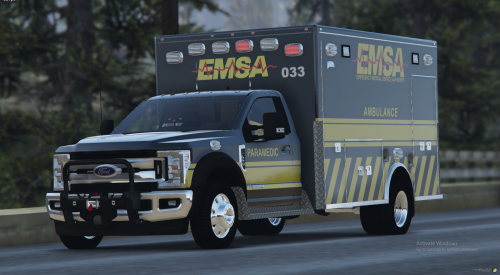 Sadly, after searching I am unable to find the vehicle this would go on. Is there a link at all?
 -
 Hi Bobby, This version is the RagePluginHook version that does need to be in the plugins folder. Someboody asked for a scripthook version which I managed to get working in scripthook.net. I have not had time to put the two together for download, but you can get the .net version here: https://github.com/waynieoaks/ELS-Cinematic/raw/main/ELS-Cinematic-SVnet/bin/Debug/ELS-Cinematic-SVnet.zip It will need scripthook.net and to be in your scripts folder to work.
 -
Hi - this is strange as you are the second person reporting this issue and I have tried and tried, it is working for me. I have asked a couple of other people test and check and it is also working for them. Would you be able to attach your rage plugin hook log file (after you have tried and this has failed) and also your custompullover.ini file? I will be able to put it in my game to see if I have the issue with your settings. Many thanks.
- 111 comments
- 21 reviews
-
- lspdfr plugin
- legacy
- lore
- non-lore
-
Tagged with:
-
Hi I will have a look this weekend to see if I can replicate the issue. Does the custom pullover part work (where you select a location for them to drive to?)
- 111 comments
- 21 reviews
-
- lspdfr plugin
- legacy
- lore
- non-lore
-
Tagged with:
-
 Well, some idiot (and by idiot I mean me) couldn't work out why Grammar Police wasn't recognizing his voice anymore After reinstalling. That'll teach me not to read the update notes in future 🙂
- 386 comments
- 30 reviews
-
I have it working without issue and still use it with all the mods I have. One thing I have noticed is that Grammar Police doesn't use the en-US folder anymore but en-GENERIC As this mod checks for the en-US folder you will need to have the files in both en-US and en-GENERIC to prevent an LSPDFR crash going on duty. Only if using Grammar Police
- 386 comments
- 30 reviews
-
If only everything gave you compiler errors - unfortunately I am older than C# 🙂
-
Glad you fixed it. Even after (probably) 20 years of coding and stuff I still find there is usually a missing comma, bracket or something causing frustration for months until you find it after pulling all your hear out 🙂
-
Hi, It doesn't look like it is Rage causing the issue here as the logs just suddenly stop with no error. Usually when I have this type of crash, it is something in the mods folder - so possibly the vehicles.meta change? A quick way to check is rename the mods folder to something else - e.g. mods-old then see of you can get in the game. If that works, then it is something in there and I would start with looking back at the vehicles.meta again.
-
Hi - Are you sure it is installed properly? Are you pulling somebody over first - you need to pull them over then use Custom Pullover to move them to a better location. Have you got the right keybindings? Do you have a reagepluginhook log? Hi - This plugin currently only supports keybindings and not controllers. I am struggling to find the time at the moment but if I get a chance will see if I can add controller support from one of my other plugins.
- 111 comments
- 21 reviews
-
-
-
- 2
-
-
- lspdfr plugin
- legacy
- lore
- non-lore
-
Tagged with:
-
I'll need a ragepluginhook log to even start to see what is causing the issue. Are you sure it is this plugin that is causing it? As it has no code that should interfere with callouts. What callout pack is the "arrest warrant" from. There are a couple with that callout specifically.
- 111 comments
- 21 reviews
-
- lspdfr plugin
- legacy
- lore
- non-lore
-
Tagged with:
-
Hi - I have not been able to replicate this. Can you tell me what other plugins you have installed? [Edit] Sorry just seen your list from the previous post - I can't see anything there that would cause an issue. There is another traffic stop plugin that has come out recently with the same feature so I was wondering if maybe that may do pullovers better than this one does - but I cannot find it again now...
- 111 comments
- 21 reviews
-
- lspdfr plugin
- legacy
- lore
- non-lore
-
Tagged with:
-
 Another great addition to the LSPDFR here and great to know my suggestions are either already work in progress, or already implemented because I didn't read the instructions... 🙂 I'm currently rebuilding my install following Dec update to get rid of old plugins and mods and this is definitely on the "use this to replace that" list. Cant wait to get everything up and running and try this out on a live stream.
- 446 comments
- 46 reviews
-
-
- 1
-
-
Hi @potatomantiger, Does LSPDFR just crash but the game keep working or does the whole game crash to desktop? If it is the latter, I assume you are getting the same as me and some others. This, along with crashing when around the apartment seems to be a common issue at the moment and it will probably take time for the developers to work out what has changed in GTA to cause the issue I am afraid. For anyone investigating - My logs in relation to these crashes are in the post below - with a clean install of GTA 5, Rage Plugin Hook and LSPDFR only - no other plugins or modifications.

.thumb.png.9d0943161b37f863c291d6d6664edefb.png)

