




waynieoaks
Members
-
Joined
-
Last visited
Everything posted by waynieoaks
-
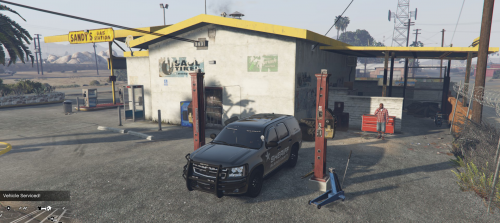 Simple idea, great mod making the gameplay more realistic. Now I have to go 10-7 and go to a garage before getting another call 🙂
- 37 comments
- 10 reviews
-
I managed this by accident while trying to rearrange everything for an UltraWidescreen layout, then did the same for things like the vehlicle name when you get in, and the areas apperaing on the bottom right as you drive around. You need to use OpenIV and back everything up - I take no responsibility if you break things. I do not know what other possible "help" text this may hide. In OpenIV find the file: mods --> update --> update.rpf --> common --> data --> ui --> frontend.xml (Back it up) In Edit Mode, edit the file (or copy to somewhere and use Notepad++ and copy back. Find the lines: HUD_HELP_TEXT HUD_FLOATING_HELP_TEXT_1 HUD_FLOATING_HELP_TEXT_2 I set the following values for those lines as follows: alignX="R" alignY="B" posX="0.0" posY="-10" This puts the text bottom right out of range of your monitor If you want to get rid of those vehicle names / area names that appear bottom right, also do the same to the following lines: HUD_VEHICLE_NAME HUD_AREA_NAME You may be able to play around and just set the posX to -10 to move it left off the monitor, but I decided bottom right and under might be best in case there was a long line of text and you still go a bit left on the screen. You will still hear the noise of the help appearing, but will not see it. Hope this helps. Did I mention back eveything up? By fiddling around in here I have managed to move the maps and notifications further left and my ammo count further right so I can play in 3440x1440 (21:9) without blocking the central area of the game play. The only thing I have not worked out and I wish was possible would be to shrink or move the menus left as well so that they were sitting more to the left in my monitor display. 🙂 I imagine that is not possible as they will be hard coded in the plugin dll.
-
-
 Hi Is there anybody that hs put in more chatter lines willing to share as would love to add more to my ini file but stuck on what to add. I have Better Dispatch Audio so tons of audio files available just not sure of the best combinations. Cheers.
- 96 comments
- 33 reviews
-
 Hi, Love the idea of this plugin as adds new callouts not in other packs, however I got a crash, I think because not using traffic policer. see rage log below:
- 255 comments
- 16 reviews
-
Really love this mod, makes the game more real - able to go 10-7 to drive to garage and get fixed after a bad pursuit. Would love more garages though, especially round the city. Is there any plans to add more in? Can I help in any way by finding coordinates for you?
- 37 comments
- 10 reviews
-
 Hey @Sam316, Is your custom questions available anywhere - would love to give them a go 🙂
- 30 comments
- 6 reviews
-
 This mod still works on 4.6, which is great especially as I can call for backup without stopping what I am doing (usually running for cover). The one issue I have is hardware. I have a SteelSeries Arctis 7 and the mic seems (putting it politely) not as good as it should be for the cost of the headset. I get "Recognition failed" a lot and trying it outside GTA5, OBS playback seems quiet (even with settings at 100%), and trying to dictate it gets the wrong words even after training a few times. so I think this is more mic than mod. Does anybody have any recommendations of good headsets or separate mics that work well?
- 587 comments
- 106 reviews
-
-

- 1
-
-
Hey @OfficerPope, so glad you seem to have found the solution - was looking to write an plugin to make myself unavailable/available with Vocal Dispatch and couldn't work out how. Your plugin does exactly that and more.
-
 Where have you been all my LSPDFR life? Thank you, thank you, thank you. 6 stars
- 262 comments
- 34 reviews
-
-
- 1
-
-
 Well, I am looking forward to trying this in a few weeks... 🙂
 -
 This is one of my favourite packs, but with LSPDFR 0.4.1 I seem to get crashes when ambient spawn of vehicles takes place. It has happened for POLICE4 and SHERIFF that I have noticed with the Exception message: Could not spawn new vehicle. Has anyone got this working without error with LSPDFR 0.4.1? I installed it into patchday20ng Many thanks. RagePluginHook.log
- 283 comments
- 95 reviews
-
 Hi motivations.meta appears to be missing from the download. Also can I check, do I need Clear the Way or does this negate the need for the plugin? Many thanks.
- 366 comments
- 32 reviews
-
 I stand corrected - I still have issues. Will try a fresh install this weekend with no extra mods and see what happens, and post logs here
- 1,742 comments
- 172 reviews
-
So various mods kept crashing for me while looking up a ped or vehicle in Computer+ The gameconfig.xml replacement seems to have fixed this for me so far. I am using the one from dilapidated. Many thanks.
- 1,742 comments
- 172 reviews
-
 One feature this adds that helps with realism @Brandon C. is the switching availability for calls. I was getting sick of getting a new call while on a traffic stop or still cleaning up a scene. In real life I would not be getting a new pursuit while still dealing with the previous one, so I can make myself unavailable while on a call or cleaning up the aftermath, or while en-route at end of shift or while eating a doughnut. Many callouts mark you clear off the call as soon as you cuff the perp.
- 117 comments
- 19 reviews
-
Perfect - thank you - will try again when I get home 🙂 My fault for trying to be ambidextrous, when left will do the job.
- 117 comments
- 19 reviews
-
-
- 1
-
-
Hi @HazyTube, I am afraid I cannot get the modifiers to work. My ini file is set as follows but it still activates when I don't press the Ctrl key (so when I press X on its own). ForceCalloutKey = X ForceCalloutModifier = ControlKey AvailabilityKey = Z CalloutAvailabilityModifier = ControlKey No probs, just trying to help buddy... 🙂
- 117 comments
- 19 reviews
-
-
- 1
-
-
Hi @Officer Joey Kuffman, I found a particular callout pack caused issues with me. The Rage logs should help you see if that is the case, then try disabling that callout pack. The callout pack I had installed was no longer supported and didn't work in LSPDFR 0.4 - Can't remember which one it was though.
- 117 comments
- 19 reviews
-
-
- 1
-
-
 Wow - can't believe I have not found this sooner - looks amazing and just what I would like to help with pursuits etc. Has anyone tried this on LSPDFR 0.4+?
- 70 comments
- 5 reviews
-
Hi Interesting comment from Jacov regarding increasing memory allocation in GameConfig.xml I didn't consider that as I am still working with out of the box vehicles, but will give that a try when I get home tonight. Many thanks.
- 1,742 comments
- 172 reviews
-
 Hi @smokified To remove the duplicate items from Smart Radio, you need to go to \plugins\LSPDFR\PoliceSmartRadio\ButtonSetup and edit the InVehicle.xml and OnFoot.xml
- 1,915 comments
- 242 reviews
-
 Hi PNWParksFan Is there any possibility in a future update of adding optional Modifier keys to the CancelKey and StopThereKey bindings? It would be useful to be able to bind these when running low on standard keys. At the moment I have these set to None while I try and free up some options. Many thanks in advance.
- 781 comments
- 85 reviews
-
So glad I found this app as really want to stop getting a new call once LSPDFR decides I am "code 4" but still dealing with the scene... One request however - as I am running out of keyboard keys. Would it be possible to allow optional modifiers so we could use Ctrl + X for example as this would help accidental activations as discussed earlier and also allow people like me to find a key combination I still haven't used for something 🙂 Many thanks.
- 117 comments
- 19 reviews
-
 Hi, Firstly, great app and can't live without it. However ,the option ResetToPageOneOnOpen=true does not seem to be working anymore, or at least not if you open the radio after placing a call the first time. If you don't use it for a few minutes it seems to go back to page one OK - But if you are placing a second call on the same incident it does not. Many thanks.
- 1,196 comments
- 127 reviews


