


0taku
Friends of LSPDFR
-
Joined
Everything posted by 0taku
-
As far as I know ELS doesn't even use coronas. As to make them less dim at a distance. This is a little hard as Rockstar stuffed something in the code in one of the update that broke emissives. Only way I know of making it look OK is to use Non-Els and have the corona behind the light.
-
according to this; https://support.rockstargames.com/articles/205359647/Support-For-GTAV-PC-Owners-to-Re-Download-GTAV-As-a-Digital-Copy you should be able to download an Installer that downloads the whole game via you CD-key. You still can't make it a steam copy but it should work. Download page https://socialclub.rockstargames.com/activate
-
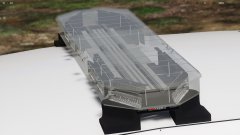 Looking very nice, great work
 -
as far as i know the RPH only works on PC, as do alot of other mods. Modding consoles also breaks the TOS for both Sony and Microsoft
-
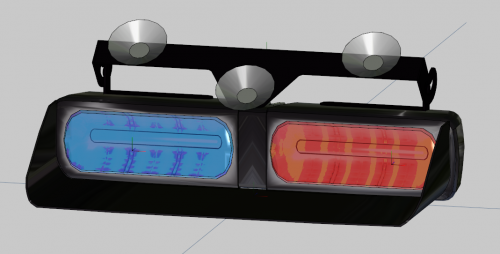 Here is another Christmas gift you guys. Another Whelen Dev part, this time the Avengers. This has both the single and the dual. Both have nice high quality textures and look great. Hope all you guys and gals love this. Also keep an eye out for my next release, A Whelen 500 series led with alot of extra's This is a development model, not a finished model, this is intended for developers. Please do not download if you're new or have no idea how to use Zmod. Can be converted to other games but credit must be given and ask first. Feel free to convert to the Avenger II, but again if used make sure to give credits Should work with both ELS and Non-ELS Note that this is gen 1 model of the Avenger, not the avenger II =======Terms of Use============ 1. Do not claim model as your own 2. Do not convert to other games without checking with me first. 3. When releasing file must be in a locked state. 4. You MAY NOT sell or profit from any part/texuter of this model in any state, personal or public. Violating any of these terms at any point voids the license to use, at which any and all copies need to be destroyed
 -
Glad to help.
-
I can't speak for all Xbox controllers but, I would suggest switching to a PS3 or PS4 controller, I use one and if I lightly press the trigger I slowly move drive, same with the brake. As far I know that Xbox doesn't do this, instead its an 'all or nothing' thing. while the PS3 might be Cheaper I would suggest a PS4. Steam has support for the PS4 and should at least emulate a Microsoft control for buttons.
-
According to the Microsoft and Wiki-error the "Runtime error at 216" is caused via SubSeven Trojan Virus. Steps suggest by Wiki-errors to try and fix this Close all open applications. Open up your anti-virus software by accessing it in the tool tray. Select to scan your entire PC, not just certain system files. Allow the scan to fully run. Once completed be sure to delete anything that is found. Restart your computer to allow completion of the process.
-
In what ever art/photo program you use, 4k texuters are done on a canvas of 4096X4096 and offer a nice high res image (when done right), Next size down is 2048X2048. Textures are generally done in a multiple of 64. So working from smallest to largest would be 64x64, 128x128, 256X256, 512X512, 1024X1024, 2048X2048 and 4096X4096. Best to stick to 2048 or 4096 for the skin of the car. I would suggest using the 4K or 2K in the (modelname)+hi.ytd file as this only lod on the L0 so right up close, then export a lower res of 1024x1024 on put it in the (modelname).ytd so your game doesn't have to work loading hi res detail that you won't see from far away . ________________________ On the topic of the 5m it is FiveM which is a application that allow for muiltplayer alot closer to what IV was.
-
Just glad I could help
-
Olge (the guy that makes ZMOD did a video on this, Just make sure to have closed captions
-
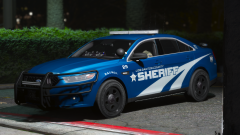 That is a very nice shade of blue.
 -
Wade is correct, they most likely weren't made in the correct scale for GTA. Zmod mod use the metric system for it's size. so a 1x1x1 (around 3 feet) meter size box would be 1.000. all you would need to is find the spec for the lights, get the size, convert to mm (i.e. is it is 125mm it would be 0.125) and make a box with those the scale the light down to fit the box. If this doesn't make sense I could try and talk over Discord or something
-
Which model is it?
-
Hmm, Then I'm not sure what could be wrong. If your other games work without GTA V installed then it shouldn't be a GPU.
-
Dose a clean copy of GTA V work, or dose it also bug out?
-
I believe modding breaks the T.O.S. for using a Xbox/PS4. Also alot of the Mods (at-least script wise) only work on PC because of there backend software. Like the C++ redistribute's
-
If you're having issues with other games as well, could be something wrong with your GPU. Since you just got the PC you should be covered by a 12 month warranty. I would take it to a computer store, and if it is the GPU they should be able to tell you whats the issue is with it. Also anytime you list computer issues, it is good to post your specs so we know what hardware you have.
-
Looking good, something different. I would suggest maybe an Impala. It's doesn't get alot of love and alot of departments did use them.
-
Could be one of two things: 1. It seems that the skin is hard coded into the model, something you can do in zmod. Which means it can't be changed unless your able to edit the model 2. The model was made to only use on skin again something that can only be changed if your able to edit the model. If it's 1 your out of luck and are stuck with the skin it came with. If 2 your stuck with only having one.
-
 I spy my truck cab. Nice to see people are butting her to good use.
 -

From the album: 0taku media
Whelen Freedom I'm working on for a pack I might do. -
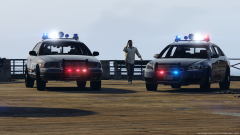 What beacons are those?
 -
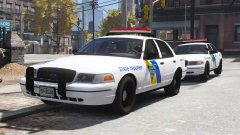 What TimeCycle is that. I'm getting back into play the GTA IV/EFLC games put forgot how 'bland' they were. and would like my game to look nicer
 -
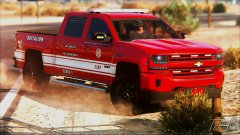 Yeah, no-one seems to do proper mirror lights anymore


