


0taku
Friends of LSPDFR
-
Joined
Everything posted by 0taku
-
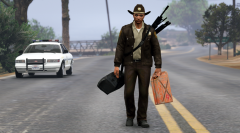 To the place where I belong
 -
Make sure 'edit mode' is on and you're installing it into the mod folder
-
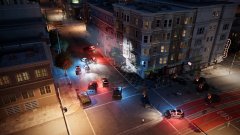 Never realised I never replied my bad, Watch_dogs_2. You can hid the hud on the drone to get some good overhead screen shots.
 -
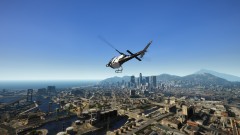 ^ I second that
 -
A locked model cannot be import into a 3d modelling program (such as Zmod3) Where as a unlocked one can. It make no difference for game play which one the model is. Like Redding said it something for the people that make models.
-
First not every person scratch's makes a car for GTA. They are either bought from a 3dmodel site and converted or converted from other games, but this still take awhile. I'm working on converting the Crown Vic from Forza to GTA and I've put over 120 hours so far into it. Aside from that, you could try messaging to person and seeing if they would be willing to let you use it for a personal use. Alot of modders are good people. As for model sites, http://gamemodels.ru/ is a very good one. You'll still need to convert and set up the models for GTA us but it gives you stuff to mess around with. If you want something more GTA ready there are always the vanilla models.
-
This has nothing to do with the license. If the 'Import' button is greyed out when importing is means that the file you are trying to import is locked. This means edits can not be done to it. Alot of modders do this do people don't steal the hard and hours and hours into the model.
-
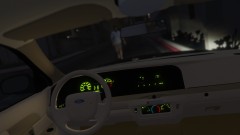
From the album: 0taku media
doing work on the night texuters -
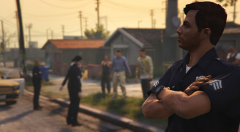 Very Nice recreation
 -
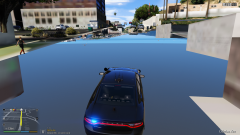 This is texture loss, which more often then not is caused by the computer/game struggling to load all the resources. Common causes are Highpoly cars, and high load scripts.
 -
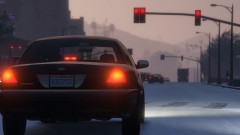
From the album: 0taku media
Some we hate to see and some we need to see, guess which is which. -
I was working on one at one point, but I lost the file for it and I'm busy with Though while I'm not sure about DEV one's I know there are a few releases both on here and GTA 5 mods.
-
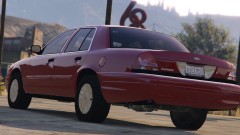
From the album: 0taku media
Still working on the Vic. Little by Little. And to quote a line from a TV show. "Slow progress is lasting progress." -
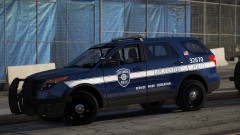 What's the skin based off?
 -
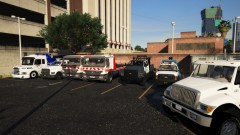 Nice tow fleet
 -
Well I just checked and I can still download OpenIV, so if it was down, it's back up. Also as far as I know, OpenIV is the only tool for editing the files of GTA V is OpenIV
-
Never played Halo before (don't start) but I'm surprised they didn't do this sooner.
-
Is it the sirens or a siren/speaker combo thing. Because some of the ones we use in Aus (at-least my part) are EU like and you can only hear it as it is coming towards you. once the Ambulance/police car passes you can barely hear it. Maybe this is what they are trying to do.
-
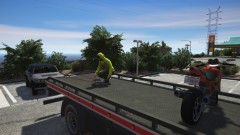 Nice use of animations
 -
Congrats on the 4 years. I myself have been here for about 6 1/2 years and let me tell you alot of stuff has happened
-
I don't believe there is a mod the allows you to config the Q&A's. However you could try codding your own. I know nothing about codding so I'm not sure how easy/hard it would be.
-
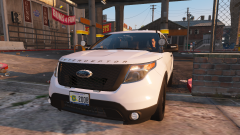 Nice simple lighting.
 -
when you go to launch the game it should update itself.
-
If that's the case, I would try replacing the Carcols file that came with NVR with the vanilla one .
-
Did the lights work fine before hand?


