




GrandTheftPD
Members
-
Joined
-
Last visited
Everything posted by GrandTheftPD
-
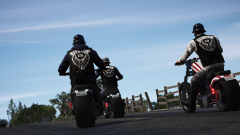
From the album: Citizens of San Andreas
© GrandTheftPD
-
 Nice I still just have nvr and regular enb but I guess I'm gonna have to learn how reshade and the custom enbs work lol
 -
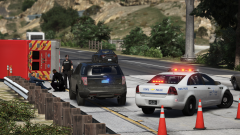
From the album: Just Doing My Job
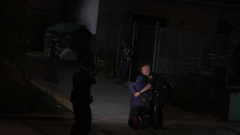
State Police on scene of a fatal ambulance crash after a struggle with a patient causes the driver to lose control. Police tracking escaped patient who fled after the crash.© GrandTheftPD
-
-
🔥 That model, the skin, and the picture itself 😲 Do you use reshade and/or a custom enb at all? Good stuff from you as usual 👍
-
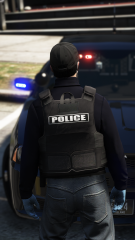
From the album: Custom Textures / Works In Progress
Made as a request for a multiplayer server. Won't be releasing it however I may make some different skins for this vest model. Really like the look of it especially when used with a plain clothes setup.© GrandTheftPD
-
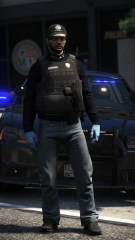
From the album: Custom Textures / Works In Progress
Lore friendly LSPD vest made as a private request for a multiplayer server.© GrandTheftPD
-
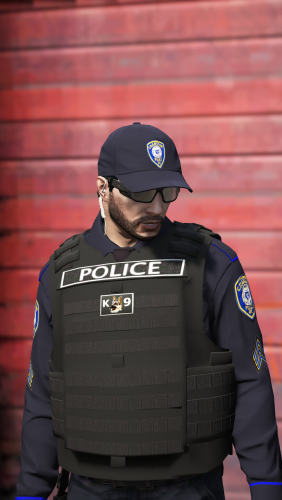 @YoshePlays Gotcha I will take a look at it. Is it the flag patch specifically your talking about or all the patches on it?
- 158 comments
- 21 reviews
-
Shouldn't be it was made the same way as the rest of them but I can look into it. Which one the k9 the flag one or both? Yeah I got tired of the vanilla sheriffs back when I used to play lore friendly and switched them all over to black pants / hats instead of the green or whatever they were lol. Don't know of a black sheriff baseball cap off the top of my head but I'm sure there's probably 1 out there somewhere. And yeah unfortunately until EUP is updated thats's the best belt option we have for a taser but using the holster you have equipped in that screenshot does hide most of that beretta.
- 158 comments
- 21 reviews
-
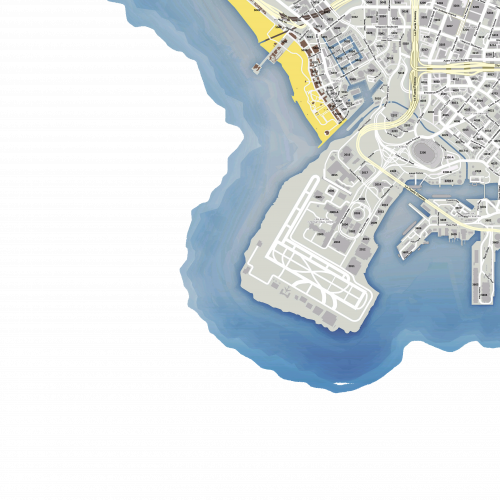 Looks great and provides a lot more immersion than the vanilla pause menu map even in single player lspdfr. Thank you great map replacement 😁👍
- 33 comments
- 7 reviews
-
-

- 1
-
-
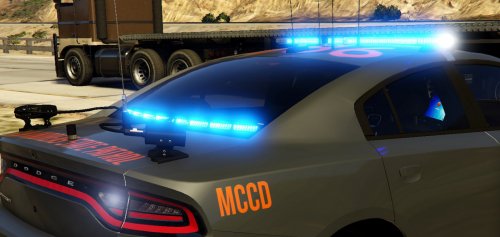 Yeah I downloaded it and looked at the files and it seemed like it would just replace the search item list for strictly mccd patrols. Which makes sense because that's what you made it for so clearly it works as intended. I thought maybe just adding your list to the existing items would work but wasn't sure if that would then cause issues when searching other vehicles that you didn't want to find mccd items for which it sounds like it would. I know you said it was location specific for vehicles but I figured it was setup for strictly mccd patrols not able to detect which vehicle models to apply the mccd items to. I was just curious because my local state police which i use in game don't have a specific highway patrol or mccd division as far as I know (at least not seperate vehicles with marked designations for it) however I see them with trucks stopped for things on the highways all the time. I suppose even with the strictly mccd search setup you could take calls and do regular highway patrols and stop whoever you want and just avoid searching non mccd vehicles. Thanks for the info and clearing that up for me. Really like this idea I'll just have to backup my old item list and switch this one in and out when I feel like doing a highway patrol. 👍
- 11 comments
- 2 reviews
-
-
- 1
-
-
Hey @Gump really love this idea just curious how it works. Does it replace the search item list or can it be added onto it? And if you added it on would it work with the proper vehicles or would I be getting truck violations when searching a motorcycle for example? I'd really like to add it so I can use it while out highway patrolling without being limited to a strictly mccd patrol or having mccd violations pop up on other civilian vehicles (cars, motorcycles, etc). Is this possible?
- 11 comments
- 2 reviews
-
Just got this after editing my previous comment so idk if you saw it but the FiveM mapzoom file fixed it so I'm all set now. Thank you looks great 👍
- 33 comments
- 7 reviews
-
Putting in the FiveM mapzoom file fixed it. Not sure why that would be but it seems to be working now 👍 Looks great thanks for the help 😁
- 33 comments
- 7 reviews
-
I'm not using it in FiveM. Installed everything from the sp install including the mapzoomdata.
- 33 comments
- 7 reviews
-
I have this same problem using the sp install. Works fine but as soon as I start to zoom in at all so I can see street names it reverts back to the vanilla map.
- 33 comments
- 7 reviews
-
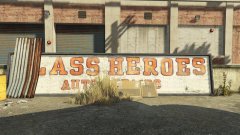 The easter eggs are the best! The radio / tv shows and commercials kill me every time (the pisswasser tv ads are pure gold lol). I just realized a few minutes ago that there are 2 roads near franklins dispensary named "rub" and "tug" lol. I've been playing GTAV for years now and I still find hilarious little things like this that I haven't seen yet.
 -
-
-
Pretty sure the SAHP vest is #28 isn't it? @andreacesa You shouldn't have had to rename anything. They are made to replace blank textures for that vest so the sahp option would still be there as well as my vests. Thank you though glad you like them and got them working 👍 Let me know if you need any more help with them.
- 158 comments
- 21 reviews
-
No you can't rename them and replace something else they simply replace textures for existing vest models they don't change the model itself at all so they will only work on those 2 vest models. They should be there on armor #13 and #28 especially if they are showing up in the .ytd files you replaced. They won't be immediately visible on #13 and #28 you have to scroll through the texture options for those 2 vests to get to them. Sounds like this is probably your issue. Have you scrolled through the texture options for armor #13 and #28 in the EUP menu?
- 158 comments
- 21 reviews
-
-
.png.42c1004d3911610f90eb3c349e72663d.png)
-
.png.6b7b0c627ec5af27b3fdaeaff64046a5.png)
-

.png.42c1004d3911610f90eb3c349e72663d.png)
.png.6b7b0c627ec5af27b3fdaeaff64046a5.png)
.png.4dc0df644ccb89a7ad5df190112b0468.png)