



Lozano71
Members
-
Joined
-
Last visited
Everything posted by Lozano71
-
 Great! Tough guys with heavy machine guns and armored vehicles.... This is the first time. And it's really interesting.
- 84 comments
- 22 reviews
-
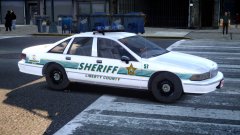 Looking great!!!
 -
I just leave it here.... http://gta.com.ua/file_gta4_details.phtml?id=7344
-6.thumb.jpg.3ced38e849951371b66894fe23f9cec6.jpg)
-
I'm don't play with modern cars... Vanilla or my own 1990s carpack.
-
What ENB looking good with retrocars, like Ford LTD ELS and Chevrolet Impala?
-
If indeed canceled, NTAutority and the company just finish it before the end of their version of Los Santos for GTA 4, and I think LCPDFR will be easy to adapt for this card, and we will not lose anything.
-
-
-
-
-
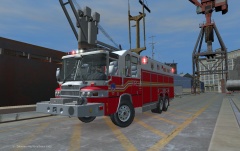 If you do not want to do the release of this car then why upload photos? Tease? Frame show what you're cool? I hate these people.
 -
I have a suggestion for all lovers of the classic police cars, to form a group, make a picture for the signature, exchange information with each other about such cars and collectively ask modelers to make cars that we need. But for this we need a curator, we need to choose a person who really understands this.Excellent ideas, hopefully performance will be the same. Generally, you can try to translate the robbery of the original plot, where Niko Bellic robbed the bank with his team. It will look at the story of GTA 4 with a third party (the first party - Niko himself, the other party - Luis Lopez and Johnny Kleybitts and many third-party - nameless police officers, we are with you). Make the most of a simplified mechanism spawn, so he worked with carpaсks. Personally for me this is important, and I think some will agree with me.Good thread, great cars. It is a pity that these cars are not made for a GTA 4. And again, once a week steadily goes another version of CVPI 1998-2011. I have nothing against this car, but it's already too much.If we're talking about classic American cars apart from these remarkable SUVs we need to remember more about such masterpieces as: Without them, you can not collect a set of classic police cars: 1992 Ford Crown Victoria 1994 Ford Crown Victoria 1997 Ford Crown Victoria 1990s Ford Taurus 1984 Ford LTD (All Cars Marked and Unmarked) I suggest not just ask a cop SUV, and a set of police cars at the time. Make versions for different cities. For example, to Los Santos (Los Angeles), to Liberty City (New York) to Alderney City (New Jersey), and so on. Already there are some cars in this set, such as: 1990s Chevrolet Caprice 1985 and 1989 Ford LTD

-6.jpg.eb670d4e2b7fc7a22f7a08de5bde19b7.jpg)

