


Spectre32A
Members
-
Joined
-
Last visited
Everything posted by Spectre32A
-
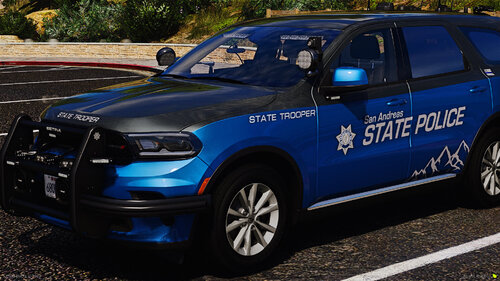 Has anyone found a fix to the lighting issue yet? i havent been able to get them to work at all. The components will toggle but thats it.
 -
Im seeing mixed reports between lights not working, extras not showing up and such. Firstly, the cars look amazing. The pack is simple. Theres not a ton of cars and theres a good livery difference. My issue is that none of the lights work with the newest version of SSLA installed. Extras for me either dont show up at all or they show and disappear and dont come back. When i had SSLA removed the lights showed up but not all the lights turned on. Im kind of at a loss here on what to do to make this pack work for me but ill keep cracking at it and let you know if i find a solution.
-
-
-
 So as far as i am tracking (through comments) DLS V2 is not compatible with older vehicles that use DLS V1? So is there a work around or am i stuck with using older version vehicles or DLS version?
- 280 comments
- 21 reviews
-
.thumb.png.7bdf0066d86afe565fac5e2684baa3e8.png) I just downloaded the pack. The vehicles look and drive awesome, i just cant get the ELS lights to function at all. Looking forward to the future updates.
I just downloaded the pack. The vehicles look and drive awesome, i just cant get the ELS lights to function at all. Looking forward to the future updates. -
-
 Just wanted to say that this is by far one of the best MDC plugins ive used since being apart of the community in 2017 It looks, feels and acts like a real MDC. The reports, court tracking...all of it. I love it!! Thank you for this!
- 392 comments
- 9 reviews
-
-

- 1
-
-
That would be a pretty awesome feature honestly. Everything else works pretty damn well. I love the plugin.
- 392 comments
- 9 reviews
-
I get an error message when attempting to accept a callout within the MDT. The description of the plugin makes me believe that the plaugin does indeed allow me to be able to do that. Did I misunderstand?
- 392 comments
- 9 reviews
-
-
-
-
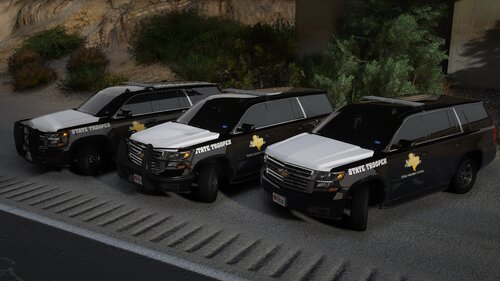 yooo...this video was pretty dope. i dig it frfr. for those of you using SSLA, im having an issue where as soon as i activate the ELS i get a crash to the desktop. have either of you experienced this and if so, what was the solution? UPDATE: Disregard last. there was a file that was running under compatibiliy mode.
- 60 comments
- 11 reviews
-
 I am running into an issue (with multiple versions) where as soon as i activate ELS the game crashes to desktop. no log info, no error message or anything like that. ive turned off compatibility mode in rage. im not sure what else to do?
- 342 comments
- 19 reviews
-
-
You are correct. I discovered that after i posted and didnt get the chance to edit the post. My game is working correct as of now. I just have to shut off windows defender in order to get it to run.
-
Can you do me a solid. Right click on RPH in your GTAV and run widows defender on the file and let me know what it says? Im popping up with a virus on that particular file.
-
 Hell yea!! thank you very much!! Huge help!
 -
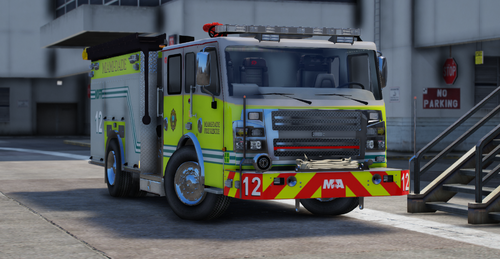
I know its been a hot min for this texture pack but is there a way to link or let us know where the vehicle models come from? i am trying to find the Ambo models and its a huge struggle.
-
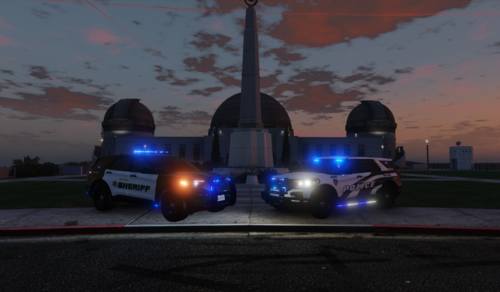 On the riot vehicle you spelled tactical wrong. You spelled it as tatical lol. Otherwise, this livery pack is pretty awesome!!
 -
 i just had the same problem myself. I was wondering if there was a new gameconfig that might help.
- 357 comments
- 26 reviews
-
.thumb.jpg.335a5c2afffd469b763c8cb47d7219f9.jpg) And i am. I apologized, stated why i said what i said and moved on...🙅♂️
And i am. I apologized, stated why i said what i said and moved on...🙅♂️ -
The files are labled as August, Decemeber, Jeds Dump file april, October and September with the year being 2020. This is where my confusion came in. My apologies! April has all vehicles and october and Sept has a mix of vehicles and liveries. August and Decmeber are liveries.
-
So only the april 2020 pack has vehicles and the others are liveries. I would just include that in the descriptions just so folks know what they are downloading. I was under the impression that these were actual vehicles. The april pack is fuggin awesome!! im still trying to find the port police and where the DLC might be. Maybe you mixed them up?


.thumb.png.7bdf0066d86afe565fac5e2684baa3e8.png)


.thumb.jpg.335a5c2afffd469b763c8cb47d7219f9.jpg)
