


Tactical Donut
Members
-
Joined
Everything posted by Tactical Donut
-
You can change GTA V's install folder, it's just a little bit complicated if you don't know what you're doing. Since the game currently crashes, I would personally recommend (although it's not required) for you to make a backup of all modded files and re-download the game after completing the steps below. Let me know if you need additional guidance or if my instructions were unclear.
-
There's a flag in the RPH settings called something like "Disable DirectX hook" - ensure that is not checked. If you could also upload your RPH Launcher log I'd appreciate it.
-
Oof. I've had this problem a few times before, and I really do hate to say it, but that means that your game save is corrupted - Completely delete the Rockstar Games folder in your AppData (Local) and Documents, and re-sign in and download your game saves from the cloud. If you don't have any saves in the cloud or if it still crashes, you'll have to start a new game 😐
-
Reinstall LSPDFR.
-
Could you attach the carvariations and vehicles.meta? Also, how many DLC packs have you created?
-
Check outside the mods folder (I hope you're using one) - game folder\update\x64\dlcpacks\ (I think that's the right path) and then copy it from there into your mods folder. I highly recommend installing RDE1 as it centralizes all of your vehicle mods and makes the patchday crap obsolete. 1If you install RDE, ensure to make a backup of your vanilla update.rpf. The horrible installer will install it not just into your mods folder update.rpf, but into the vanilla one as well.
-
Try removing all LSPDFR plugins and adding them back one by one to find which one is causing the issue. I've had to do this quite a few times, it doesn't take as long as it sounds like it will.
-
Please attach your RPH log and RPH launcher log and I can try to help you.
-
 I know this pack is technically complete, however I was wondering, do you have any plans to fix the small Charger rambar and possibly add a 2016 FPIU?
- 114 comments
- 37 reviews
-
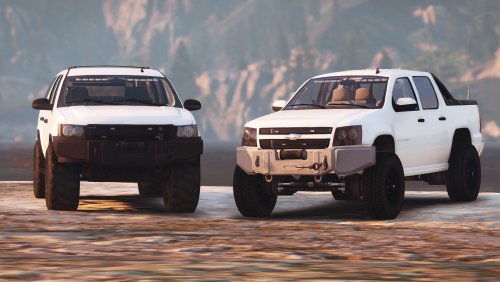 I've wanted something like this for a while and it's finally here and actually done well! Thanks for making this! EDIT: After further testing, I have discovered additional bugs that I would like to see fixed but doesn't effect the rating. - The Tahoe's back wheels slightly clip into the wheel arches - When turned, the Tahoe's front wheels clip through the brake, making it visible as it is glitched through the rim - The dash emissive on the Tahoe is excessively bright, but that's probably just me Suggestions: - Make the Tahoe have the same lighting setup as the Avalanche (especially the rear light stick) - ADD REAR LICENSE PLATES - Fix the bugs I mentioned above LAST EDIT: - It would be helpful to include the correct dashboard/interior type for the Avalanche - I can see from the screenshots that you haven’t even used the correct type. If you want it, the correct dashboard/interior type is Banshee (VDT_BANSHEE; vehicles_banshee_interior)
- 19 comments
- 2 reviews
-
I do it through Enhanced Native Trainer. What I find strange is that I had mainly used BasicCruiseControl for months now without any problems; however, without any changes being made, it has suddenly caused the aforementioned issues. Whilst on duty, the BasicCruiseControl key (F10) only conflicts with the key used to open Computer+; however that is not an issue since the user is required to hold F10 to open Computer+ (and only while stopped) as opposed to simply tapping it. The plugin Cruise Control’s (not used simultaneously with BasicCruiseControl) activation key is bound to D8, and does not conflict with anything. I’d also like to note that only one of these plugins are running/loaded at any given time. Thanks for your reply!
-
To preface, I'm not sure if this topic should go into LSPDFR support or GTA V support - I apologize if it's in the wrong category. So the title is kind of explanatory, it seems that whenever I use cruise control plugins (e.g. BasicCruiseControl, Cruise Control) and attempt to move (or teleport) a vehicle after going on duty with either plugin running, the game immediately completely crashes. NOTE: After further testing, if I engage cruise control before going on duty then remain in the vehicle and force duty, then the game will immediately crash even before I close the console. The only error message given is the horribly generic exception access violation which could really mean anything. I've attached my RPH log and crash report, even though neither really give any helpful information. If you'd like me to include additional information, just ask. Any assistance regarding this issue would be much appreciated! RagePluginHook.log RPH Crash Report.txt
-
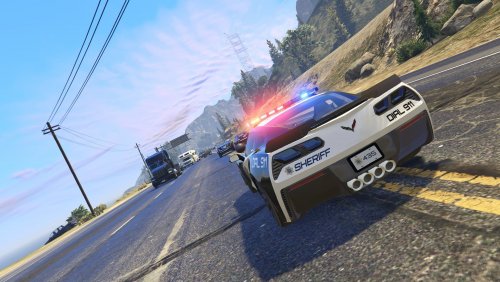 Would it be possible for you to fix the horribly scaled Tahoe wheels in a future update?
- 50 comments
- 15 reviews
-
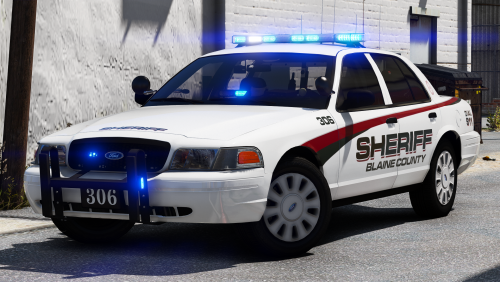 Change the vehicle layout in the vehicles.meta from RANGER_SWAT to just RANGER.
- 43 comments
- 16 reviews
-
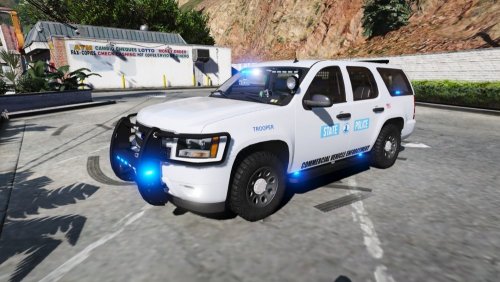 Navigate to update.rpf\common\data\levels\gta5, and right-click on the vehicles.meta file and select edit. Depending on on what vehicle you chose to have the 2013 Tahoe replace, you’d search for the model name of the vehicle (e.g. police3, sheriff2, fbi2) that you replaced, then find the part that affects the vehicle’s layout (see attached picture). Change it from LAYOUT_RANGER_SWAT to LAYOUT_RANGER. That should hopefully solve your problem.
- 23 comments
- 9 reviews
-
Well... First of all, this shouldn’t be in support. Second of all, I believe LSPDFR+ or Arrest Manager already provides the requested functionality.
-
@OffciferBirdie First, try climbing onto the roof of the vehicle - does it crash? If it does, in the vehicles.meta, change the layout for the vehicle from RANGER_SWAT to just RANGER and see if that fixes it. If not, I have no idea how to fix it.
- 23 comments
- 9 reviews
-
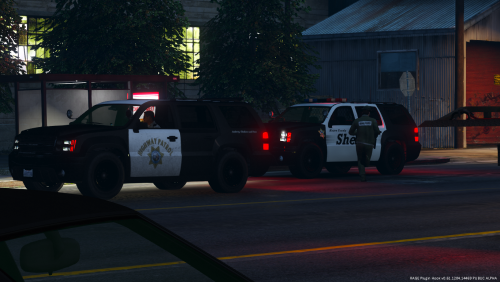 Non-ELS :( Looks great though - I'll definitely use it when I go back to lore-friendly stuff.
- 4 comments
- 2 reviews
-
-
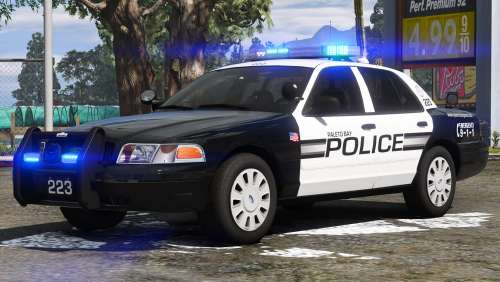 Before I start, I'd like to preface this comment by saying that I consider you one of the top three modders on this website, and if I am coming across as rude, I do apologize. I'd also like to say that you've made many high quality mods that I would pay money for. But why, why, why, have you not fixed the interior on the 2013-gen FPIUs? I can't use those models knowing the interior looks like it does. Personally, it looks better if I just completely delete the interior texture and use the car with a completely white interior. Thehurk put an HQ interior on his CHP FPIU, and it looks like he just grabbed the interior from his 2016 base and put it in the 2013 one. Would it be too much to ask for you to do the same? Again, I don't mean to be disrespectful to you, and I very much appreciate your work.
- 10 comments
- 8 reviews
-
-

- 1
-
-
How about instead: http://www.lcpdfr.com/files/file/17413-els-added-fpis-lspd-sedan-pack/ With http://www.lcpdfr.com/files/file/9339-real-lapd-4k-california-police-pack/
-
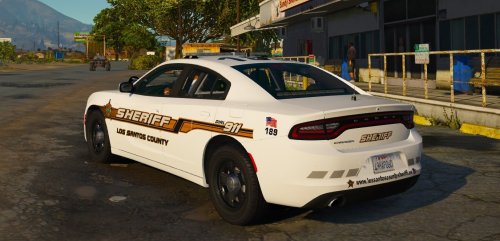 Very nice. I’ve wanted to see a Charger using that new base model for a while. Lighting is great and the Legacy looks perfect. I’d love to see an unmarked version based on the LAPD’s unmarked Chargers in the future. EDIT: After further testing, I have discovered some bugs that need to be addressed before I will consider this a five star vehicle. The takedowns shine backward so I had to disable them. The mirror lights are not attached to the doors, so they don't move when the doors are opened - see attached picture There are no "needles" on the dials
- 23 comments
- 7 reviews
-
-
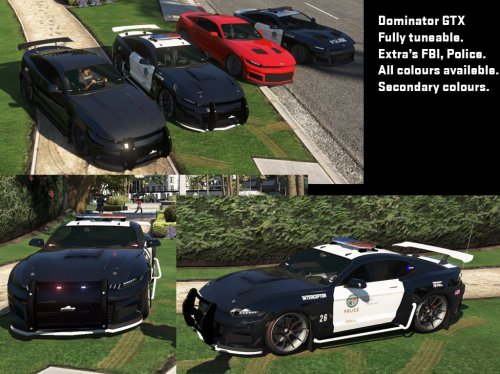 Personally, I found it very obvious that the car isn’t ELS. - Usually lore-friendly cars aren’t ELS - As you can see in the screenshots, the car spawns with multiple lightbars. ELS compatible vehicles can’t do that. - None of the lights are set as extras. ELS requires that. - There’s no XML. That’s a big hint. - If you look, the file says it isn’t ELS compatible. That’s a huge hint.
 -
Since for some reason all of the Unmarked FPIUs either have siderunners or full headliner bars with conspicuous rambars, I would like to see a MINIMALISTIC lighted 2016 unmarked FPIU WITHOUT a rambar. Maybe you could even base it off of this one https://gyazo.com/ab67fc55bed94f012fd58aed884cd235 https://gyazo.com/6f390b876f0802f4c7d20dddcefb03c0

.thumb.jpg.53e6566fc11617e23f7fb13f2792cbbe.jpg)
