


Tactical Donut
Members
-
Joined
Everything posted by Tactical Donut
-
.png.427b256d6aa8b5fa73301e4ddc9fd0e1.png)
From the album: Fotos
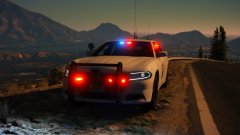
https://www.lcpdfr.com/files/file/21643-pawnee-indiana-police-cvpi/ -
.png.838a650ccf48e9879b47109c4848706d.png)
From the album: Fotos
Here’s the texture if anyone wants it; https://www.lcpdfr.com/files/file/21643-pawnee-indiana-police-cvpi/ -
 Welcome to my ignore list.
 -
You said it was going to be released last year. A whole year later, it’s still WIP. We all have lives, but obviously, unlike yours, most of our lives don’t involve working at a job 24 hours a day. Don’t say “it’s going to be released this year” when it’s clear it will never be released because you apparently work 24 hours a day.
-
I LOVE how you said it was going to be released last year and it' still "WIP".
-
.png.704557d395d3bab3c09570ab812fa49f.png) Since this was a "re-texture" by me of RogueThunder's BCSO pack, I'll release it if he gives me permission to do so.
Since this was a "re-texture" by me of RogueThunder's BCSO pack, I'll release it if he gives me permission to do so. -
From the album: Fotos
Thank you, taxpayers of Blaine County! -
Huh. Well, I'm honestly not sure then. Sorry
-
Of course. I’m not against the system; I’m just replying to that annoying comment above.
-
I love refreshing 5 times in a row to download a file.
-
-
I changed the carvariations data for sheriff2. This should hopefully fix it. This is what I changed it to: This is what it was originally: This will also fix the double light emissive you would have seen with the headlights.
-
Since you uploaded it as an XML, I've attached my edited copy to this reply. Let me know if it works or not. carvariations.ymt.xml
-
It works, I’ll edit it today and send it back to you somehow.
-
I guess you can't change the extension, it's completely unreadable from my end. Upload the original YMT to some service like Mediafire or Google Drive, then put a link to it here.
-
If you use a mods folder, please send me that one, or if you don’t use a mods folder, please send me the one from the standard update.rpf. LSPDFR won’t allow you to upload YMT files because it’s stupid, just change the extension to .txt and you’ll be able to upload it then.
-
Run the game through the launcher with NO mods and click Story Mode. If it doesn't load then, open the spoiler.
-
The title is Corrupt Game Data, what is the error? It might be something like "ERR_FIL_PAK_3" or something like that. Could you attach your vehicles.meta file here?
-
Navigate to update.rpf\x64\data\ and extract carvariations.ymt. Open it with Notepad++ and get back to me when you've done that.
-
So... You want to edit the handling that police vehicles use (e.g. FBI2 or POLICE3)? You want to make it more realistic or what?
-
Non-ELS. Gross. I can add the lines in for you if you want, or I can give you instructions. Either way, start by navigating to update.rpf\x64\data\, and extract carcols.ymt. You can open it with Notepad++. PM me if you want me to add the lines in for you.
-
Please, change the security challenge. Make it so I have to check all pictures with cars or click pictures with road signs in it, or something, PLEASE. I don't know how the hell I'm supposed to correctly decipher what the current security challenge says, but it's really annoying and most of the times near impossible to do so, even more so on mobile, where you have autocorrect. The attached files are the type of idiotic "challenges" I'm talking about. Does anyone know what they say?
.jpg.165f509fc1a06b4c4c80c265ce6be6b8.jpg)
.jpg.5a79f6c2d7ac45450ff83039fc8acc8d.jpg)

-
 @Deputybrandt84 If the model is "beautiful" and you "love" the lighting, did you leave a 4-star review just to be annoying?
- 60 comments
- 37 reviews
-
-

- 1
-
-
Amazing. Finally an FPIU that isn’t ruined because someone put a stupid rambar on it. Greeat choice on using the OuterEdge, by the way. That really makes the vehicle unique.
- 60 comments
- 37 reviews
-
-
- 1
-
-
Thank you for making models with and without the rambar, very much appreciated! Since there’s a no rambar option I’ll download this and rate it five stars later.
- 60 comments
- 37 reviews
-
-
- 5
-

.png.427b256d6aa8b5fa73301e4ddc9fd0e1.png)
.png.838a650ccf48e9879b47109c4848706d.png)
.png.704557d395d3bab3c09570ab812fa49f.png)
.jpg.165f509fc1a06b4c4c80c265ce6be6b8.jpg)
.jpg.5a79f6c2d7ac45450ff83039fc8acc8d.jpg)
