


marvinblue
Members
-
Joined
-
Last visited
Everything posted by marvinblue
-
 Hi there. Will there be an update coming for LML? Even after the latest Rockstar updates, I still have to disable vfs.dll for my game to run.
- 321 comments
- 17 reviews
-
-

- 2
-
-
-
-
So I launched my game, then immediately held L Shift and got the settings screen. I disabled all the plugins (inc. LSPDFR), then ran the game. Game loads fine. Once there, enabled all the plugins from the RAGE console, forced duty, works beautifully!! Yay!!
- 321 comments
- 17 reviews
-
Well, I know that every time I launch with vfs.dll intact, my game crashes. When I rename vfs to _vfs.dll, then my game runs, but as vanilla LSPDFR (without some plugins and most of my vehicles). Are you suggesting that I get a copy of just RPH from their site and not have it bundled with LSPDFR, or disable the LSPDFR plugin before I launch the game?
- 321 comments
- 17 reviews
-
Hiya! How do I do this? If LML is causing the game to crash, how do I launch the game then enable LML?
- 321 comments
- 17 reviews
-
-

- 1
-
-
I'm also having issues with LML's compatibility with the latest version of RPH. If I rename vfs.dll to _vfs.dll, the game runs. If I take away the underscore, the game crashes. It's a real pain, as most of my mods load in with LML. I've even tried reinstalling earlier versions of LML, as per the above post, doesn't work for me. Can someone please update LML?
- 321 comments
- 17 reviews
-
 Hi there. After the latest update, my game is constantly crashing and I've narrowed it down to Lenny's Mod Loader. It would seem that it needs to be updated. If the dev's could release an updated version, I'd be forever grateful, as most of my mods are loaded in via LML. Thanks heaps in advance. (I don't really know where else to post, so I guess it's going here....)
 -
 Hi there! Love the mod! Well done! Any chance you can add an option to play the nearest scenario like DeAlien's Roleplay script? You hit a single button then the ped looks for and plays the closest scenario, like talking to the group, smoking, looking at phone, etc. If you manage to add this in, it'll be mint!
- 70 comments
- 14 reviews
-
Thanks so much for updating your file, everything at my end is now running smoothly again.
- 321 comments
- 17 reviews
-
-
- 2
-
-
Any thoughts? I've got Fire Callouts from Panos 1221 running, as well as several add-on cars, these are all installed via LML. Coastal Callouts is the only plugin/mod not working.
-
.thumb.png.9d0943161b37f863c291d6d6664edefb.png) Hi there. I can't get the Heli Assistance menu to open. I changed the keybind to F8 and the modifier to None. I've also tried False as the modifier, that crashed my game. Once I'm on duty and with None as the modifier, if I press F8, nothing happens. HeliAssistance.zip
Hi there. I can't get the Heli Assistance menu to open. I changed the keybind to F8 and the modifier to None. I've also tried False as the modifier, that crashed my game. Once I'm on duty and with None as the modifier, if I press F8, nothing happens. HeliAssistance.zip- 366 comments
- 33 reviews
-
Yes, I have that and the cweaponinfoblb adjuster as well.
-
-
Unfortunately the updated gameconfig.xml didn't help me. Coastal Callouts still causes LSPDFR to crash.
-
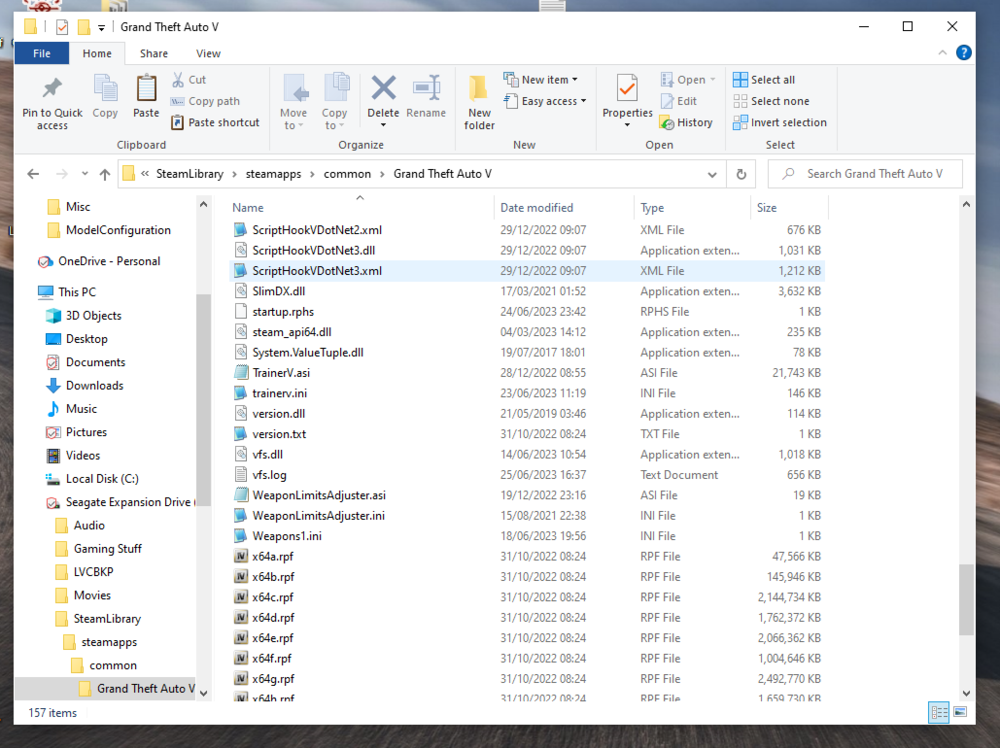
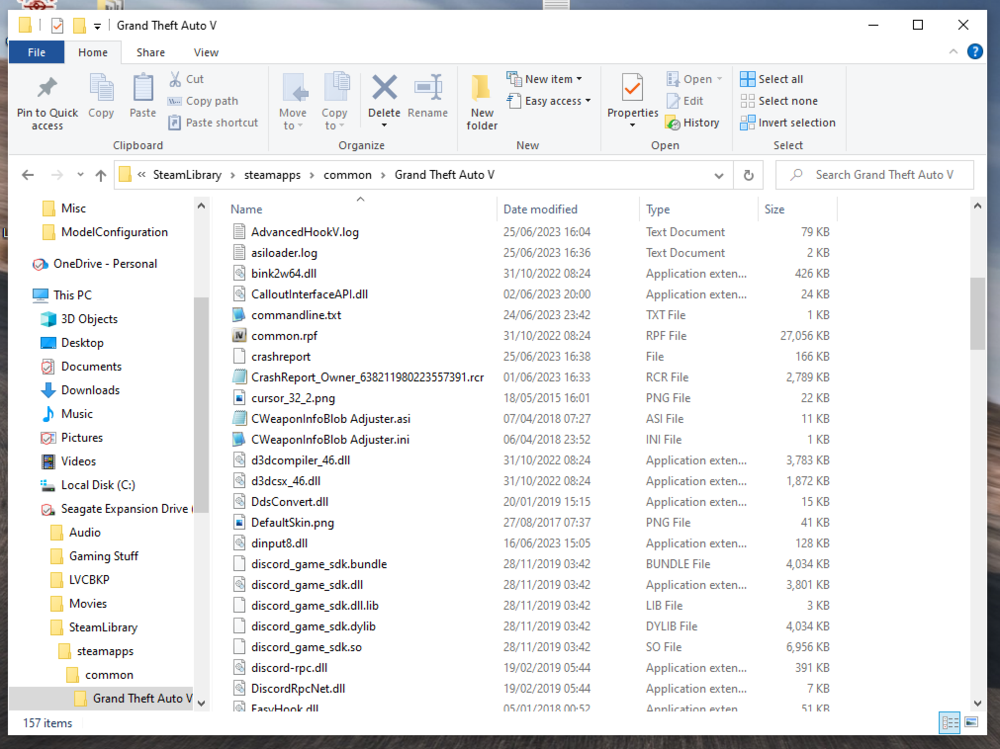
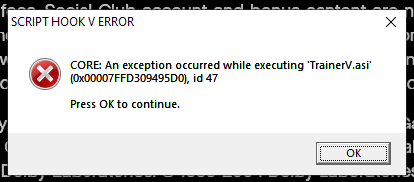
Hi there. Unfortunately, I'm having similar issues with Coastal Callouts What were you doing when the crash/bug occurred? Trying to load LSPDFR. Did the game crash to desktop, or did the plugin crash? LSPDFR constantly crashes on startup. Sometimes it's straight to desktop, other times it will load into Story Mode as Franklin, then crash to desktop. Does the same crash or bug happen consistently? If so, describe the steps to reproduce the issue. This is a consistent crash, simply by clicking on the RPH.exe Upload a copy of RagePluginHook.log from your main GTA V folder. This is attached. Upload any relevant in-game screenshots. This is attached. This has only happened since the new update has come along. Prior to the new update, everything was stable. When the crash first started, I deleted Coastal Callouts and re-installed it, but it hasn't helped. Since then, I've re-installed LML thinking that was the issue, but that hasn't helped either. WRT my attached screenshot, if I disable TrainerV, then it gives the same error message, but its for the openinteriors.asi. If I disable both asi files, then I get the same error message displayed by the previous log entry. If I rename version.dll or vfs.dll (bypassing LML), then the game runs. If I bring back all these files to their original state, then go into LML and disable Coastal Callouts, my game runs perfectly. I've since deleted Costal Callouts, re-started my PC, then followed the Coastal Callouts installation video to the letter and I'm back to square one. So, I think that Coastal Callouts doesn't like something with either the new RPH or new SHV, or maybe something within the new GTAV update. As far as I'm aware, all of my plugins / script modifiers / downloads are running the most updated version. My gameconfig.xml is the latest version that PNWParksFan just dropped. I've also included a .rar file that has screenshots of my GTA game folder. RagePluginHook.log GTA folder.zip
-
-
Hi there. It seems there's a problem with the latest version of LML. I downloaded the latest version and installed as per the instructions. I couldn't get my game to run after the latest update, until I renamed version.dll. Once I renamed it, the game runs like a charm.
- 321 comments
- 17 reviews
-
What happens in Observer Mode? When I select it in the menu, nothing happens. (In my menu, the text is green, even when I've selected the heli to back me up, i.e. on a traffic stop).
- 366 comments
- 33 reviews
-
Hi there. Just discovered this plugin, it's awesome!! I was wondering if the helicopter model could be bought across from Ultimate Backup, or if you could add an option to the .ini to specify what model helicopter that you want? I run Australian units in LSPDFR and have an AW139 as my chopper. I would like to use this instead of the default helicopter. Thanks heaps for all of your work so far on this fantastic plugin!
- 366 comments
- 33 reviews
-
 How about adding the rear doors to the fire stations at Davis and El Buroo? Then you could have drive through stations.
 -
 I really like this script, very handy to have the roadblocks spawn automatically during a pursuit, as it's one less thing to worry about. I agree with an earlier review WRT the level of the audio tracks that have been added. They are pretty loud, especially if you're wearing headphones. If the audio level could be decreased, that would be awesome! Otherwise, well done!
- 248 comments
- 17 reviews
-
-
Hi there. I'm currently running 0.6.0, due to the problems listed above. Earlier, I had a pursuit that ended in a roadblock on the highway, this roadblock I created by the "Dispatch Now" command. I couldn't clear it though, even though I used the clear instances command via Cntrl+C, as well as though the menu. Not long after that the game crashed. RagePluginHook.log
- 248 comments
- 17 reviews
-
-
- 1
-
-
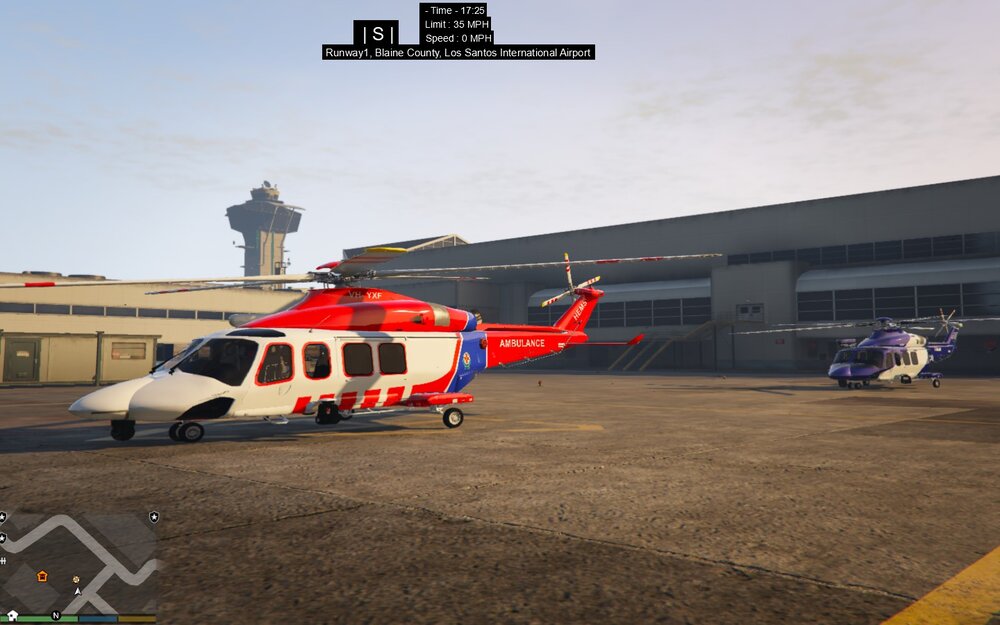
Hi there. In the Coastal Callouts Australia-NSW Addon, there is a file called vehicles.xml. Within this file, this is the following text: <VehicleType ID="WESTPAC_HELI"> <Configs> <Config Model="aw139"> <VehicleVariation Livery="0"> <Extras> <Extra Extra="8" Enabled="false"/> </Extras> It's meant to display the AW-139 without the longer nose, however, when the helicopter is called in Coastal Callouts, it has the long nose. How do I get the helicopter to turn up with a shorter nose?



.thumb.png.9d0943161b37f863c291d6d6664edefb.png)


