pcGAMEZguy
Members
-
Joined
-
Last visited
Everything posted by pcGAMEZguy
-
Restart Steam maybe?
-
It is custom, what resolution are you running at?
-
Set your PluginTimeoutThreshold=60000 in RagePluginHook Settings DirectX11 is Checked in your RagePluginHook Settings Borderless Window is checked in your RagePluginHook Settings
-
Looks to me the livery doesn't go with the model.
-
Also make sure your Main.PreloadAllModels is set to false in lspdfr.ini (GTAV / lspdfr / lspdfr.ini) Main.PreloadAllModels = false
-
Install Radiance V then you can adjust the values below: Go to GTAV / mods / Update / update.rpf / common / data find visualsettings file. Make sure Edit is on in OpenIV. Right click the file and select Edit. If it wont let you select edit drag to your desktop, then make changes and drag it back in (cant remember if it allows editing in OpenIV). Look for these below: car.defaultlight.day.emissive.on car.defaultlight.night.emissive.on These are Radiance V default Values car.defaultlight.day.emissive.on 1700.00 car.defaultlight.night.emissive.on 1100.00 Obviously the higher the brighter
-
Try PluginTimeoutThreshold=60000 in RPH Settings Make sure DirectX11 and Borderless Window is selected Add RPH to your exceptions in Windows Defender / Anti Virus Software
-
-
-
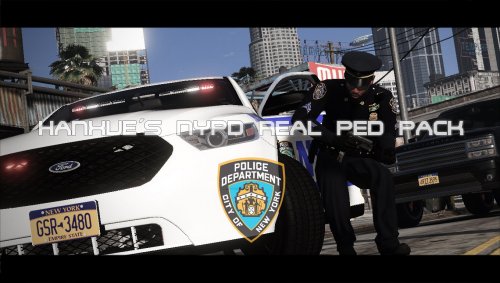 From a far distance why does the NYPD Highway patrol look like arms are flapping out the window?
- 57 comments
- 9 reviews
-
Did you put all 3 files in your Scripts folder?
-
 Maybe I'm not understanding. This script works even without lspdfr. It doesn't run with traffic policer installed?
- 168 comments
- 29 reviews
-
-
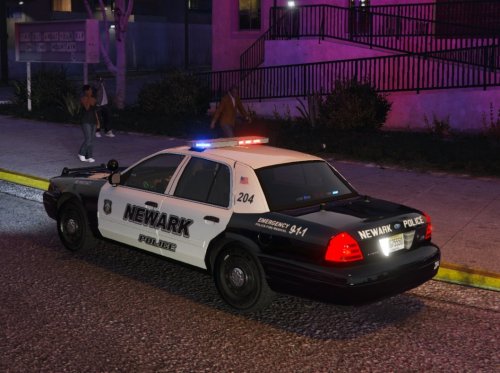 Still use this in my NJ game folder in GTA V. Love the vehicles and the liverys. True to Newark police dept. Well done sir.
- 8 comments
- 3 reviews
-
Put the extracted files in the directory
-
You have to extract that file its still zipped. Right click the file and extract
-
If ELS isnt working did you install ScriptHook V
-
Did you drag ALL the files to the directory inside the Grand Theft Auto V download folder from Arrest Manager?
-
 Its in the wrong spot it looks like Should be in GTAV / plugins / lspdfr
- 3,646 comments
- 306 reviews
-
-

- 1
-
-
-
 Are you using a plugin like STP to put him in? This plugin i do not think, enables the suspect to be placed, it just opens the door. I may be wrong though.
- 262 comments
- 21 reviews
-
-
- 1
-
-
-
-
 Absolutely amazing Job!! Once you really dive in to what is in this you will see what kind of work went in to this.
- 504 comments
- 34 reviews
-
-
- 1
-
-