pcGAMEZguy
Members
-
Joined
-
Last visited
Everything posted by pcGAMEZguy
-
When you reinstalled did you remember to put the gameconfig back in?
-
Did you try NumPad5 to cycle the textures?
-
Did u try disabling your Antivirus? As people for some reason are having issues.
-
-
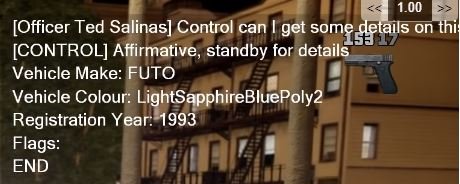
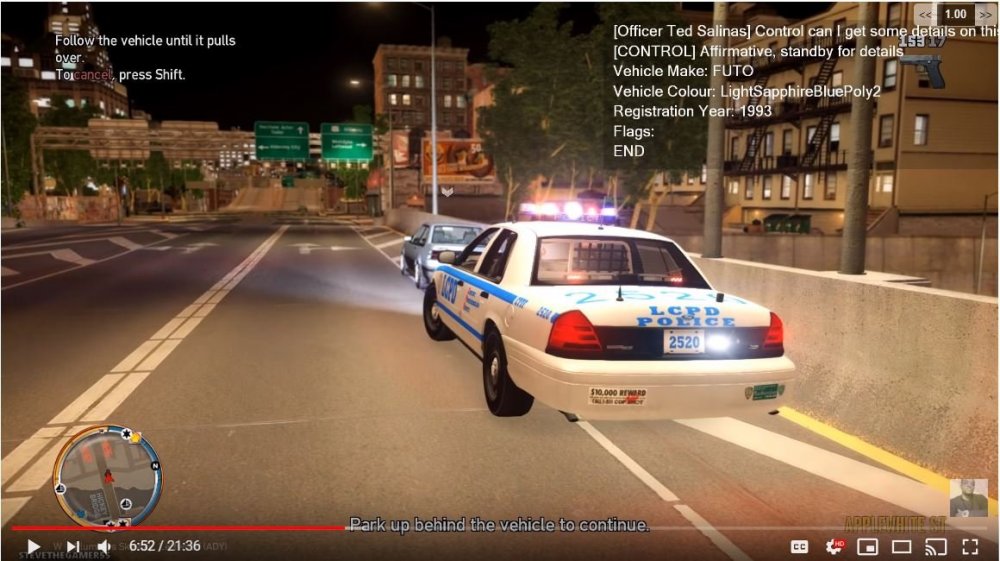
Ive searched but couldnt find anything. Upper Right Hand Corner of Screenshot. Thanks
-
**I think i found where too look** This was in my lcpdfr log, i guess thats how i tell? [INFO - 8:25:43 PM] [Plugin.Main] Running LCPD First Response LCPDFR 1.1 2011-2015 LMS (1.0.5557.28243) How do i know which version i have installed? I have a few duplicate GTA IV folders. LCPD First Response.dll has 1.0.0 for both when you download it.
-
Try taking out callouts +
-
-
Hey man thanks for the reply, I ended up getting it but had to clean install. I think I had and older ENB when this was happening mixed with this one. All good but thanks for reaching out.
- 59 comments
- 19 reviews
-
-

- 1
-
-
Maybe my post will help, good luck
-
Try this, it deletes your game save though.
-
Try adjusting it yourself inside visualsettings.dat Go to this path Grand Theft Auto V\mods\update\update.rpf\common\data Go down to where these lines are car.defaultlight.day.emissive.on 6000.00 car.defaultlight.night.emissive.on 1500.00 These are my setting that I have, obviously day is day and night is night. Try messing around with these or just copy mine and go from there. Good Luck Oh wow just realized how old this post is LOL
-
-
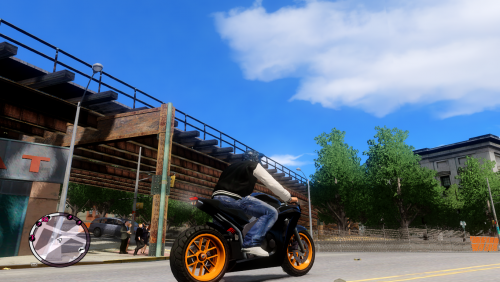 Amazing ENB and I love it! I know this isn't made for lcpdfr and is made for the game itself but with that said does anyone know why when I forceduty with lcpdfr the windows on the police cars and some AI vehicles lose their color tint/transparency look? I dont think it's your ENB because if I mess with the window transparency in the enb settings it will change but as soon as I forceduty it loses the texture once again. Just asking here because everyone seems to have knowledge about this stuff I'm just wondering if that's something that can be fixed. Thank you
- 29 comments
- 2 reviews
-
I just started playing lcpdfr after lspdfr for a while, now that I have everything running I love it! Gonna start recording NYPD so should be interesting lol.
-
-
Doing some research I'm aware of a bug with ENB and this problem. My question is why does it only happen when you forceduty in lcpdfr and can it be fixed? If I spawn a police vehicle through the trainer the car has light bulb glass (NYPD) with Window Textures in tact, but when you Forceduty through simple trainer or the police station the bulb glass and window texture disappear almost 95%. I'm fairly new to GTA 4 and lcpdfr so just wondering if there was an answer or it's just something that's dealt with. Thanks!
-
I just posted this last night
-
So after doing a lot of research on what works and what does not work, i decided to let you know what i have installed to make this game playable and enjoyable. Below is a list of plugins/scripts and visuals that i use now and have had no problems. Hope this is useful for some. Please make sure you have all Microsoft Visual C++ Needed for this to work. LCPD First Response 1.0d (Main MOD) https://www.lcpdfr.com/files/file/4607-lcpd-first-response/ Mandatory Downgrade to run LCPDFR - Downgrading GTA IV / GTA EFLC to 1.0.7.0 https://www.lcpdfr.com/forums/topic/72943-downgrading-gta-iv-gta-eflc-to-1070/ (If you have trouble Downgrading and are receiving an error please try this) https://www.youtube.com/watch?v=MEJqF8qgbnk (If your GTA IV game is crashing back to your desktop after even a clean install after the loading screen please try this) https://www.youtube.com/watch?v=31bcZD0lACg Below is a list of SCRIPTS I currently run Less Overtaking Mod https://www.gtagarage.com/mods/show.php?id=11213 Traffic Flow https://www.lcpdfr.com/files/file/13-traffic-flow/ vdHTowService https://www.lcpdfr.com/files/file/857-vdh-towingservice/ vdHMedical Examiner https://www.lcpdfr.com/files/file/1561-vdh-mettcoroner-mod/ CURRENTLY TESTING vdH Police Helper https://www.lcpdfr.com/files/file/1174-vdh-policehelper/ Below is a list of PLUGINS I currently run Backup Callout https://www.lcpdfr.com/files/file/7153-backup-callout10d-11-lcpdfr-callout/ The Wasteland https://www.lcpdfr.com/files/file/6105-the-wasteland/ Wouters Callouts https://www.lcpdfr.com/files/file/5041-wouterscallouts/ Below is a list of VISUALS I currently have Excellent ENB Graphics v3 Last FINAL https://www.lcpdfr.com/files/file/19600-excellent-enb-graphics-v3-last-final-10401080/ GTA 2001 Times Square Mod https://www.gtainside.com/en/gta4/mods/104741-2001-times-square Real NYC Roadsigns https://www.gtagarage.com/mods/show.php?id=16343 NYPD Computer background https://www.lcpdfr.com/files/file/5473-nypd-computer-background-for-lcpdfr-10/ GREAT NYPD STATIONS PACK 1.0 https://www.lcpdfr.com/files/file/6882-great-nypd-stations-pack/ vdh Police Station - Broker 1.0 https://www.lcpdfr.com/files/file/760-vdh-police-station-broker/ Below is a list of VEHICLES I currently have Chevrolet Impala - NYPD https://www.lcpdfr.com/files/file/143-chevrolet-impala-nypd/ Scrimpy's NYPD pack [NON-ELS] 1.0 https://www.lcpdfr.com/files/file/2981-scrimpys-nypd-pack-non-els/ Below is a list of PEDS I currently have NYPD PACK 2.0 https://www.lcpdfr.com/files/file/10925-nypd-pack/ FDNY EMT ped model v1 https://www.lcpdfr.com/files/file/4824-fdny-emt-ped-model/ Simple Native Trainer V 6.5 https://www.moddb.com/games/grand-theft-auto-iv/downloads/simple-trainer-v65 These are just what i use and will be testing more to come. I had ALOT of crashes using Callouts+ so i have avoided that just FYI. Below is a glimpse of my visuals, which look really good to me in game, home this helps someone out, later!
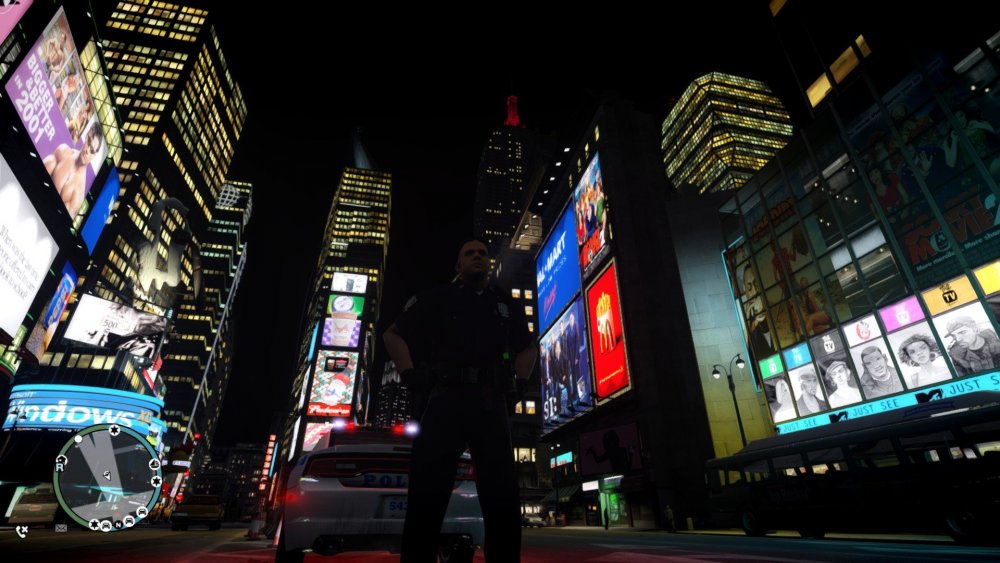
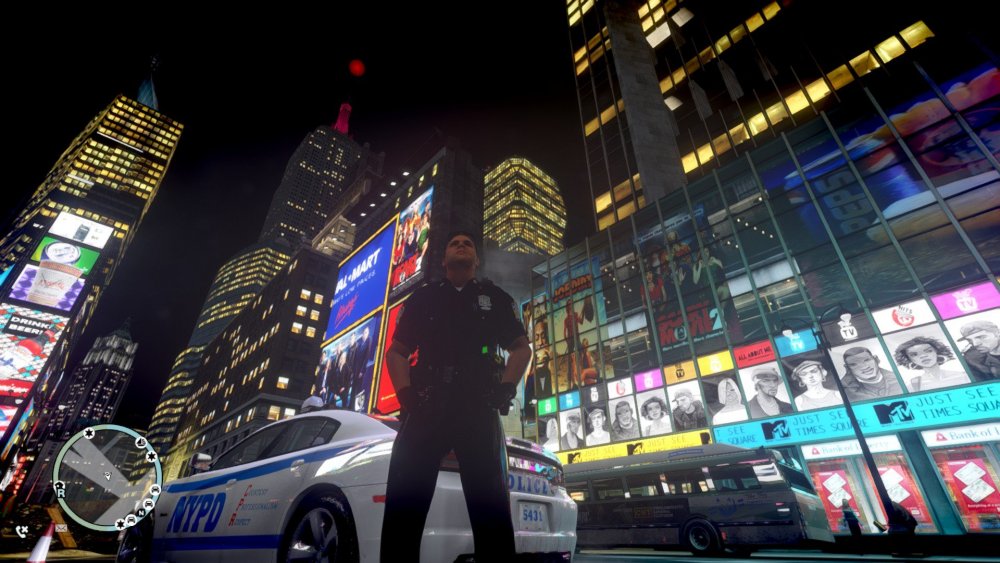
-
It actually works fine for me, about to start it on my channel.
-
You can only use DSOUND or XLIVE, not both. Also try modifying/repairing your Microsoft Visual C++ Files, its worth a shot
-
Are you sure you are installing it here? steamapps\common\Grand Theft Auto IV It seems its going here? steamapps\common\Grand Theft Auto IV Episodes from Liberty City
-
-
Thanks So Much! Is there a proper way to save the file? Format I mean
-
There actually was sign_1 Sign_2 Sign_3 But _1 didnt work. I deleted _1 and replaced _2 and it worked.