


slinkykilla
Members
-
Joined
-
Last visited
Everything posted by slinkykilla
-
-
 Could anyone tell me where the EUP Folder is located? I tried mods>update>update.rpf>x64 and nothing.
- 2,341 comments
- 236 reviews
-
-

- 1
-
-
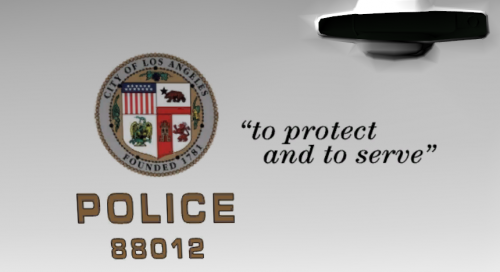 Hello, first off thank you for the download and feedback, that seems odd, I personally didn't have this issue, mine in game looked like it should have. Perhaps try to delete any additional "bearcat_sign_" texture files so that only bearcat_sign_1 remains (if there are any additional sign textures). Or maybe a fresh download of Oscars vehicle pack? Also are you using the OpenIV method, Replace method or Add On method to Install the vehicles? p.s Thank You for bringing my attention to the bearcat as when I was viewing the vehicle in OpenIV I noticed that I forgot to put the correct stamp of the city on the doors so I will fix that when I have the time.
- 3 comments
- 1 review
-
Just a simple re-texture for all the cars in 0sc4r's LSPD Mega Pack for anyone that (like me) wants to turn their gta 5 into a real Los Angeles. I decided to do this as I've seen quite a few people asking for real LAPD skins so here you folks go. I simply changed the seal of the city from LS to LA, changed the plates from SA Exempt to CA Exempt, added white doors and a unit number to the police van and re-worded the Lenco Bear Cat. This will be a WIP and if anyone notices any issues or design flaws please let me know in the comment section and I will take all revamp requests into consideration. NOTE: I take no credit for the car models, all I did was the re-textures. sorry for the lack of screen shots but you guys can pretty much get the idea of what I did. if you don't know how to install vehicle textures then I'm sure you can find out how with google or YouTube. hope you enjoy. 0sc4r's LSPD Pack:
- 3 comments
- 1 review
-
-
- 1
-
-
 you need to update this and traffic policer. but seeing as you havent replied in awhile I guess you wont do it...
- 3,646 comments
- 306 reviews
-
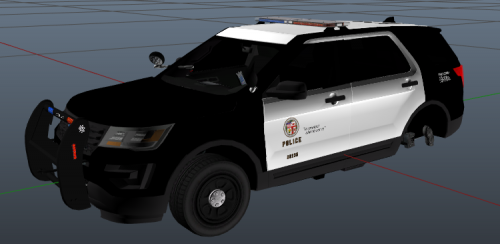 too bad LAPD uses the Arjent lightbar and not wheelen. nice try but it just looks fake with this light bar. Anyone that wants some more realistic LAPD cars go here http://www.gta-mod-center.com/forum/index.php?/files/file/923-2016-lapd-ford-escape-fpiu-and-dodge-charger-w-arjent-for-gta-iv-gta-4/
 -
 five years later and no release...thanks for nothing. nice slap in the community's face
 -
-
Uhh you basically just ripped the in game medic skin and used paint shop to put text on the back..this model belongs to rockstar...not you...
- 16 comments
- 7 reviews
-
-
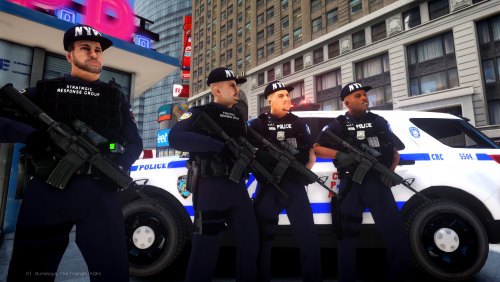 Was actually wondering, would it be possible to add a non balaclava face option to the swat officer? We would really love the look of having a helmet with no mask. And beautiful job on the vests btw
- 73 comments
- 4 reviews
-
good to see people still give a s*it about this game. remember, for some folks like myself we're trying to put ourselves through collage so we don't have the money to afford a good enough PC to play gta 5, or for some others they just simply prefer liberty city over los santos.
- 73 comments
- 4 reviews
-
-
- 1
-
-
 pack crashes everytime I get out of the car........ uninstalled all car/officer mods and all scripts so there's no conflict....
- 97 comments
- 29 reviews
-
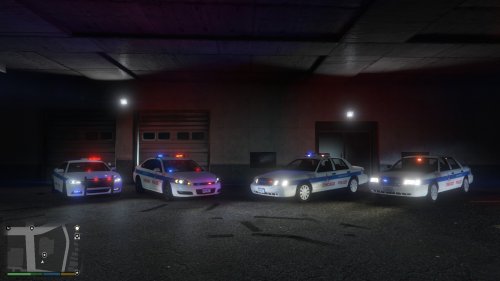 Good job on the skin but our city Doesn't use red lights, only blue and the grill on our FPIU's aren't white. EDIT: We also only use whelen style light bars not arjent or any other type. sorry to be "that" guy but I would just like to see a bit more accuracy.
- 5 comments
- 4 reviews
-
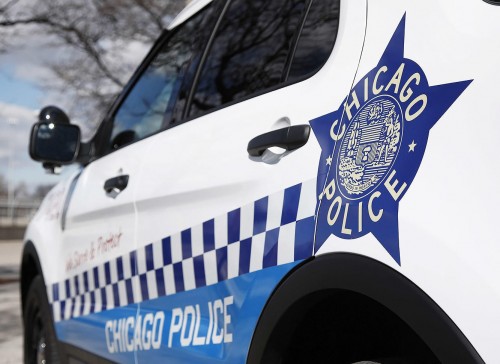 Thank You, I'm new to uploading here, so just still figuring things out.
 -
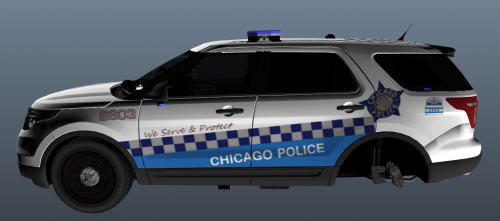 -I TAKE NO CREDIT FOR THE CAR USED IN THE PICTURES- Just something I thought Id make because I was just that bored. I know it's not Perfect but I wasn't really going for 100% accuracy anyway so it's fine. I am only responsible for creating the skin, not the car. I can't remember who the owner of the car is, sorry it's been a long time since I downloaded it. I believe it's CJ24 but I'm honestly not sure. all credit for car go's to original uploader(s). in any case feel free to open the texture in paint or whatever you have and edit if it doesn't fit the car you're using..
 -
hey bud, I only have the wft and wtd files, so I don't know which uploader it was from, but there are only a handful of chicago explorers out there so just find the one it works with, I think it's CJ24's CPD explored but I'm not too sure, also, if the skin doesn't fit your explorer properly just remember you can open the skin file using paint or a similar editing tool and simply re adjust the skin positions to fit your model. and thanks for the positive comment, as I said I wasn't going for 100% accuracy, but I do like the final product. cheers from chicago. EDIT: Sorry, didn't know at the time this was uploaded in gta 5 section. The car was from GTA 4 but the skin should still be usable on gta 5 cars, you simply need to open the skin file in paint or whatever and re position it.
-
-I TAKE NO CREDIT FOR THE CAR USED IN THE PICTURES- Just something I thought Id make because I was just that bored. I know it's not Perfect but I wasn't really going for 100% accuracy anyway so it's fine. I am only responsible for creating the skin, not the car. I can't remember who the owner of the car is, sorry it's been a long time since I downloaded it. I believe it's CJ24 but I'm honestly not sure. all credit for car go to original uploader(s). in any case feel free to open the texture in paint or whatever you have and edit if it doesn't fit the car you're using..
-
 looking back, if I would have been smart enough to actually look at more than one picture I would have seen the palm trees and knew...I'll just be quiet now lol.
 -
come on... please release. 2018 and almost no 2016 explorers for gta 4
-
-
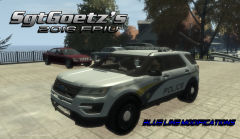 "coming soon" ........................................................10 years later.......................................................................
 -
![Sunset Beach NC 2016 Ford Explorer [WIP]](//s3-gallery.int-cdn.lcpdfrusercontent.com/monthly_2016_06/small.576ebe552d5e4_GTAIV2016-06-2012-39-13-09.png.1a5f8b75e7d71d44697ef993847745d0.png) two years later and still no release? come on dude, don't just sit here and tease us... 2018 and not a single one of these modders have released a 2016 FPIU.... kind of a slap in the communities face if you ask me.
two years later and still no release? come on dude, don't just sit here and tease us... 2018 and not a single one of these modders have released a 2016 FPIU.... kind of a slap in the communities face if you ask me. -
jesus...it's 2018 and there are still no 2016 FPIU's.... come on people...

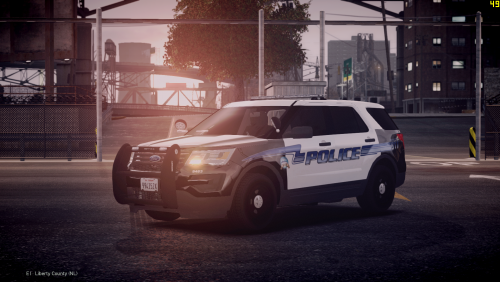
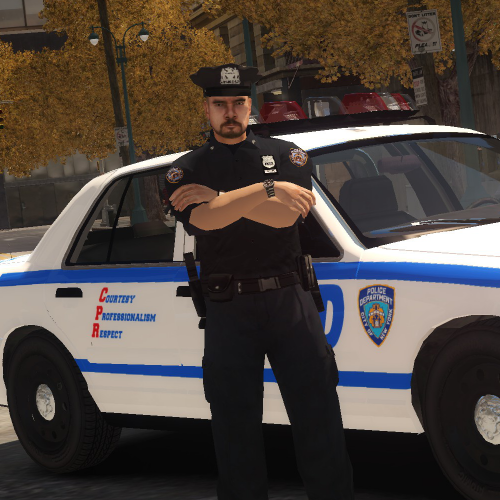

![Sunset Beach NC 2016 Ford Explorer [WIP]](http://s3-gallery.int-cdn.lcpdfrusercontent.com/monthly_2016_06/small.576ebe552d5e4_GTAIV2016-06-2012-39-13-09.png.1a5f8b75e7d71d44697ef993847745d0.png)