




MichaelV
Friends of LSPDFR
-
Joined
-
Last visited
Everything posted by MichaelV
-
Thanks for all the birthday wishes, guys!
-
Moving to GTA V Modding Discussion and Information. This topic has been moved to the appropriate forum. Please post in the correct location in the future.
-
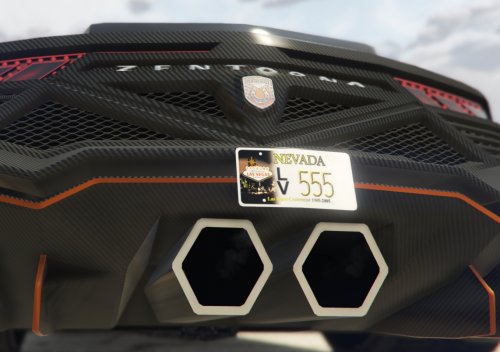 Great idea! If you would like some help, I have a few already made. Let me know if you would like them.
- 7 comments
- 1 review
-
-

- 1
-
-
Happy birthday, THEMalediction!
-
Your topic has been moved to LCPDFR Support Requests. Please post in the correct location in the future.
-
This topic has been closed by LCPDFR.com staff because it is a website, clan, or group ad. Our site isn't an advertising service - please do not use it as one. If you want to share your website, group, or clan, please keep that limited to your profile and signature. If you feel that this topic has been closed in error, please report this post.
-
Moving to Development Suggestions and Requests. This topic has been moved to the appropriate forum. Please post in the correct location in the future.
-
Link is fixed.
-
Moving to LSPDFR Discussion and Suggestions. This topic has been moved to the appropriate forum. Please post in the correct location in the future.
-
Moving to GTA V Support. This topic has been moved to the appropriate forum. Please post in the correct location in the future.
-
Your topic has been moved to LCPDFR Support Requests. Please post in the correct location in the future.
-
Your thread has been moved to LCPDFR Support Requests as it isn't a LSPDFR Support Request.
-
Please use the above topic for coordinating multiplayer sessions. Censoring email to prevent spam. If you feel this topic has been closed in error, please report this post.
-
Please stick to your other topic. If you feel this topic has been closed in error, please report this post.
-
Moving to LCPDFR Support Requests. This topic has been moved to the appropriate forum. Please post in the correct location in the future.
-
Moving to GTA IV Support Requests. This topic has been moved to the appropriate forum. Please post in the correct location in the future.
-
Press Y. For other keys, check out the LSPDFR Frequently Asked Questions topic.
-
Moving to GTA V Support. This topic has been moved to the appropriate forum. Please post in the correct location in the future.
-
Your thread has been moved to the GTA IV Support Requests forum, as it is not an LCPDFR support request.
-
Your thread has been moved to LCPDFR Support Requests as it isn't a LSPDFR Support Request.
-
Moving to GTA IV Support Requests. This topic has been moved to the appropriate forum. Please post in the correct location in the future.
-
Moving to Forum Français, as your questions are in French. This topic has been moved to the appropriate forum. Please post in the correct location in the future.
-
You can place the links here so users know what they're getting into. Moving to Development Suggestions and Requests. This topic has been moved to the appropriate forum. Please post in the correct location in the future.
-
Please stick to your other topic. If you feel this topic has been closed in error, please report this post.
-
Would you like to link these models for him?

