

MichaelV
Friends of LSPDFR
-
Joined
-
Last visited
Everything posted by MichaelV
-
Je déménage au forum français tant que votre demande est en français. This topic has been moved to the appropriate forum. Please post in the correct location in the future.
-
Your topic has been moved to GTA V Support, this is not LSPDFR related. Please post in the correct location in the future.
-
Those are callouts offered by LSPDFR itself, but you can download user-created ones here.
-
Moving to LSPDFR Media as it is not about the LCPDFR mod. This topic has been moved to the appropriate forum. Please post in the correct location in the future.
-
Moved to GTA V Modding Discussion & Information. This topic has been moved to the appropriate forum. Please post in the correct location in the future.
-
Your topic has been moved to GTA V Support, this is not LSPDFR related. Please post in the correct location in the future.
-
Your topic has been moved to GTA V Support. Please post in the correct location in the future.
-
Topics merged.
-
Moving to Development Suggestions & Requests as this isn't a suggestion for LSPDFR, but for the game itself. This topic has been moved to the appropriate forum. Please post in the correct location in the future.
-
Xbox controllers work well with PCs. I personally use my PS3 controller because I own the console. Since Playstation controllers don't work normally with PCs, extra software is needed. I can't remember what I used, but a quick Google search will find what you need.
-
I like using a controller. Both the steering and the camera movements are much smoother, and the weapon wheel is much easier to use, I've noticed. The only catch is most mods tend to be mapped for keyboard users, so you'll have to use both. I don't have experience with a steering wheel, though.
-
Moving to GTA IV Discussion & Media. This topic has been moved to the appropriate forum. Please post in the correct location in the future.
-
Moving to GTA V Support as it is not an LSPDFR issue. This topic has been moved to the appropriate forum. Please post in the correct location in the future.
-
This topic has been closed by LCPDFR.com staff because it is a website, clan, or group ad. Our site isn't an advertising service - please do not use it as one. If you want to share your website, group, or clan, please keep that limited to your profile and signature. If you feel that this topic has been closed in error, please report this post.
-
You need to update ScriptHook V as well: http://www.dev-c.com/gtav/scripthookv/ Also, moving to GTA V Support as it is not an issue with LSPDFR. This topic has been moved to the appropriate forum. Please post in the correct location in the future.
-
Pour l'installation de Police Radio, simplement traînez tous les fichiers dans votre répertoire GTA. Quels autres fichiers étés-vous installer ?
-
Il y avait une mise à jour de GTA. Vous devrez attendre pour une nouvelle mise à jour pour le RAGEPluginHook.
-
Moving to GTA V Modding Discussion & Information. This topic has been moved to the appropriate forum. Please post in the correct location in the future.
-
Your topic has been moved to LCPDFR Support Requests. Please post in the correct location in the future.
-
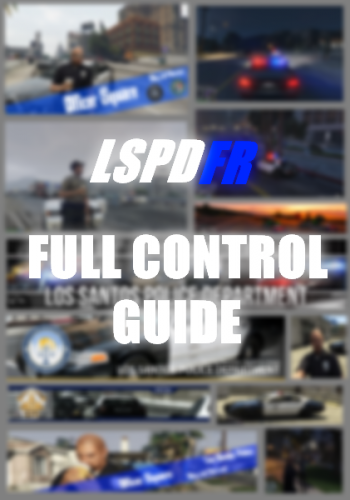 You have to be running for it to work. Try pressing Space + F9 while in motion.
- 23 comments
- 4 reviews
-
This topic has been closed by LCPDFR.com staff because it is a website, clan, or group ad. Our site isn't an advertising service - please do not use it as one. If you want to share your website, group, or clan, please keep that limited to your profile and signature. If you feel that this topic has been closed in error, please report this post.
-
Moving to Development Suggestions & Requests. This topic has been moved to the appropriate forum. Please post in the correct location in the future.
-
Moving to Development Suggestions & Requests. This topic has been moved to the appropriate forum. Please post in the correct location in the future.
-
Moving to Deutsches Forum. This topic has been moved to the appropriate forum. Please post in the correct location in the future.
-
Moving to GTA V Support. This topic has been moved to the appropriate forum. Please post in the correct location in the future.