Trp. Keaton
Members
-
Joined
-
Last visited
Everything posted by Trp. Keaton
-
 Thank you for sending this. The cars with rotated lights or steady lights, I don't have any carcols in for those yet, hopefully by next update I will have at least a temporary one in place so the car can be used. As for the vehicles with the missing liveries. If you are using a graphics mod such as NVE, or quant v, sometimes the liveries don't load in from the +hi dictionary. A temporary fix for that would be to take the texture out of the +hi file, and put it in the low .ytd file. I am glad you love the pack, and hope you have fun patrolling around in it!
- 294 comments
- 21 reviews
-
-

- 1
-
-
Hey so you need to install these for the pack. Install Gameconfig by going to Mods/Update/Update.rpf/Common/Data and drag + drop gameconfig.xml into it. https://www.gta5-mods.com/misc/gta-5-gameconfig-300-cars Install Heap-Limit-Adjuster by dragging and dropping GTAV.HeapAdjuster.asi into your Main GTA directory. https://www.gta5-mods.com/tools/heapadjuster Install Packfile-Limit-Adjuster by dragging and dropping it into your Main GTA directory. https://www.gta5-mods.com/tools/packfile-limit-adjuster The SUV's the Explorers in particular are not a very good base model, and there for are some issues with them. I want to eventually have them replaced with a much better model, but it will take some time for that.
- 294 comments
- 21 reviews
-
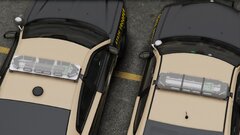
From the album: FHP Rebuild Project
Left Side: Old Code 3 Javelin | Right Side: New Code 3 Javelin© 2024 Trooper Keaton
-

-
-
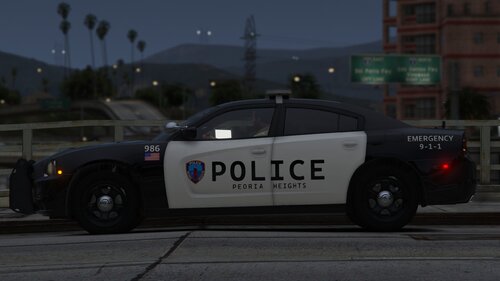 Yeah man. My hometown is Peoria, so I used to go there alot when I was younger. I do have plans to make this into a full blown pack, just need to do some more photo hunting. Or if you willing to share any photos you may have, you can always DM me here, or on discord at yourlocalredneck
 -
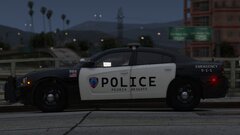
Hi everyone! Today is my first new release in a WHILE. It's a rather small one, I present to you, Peoria Heights Police. I haven't released something from Illinois in a very long time, and I have always wanted to release something from my hometown of Peoria, Illinois. In the future, I may make this into a full fledge pack, with more cars to choose from, but for now it's these two beautiful chargers. I have included the templates, so you can make skins, and turn these into anything you want. I hope you guys enjoy and have fun patrolling!
-
-
-
A list will be developed eventually. I am also going through the testing phase of naming the cars, instead of having them numbered. It work's and doesn't work at the same time
- 294 comments
- 21 reviews
-
I’ve been having thoughts of it. It’s definitely something I will consider after I am finished with this pack
- 294 comments
- 21 reviews
-
-

-
- 3
-
-
 Im glad I was able to help you get it working
 -
Install Gameconfig by going to Mods/Update/Update.rpf/Common/Data and drag + drop gameconfig.xml into it. https://www.gta5-mods.com/misc/gta-5-gameconfig-300-cars Install Heap-Limit-Adjuster by dragging and dropping GTAV.HeapAdjuster.asi into your Main GTA directory. https://www.gta5-mods.com/tools/heapadjuster Install Packfile-Limit-Adjuster by dragging and dropping it into your Main GTA directory. https://www.gta5-mods.com/tools/packfile-limit-adjuster
-
Thy this Install Gameconfig by going to Mods/Update/Update.rpf/Common/Data and drag + drop gameconfig.xml into it. https://www.gta5-mods.com/misc/gta-5-gameconfig-300-cars Install Heap-Limit-Adjuster by dragging and dropping GTAV.HeapAdjuster.asi into your Main GTA directory. https://www.gta5-mods.com/tools/heapadjuster Install Packfile-Limit-Adjuster by dragging and dropping it into your Main GTA directory. https://www.gta5-mods.com/tools/packfile-limit-adjuster
- 294 comments
- 21 reviews
-
As with any beta release. New releases can cause previously working things to break. And since I was unaware of this issue with this car, a beta update was pushed which happened to include this car which is now broke. I am working on fixing it currently, and should have some lighting fixed as well by next update.
- 294 comments
- 21 reviews
-
-
- 1
-
-
-

-

-
-
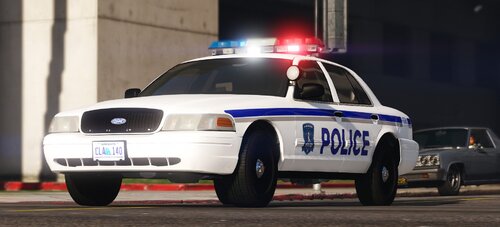 The cvpi model was made by otaku
 -
Install Gameconfig by going to Mods/Update/Update.rpf/Common/Data and drag + drop gameconfig.xml into it. https://www.gta5-mods.com/misc/gta-5-gameconfig-300-cars Install Heap-Limit-Adjuster by dragging and dropping GTAV.HeapAdjuster.asi into your Main GTA directory. https://www.gta5-mods.com/tools/heapadjuster Install Packfile-Limit-Adjuster by dragging and dropping it into your Main GTA directory. https://www.gta5-mods.com/tools/packfile-limit-adjuster
- 294 comments
- 21 reviews
-
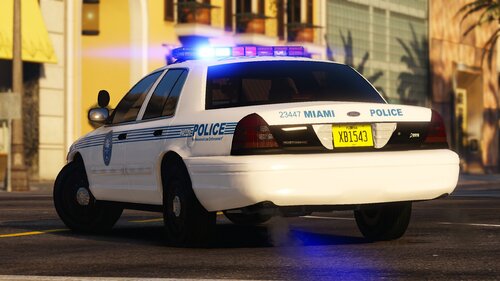 Currently no, but it shouldn't be too long.
 -
You can take the texture from the taurus. But I am currently rebuilding this pack, so it will be fixed eventually
-
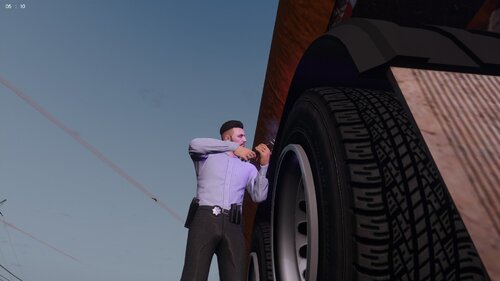 Bro to be honest with you. I don't think these files even work anymore. You can give it a try, but it's so outdated.
- 20 comments
- 1 review
-
Hey, thanks for comment. But by all means you don’t need to use the pack or even look at it in any way. Everyone has their own opinion, and I can’t tell you that you can’t voice it. It’s a free country. But just because you don’t like it being called FHP means I am going to change it just for you.
- 294 comments
- 21 reviews
-
-
- 1
-