Trp. Keaton
Members
-
Joined
-
Last visited
Everything posted by Trp. Keaton
-

-
 I think this issue is coming from your game is not using the _hi files of the car, and its only using the lower poly version of it. I can look into my pack to see if there is any issues in there, and if I fix anything, ill post an update. But, I would just recommend you restart you game to see if that fixes it.
 -
-
 Yeah no worries. My best thing for you would be to watch a bunch of YouTube videos to try and figure out what you need to do!
- 300 comments
- 22 reviews
-
You can either spawn them trough the rage menu by hitting F4, or use a trainer, and the one people use the most is simple trainer. You can also download a mod that is a DLC/Addon car spawner.
- 300 comments
- 22 reviews
-
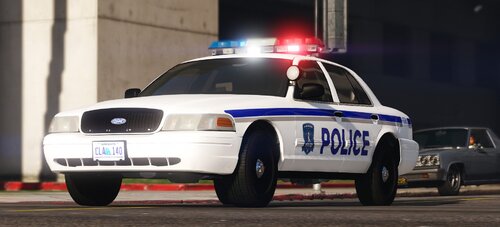 Yes, it will eventually be updated
 -
-
-

-

-

-
 Yes
Yes -
-
-

-

-
-

-

-
 Maybe, I don't really have a good base for it, is the only problem
 -
Hey, don't know if you fixed this issue yet. Try this Install Gameconfig by going to Mods/Update/Update.rpf/Common/Data and drag + drop gameconfig.xml into it. https://www.gta5-mods.com/misc/gta-5-gameconfig-300-cars Install Heap-Limit-Adjuster by dragging and dropping GTAV.HeapAdjuster.asi into your Main GTA directory. https://www.gta5-mods.com/tools/heapadjuster Install Packfile-Limit-Adjuster by dragging and dropping it into your Main GTA directory. https://www.gta5-mods.com/tools/packfile-limit-adjuster
-
 Sadly, but I am still doing stuff with it, and re-releasing it as DLS instead of ELS
- 125 comments
- 14 reviews
-
-

- 1
-
-
You can always post them in my discord, I have a specific channel for them if you find any.
- 300 comments
- 22 reviews
-
-
- 1
-
-
I am still looking into doing this. My biggest thing with it is possible compatibility issues. But I do like that layout much better than what I have it as now.
- 300 comments
- 22 reviews
-
-
- 1
-
-
I wouldn't know of any, sorry.