



Harper
Friends of LSPDFR
-
Joined
-
Last visited
Everything posted by Harper
-
My mistake. I think that's my cue to hit the hay
-
All staff members already have access to such a feature, we can merely click on a posts reputation and see who gave it what. And to agree with unreal, please stop worrying about rep. Its just a number.
-
In the future, could you please resort to use google or another similar search engine for simple questions such as this? Many thanks.
-
Not possible or worth the effort
-
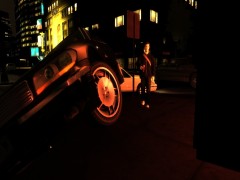
From the album: Yo Dawg, I heard you like photos..
A passer by was saved this morning by a bog-standard Liberty City "No Parking" sign. Officers chased the suspect through Star Junction into oncoming traffic, DCI Harper performed a P.I.T Manuever on the suspects vehicle, causing it to career into the sign which pushed the car back onto the road. -
 Thats a Mitsubishi Evo X, not an Impreza.
 -
Works for me all the time. It'll only activate if you play with a controller.
-
Nothing to see here! This topic has been closed by G17 Media staff. If you feel that this topic has been closed in error, please report this post.
-
OP Fixed his issue. Closing.
-
Wait.. wut? Your talking to yourself.. ?
-
Sky Broadband is a Internet Service Provider in the UK, Alright, seeing as it took that long to use SparkIV, I'd stay well away from Port Forwarding, changing the wrong setting can seriously screw your router.
-
I personally dislike that site, I for one do not know the make of my router, It's just lucky Its a Sky Broadband one, I just have to log into it through my browser, google what ports the program I want to add uses, make a new service for it, then add it to my inbound services. Took me three weeks to get my TS3 server to work, found out I'd put it as an outbound service *facedesk* @FireSheriff - Seeing as you are in the US, you most likely don't have Sky Broadband, therefore you'll have to find out how to access your router from your PC, should be the same steps though once you do get into it
-
Run the G17 Diagnostic's tool as an administrator and then post your log here.
-
Nothing to see here! This topic has been closed by G17 Media staff. If you feel that this topic has been closed in error, please report this post.
-
Right, this thread has been hijacked by two different people. @Robert - Have a look at the guidelines and then post again, including your diagnostic's report @xenarthran - Make your own thread, don't hijack this one @Prodigyjoe - Same goes for you. Closing this for now. If the OP request's to have it re-opened, he may PM me.
-
Port forwarding. Don't worry if you don't understand it, took me a while to learn how to do it properly
-
Linked. Instead of just typing his name, you linked to it, meaning anyone can click on "NicolaiB" in your post and see his profile. Just seems like more effort for something. I'd suggest an avatar that fits in the box below your name, take mine for example, I have a profile picture that is separate to my signature
-
1. Please don't double post, use the edit button 2. Is there any reason you linked to NB's profile? 3. You need to fix your avatar, I've got nothing against it, it just needs cropping so we can see the whole thing. Other than that, good luck on your first release, hope it goes well.
-
Well done, you could of just posted this on Nicolai's thread as I'm guessing that's where you got the information from
-
Agreed. Especially when you turn the corner and see all that stuff, the music actually sent a chill down my spine. No game has ever done that before.
-
I don't have the add on, only the standalone game
-
With bootcamp installed running a copy of windows 7 it might do, Ask JAM, he has a Mac. Actually, I'll point him to this thread.
-
I remember playing "Fairfax Residence" @ 11:00pm at night, in the dark, with headphones on. I was generally touching cloth, due to the fantastic music cues, I thought something would jump out around every corner. Then it did... with a shotgun.
-
Great game, I should dust off my copy sometime.
-
Boom motherfuckers! It's the Marines! *Cue epic music* As for the server, nice one JAM, looking forward to it. Have you had any thought on moving it to Fallujah once beta testing has been completed?


