BlueGhost
Members
-
Joined
-
Last visited
Everything posted by BlueGhost
-
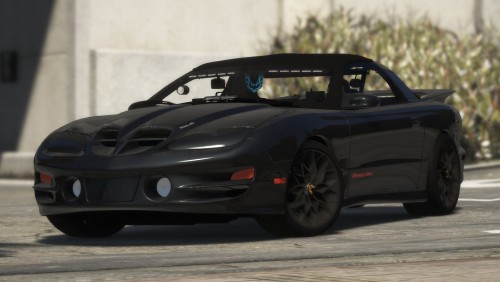 The hood won’t open. If you look in OpenIV, you’ll see that the object named “bonnet” is actually the pop ups
- 16 comments
- 6 reviews
-
The boot and pop-ups will open, the only thing that won’t open is the actual hood, because of the way I have the headlights set up. What trainer are you using?
- 16 comments
- 6 reviews
-
-
 I misinterpreted that. I see your point. I put that there because folks don’t like to read the fine print often times
- 27 comments
- 11 reviews
-
You’re forgetting that I don’t provide support unless all of the files have been installed. If the files are installed, THEN I will help out.
- 27 comments
- 11 reviews
-
I didn’t think that I would use another fourth-gen F-Body as an emergency vehicle, but here we are! This also includes my first ever Non-ELS model! Thank you to McGinlay, Broccoli, and Wraith Haven for the pointers! FEATURES: Extra_12 T-Top Color-Changing Snowflake Wheels Pop-Up Headlights are bound to the Bonnet Primary Color: Exterior Body Color Secondary Color: T/A Badge Hands on Steering Wheel Bobbing Air Freshener Bugs: No dials You must install the provided vehicles.meta, carcols.ymt, and carvariations.ymt! I will not provide support of you do not install the provided files! DEV VERSION OF LIGHTBAR: Unauthorized access, use, modification, ripping of this vehicle will result in a formal DMCA takedown in accordance with United States Federal and International copyright and protection laws. This model is provided to you as-is, with no warranties or guarantees. Any damage to your device, network, or subsequent properties are not liable by me. Use at your own discretion.
- 16 comments
- 6 reviews
-
-

- 8
-
-
-
 Installing my meta in the specified destination will overwrite any changes you have made to the original meta.
- 41 comments
- 6 reviews
-
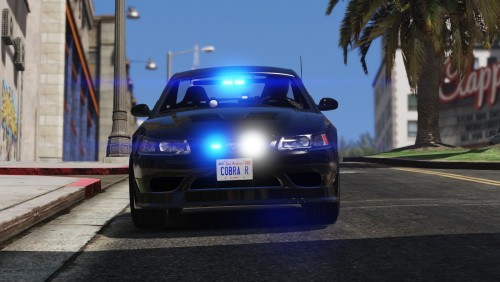 I'm a simple man. I see a Cobra with my lighting package installed, I click download.
- 11 comments
- 5 reviews
-
-
- 3
-
-
-
-
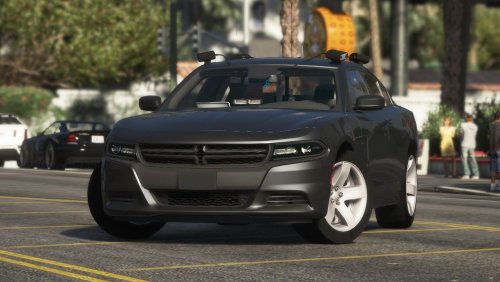 Install the VCF file here: Grand Theft Auto V\ELS\pack_default Install my vehicle files (YFT & YTD) here: mods\update\x64\dlcpacks\patchday20ng\dlc.rpf\x64\levels\gta5\vehicles.rpf It won't work if you don't have a mods folder! God isn't the only one to thank
- 38 comments
- 13 reviews
-
-
-
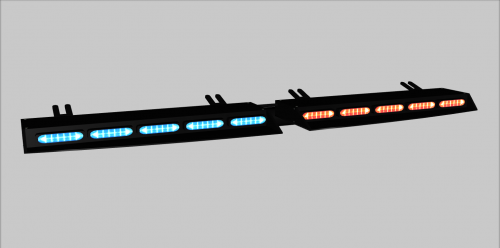 I've been a fan of STL and their products, so I figured I should bring their lights to GTA! This resource includes the Raptor Linear Super TakeDown visor bar and Virtue8 Traffic Advisor. The Raptor visor bar is split into parts so you can move and scale it freely. Be sure to enable extra_11 before you move it, because it is not split into two parts! The brackets can be moved freely as well. Polycount: 12430 Tri's and Quads Do not reupload this resource to any other site! Do not make profits off of my work!
 -
Go into PhotoShop or FireAlpaca, or whatever you have, create a new file 16x16, make sure it’s transparent, save it as chev_sign_1
- 41 comments
- 6 reviews
-
I’ve tried lmao. If I have a pushbar assigned to extra_12 with collisions ( extra_12 [COL] ), extra_12 won’t show in game at all, as if it’s not a part of the car
- 38 comments
- 13 reviews
-
I used Peralta’s base before using thehurk’s, and I kept getting invalid resource errors, and it was really annoying
- 38 comments
- 13 reviews
-
-
I agree, and I would make it an extra if collisions weren’t an issue with removable pushbars. I’ll add a version without a pushbar tomorrow!
- 38 comments
- 13 reviews
-
-
GET THE UNMARKED PACK HERE: I had a lot of fun making this Charger, which is saying a lot! This bad boy has all twelve extras in use, and they're well placed! The visor lights and traffic advisor are scratch modeled, apart from the light modules themselves, after the SpeedTech Raptor and Virtue8! Extra 1-4 as Primary Lights Extra 5 and 6 as Warning Lights Extra 7-9 as Secondary Lights Extra Ten as Antennae Extra 11 as Takedown Lights Extra 12 as ALPR Cameras A VERSION WITHOUT THE PUSHBAR IS AVAILABLE AS A SEPARATE FILE! Here is an LSPDFR Patrol showcasing the BETA version of my Charger! The version in the video is an older version! Here is a video from @Jeff Favignano showcasing the Charger! https://youtu.be/LxAoyjjSYBo Another video by @Iggy Fresh! Template is included! Bugs: None You must install the provided vehicles.meta! I will not provide support of you do not install the provided files! Joing my Discord for giveaways and updates! https://discord.gg/3np9Me3 DEV VERSION OF LIGHTBAR: Unauthorized access, use, modification, ripping of this vehicle will result in a formal DMCA takedown in accordance with United States Federal and International copyright and protection laws. This model is provided to you as-is, with no warranties or guarantees. Any damage to your device, network, or subsequent properties are not liable by me. Use at your own discretion.
- 38 comments
- 13 reviews
-
-
- 8
-
-
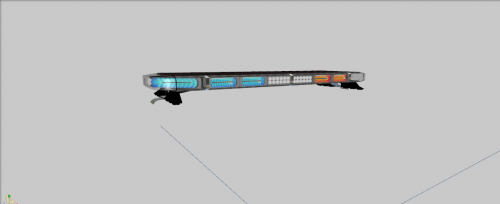 One of my favorites! Thank you!
 -
-