




BlueGhost
Members
-
Joined
-
Last visited
Everything posted by BlueGhost
-
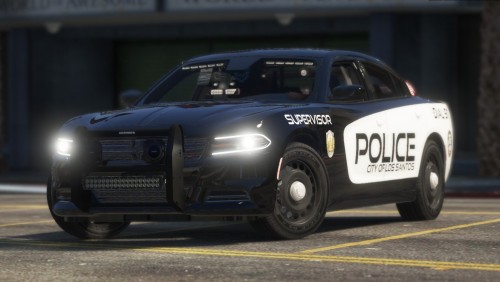 There are two liveries, marked and unmarked. There is no meta file, I copy pasted the readme from my last release I have a similar looking livery for an upcoming pack coming this year
- 24 comments
- 2 reviews
-
-

- 1
-
-
ALPRs are included as an extra, and the tires are the same size. The angle of the screenshots may show that the tires are disproportionately sized, but I assure you that they are properly sized.
- 24 comments
- 2 reviews
-
-
- 2
-
-
Yeah, it’s another 2019 Charger. Sue me! Just a small project, not based on anything in particular! It's similar to my Unmarked 2015 Charger, but I tried to give it a little more thought! There are two versions available, one with a pushbar, and one without a pushbar, both are included in the archive, and both replace different police vehicles! ALPR rood cameras are included on both vehicles as extra_12! I forgot to grab a screenshot, but they’re there! ACTIVE BUGS: None reported since 1.0.0 This base model is not available anywhere! Join my discord to find out how you can get them! https://discord.gg/SXVsvfD Unauthorized access, use, modification, ripping of this vehicle will result in a formal DMCA takedown in accordance with United States Federal and International copyright and protection laws. This model is provided to you as-is, with no warranties or guarantees. Any damage to your device, network, or subsequent properties are not liable by me. Use at your own discretion.
- 24 comments
- 2 reviews
-
-
- 7
-
-
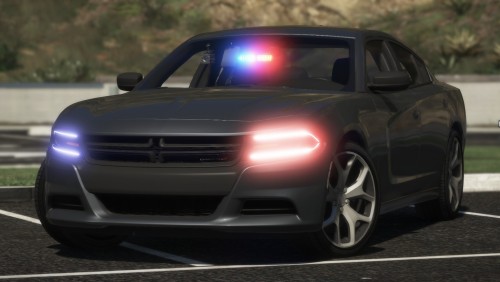 @officerdonny @jarrose37 Please check the new update, and see if you like it enough to change your ratings
- 43 comments
- 14 reviews
-
Because the FR download system is unbelievably broken, I'm uploading a Google Drive link. Check in a few minutes. Check it out now!
- 43 comments
- 14 reviews
-
I recommend waiting for the new version. It's undriveable in 1.2.0. You run the risk of falling through the world when colliding with natural objects
- 43 comments
- 14 reviews
-
-
Thanks for the report. I'll upload another archive. Thank you for your praise!
- 43 comments
- 14 reviews
-
-
-
-
-
-
-
-
-
What about the grille is different from the real thing? I just saw that the badge was moved toward the center, but that's about the only difference 🤔
- 43 comments
- 14 reviews
-
-
GET THE UNMARKED PACK HERE: This Charger is a labor of love. The idea came from my 2019 Charger SRT Hellcat, which was a bust, all things considered. So I hunkered down, and got to work on this beast! This car is not strictly unmarked, per se. You may use the provided template to give this Charger a much needed paintjob, if you so wish! This car features low-key lighting, six wheel choices (Base, SXT, AWD Hubs+Alloys+Steelies, RWD Steelies ), taillight wig-wags, the Officer Protection Package dashpad touch-screen inlay, and more! ACTIVE BUGS: None reported since 2.0.0 This update includes remapped headlights, new materials, new textures, and more! This base model is not available anywhere, nor are the wheels! Join my discord to find out how you can get them! https://discord.gg/SXVsvfD Unauthorized access, use, modification, ripping of this vehicle will result in a formal DMCA takedown in accordance with United States Federal and International copyright and protection laws. This model is provided to you as-is, with no warranties or guarantees. Any damage to your device, network, or subsequent properties are not liable by me. Use at your own discretion.
- 43 comments
- 14 reviews
-
-
- 8
-
-
.thumb.png.d94ba12798919b95c7059f593e1e9792.png) Please have my children
Please have my children -
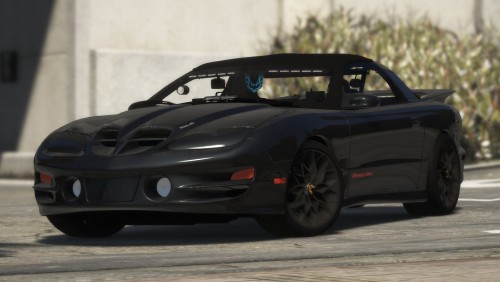 Copy the police2 entry of the Carcols.ymt, and paste it into over the existing police2 entry of your carcols.meta. Change the siren settings of Police3 to “2” in the carvariations.meta. If you do not use my files, then it will not work.
- 16 comments
- 6 reviews
-
-
-
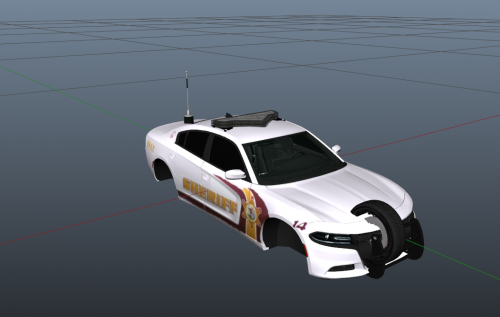 Overall, I can see where you were going with this! Pretty solid looking Charger. It does appear to have room for improvement. and how I believe you can improve upon this car is to scale down your boot antenna and scale up your pushbar. Possibly provide a few screenshots as well?
- 6 comments
- 1 review
-
-
- 1
-
-
Hey man, thanks for linking my content. My instructions aren’t too difficult, but I can understand with being new to the scene. Basically, you want to have the box/panel as the parent to the nodes, meaning that you drag the nodes into the box/panel. Attach the nodes to the other lights on your vehicle, but make sure that you attach one node per extra. This means that the nodes won’t allow you to literally see through the box. It’s a weird quirk, but I can’t really explain it. Here’s a comprehensive tutorial on creating an ELS vehicle: It is a two part video, so stick with it! You can add equipment by studying models like mine or t0y’s, or Thero’s, and seeing what goes where. In terms of creating your own content, my advice to you would be to mess around with the primitives in ZModeler3. Once you get comfortable with that, you can move on to creating your own polygons with vertex mode. This is how I learned: Basically, you take any object into vertex mode, and you create your polygons using the Fan, Single, and Strip tools. The Fan tool lets you creates polygons in a fan pattern. The Single tool lets you create individual polygons. The strip tool lets you create polygons in a strip pattern. As always, hit me up on Discord if you ever have any questions! BlueGhost#9347 Best of luck!


.thumb.png.d94ba12798919b95c7059f593e1e9792.png)
