BlueGhost
Members
-
Joined
-
Last visited
Everything posted by BlueGhost
-
 ELS is required for siren and light control. It does not control any of the extras.
 -
I'll upload them soon!
-
 It looks like you just slapped one material across the entire engine bay☹️
 -
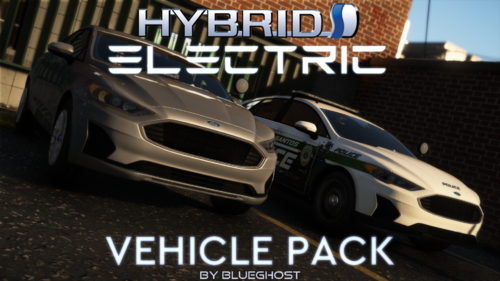
I HAVE RETURNED! It's been almost five years since my last upload, and roughly four years since I touched Zmodeler. In January 2026, I began my reintegration into the mod scene. I've been playing FiveM religiously because it was a lot of fun, but the cars I've seen in servers were bothering me, because I knew that I could provide better vehicles for free. So, I started learning Non-ELS, and the goal was clear. In classic fashion, this pack is hefty. There are almost 20 cars per pack, and they're made to be used either in GTA SP, or you can convert them for FiveM usage. There are no real-world logos, which makes the entire pack TOS compliant for FiveM usage. EMS vehicles have red & white lighting. Police vehicles have red & blue lighting. Features:All vehicles have toggleable lighting! You can choose your lighting in any number of combinations! Full hybrid lighting! Non-ELS lighting controlled with ELS. Strong extras, which means that the pushbars are effective, and can be toggled! Repair your car to see the changes. All vehicles have enhanced ramming force, which makes for effective PIT maneuvers. FiveM TOS compliant Installation:1. Navigate to your dlpacks folder, located at mods\update\x64\dlcpacks 2. Enable Edit Mode 3. Drag and drop the "lfpolice" AND/OR "lfems" folder(s) inside the dlcpacks folder 4. Navigate to your data folder, located at mods\update\update.rpf\common\data 5. Locate your dlclist.xml, then right click and click "Edit" 6. Directly after the latest entry in the XML, you must put the following line(s): <Item>dlcpacks:/lfpolice/</Item> <Item>dlcpacks:/lfems/</Item> 7. Click Save 8. Drag and drop the VCF.XML files to pack_default folder located at: Grand Theft Auto V\ELS\pack_default 9. Start GTA V. !! SINGLEPLAYER INSTALLATION ALSO REQUIRES ELS !!SIRENS WILL NOT WORK WITHOUT ELS VCF FILES Siren IDs: 5555 for Police, 5550 for EMS Terms of Use:Don't use this pack in part or whole as a reward for donation to a server, or a direct purchase with real currency or virtual currency (i.e. FiveM Tebex stores) Don't pass off any of my work as your own. Do not rip, modify, or alter the contents of this archive.
-
-
-
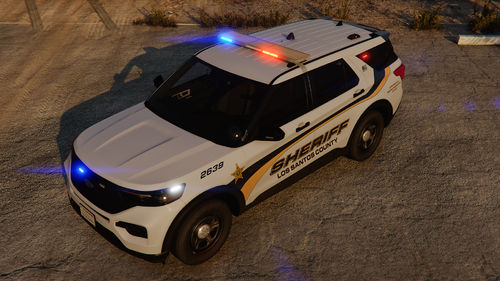 This rocks. I love the livery and the light setup. That said, I found that the pushbar has no collision. I had trouble on my past models with togglable pushbars not having collision. I'll save you the trouble of figuring it out, you can solve this by giving the pushbar a collision box in ZModeler3, and adding FLAG_EXTRAS_STRONG in the vehicles.meta. Simple as!
 -
[5/15/2025 5:17:08 PM.465] Failed to load plugin [5/15/2025 5:17:08 PM.465] ------------------------------ [5/15/2025 5:17:08 PM.465] Origin: E:\SteamLibrary\steamapps\common\Grand Theft Auto V\Plugins\BetterHitReactions.dll [5/15/2025 5:17:08 PM.465] ------------------------------ [5/15/2025 5:18:27 PM.061] ============================== [5/15/2025 5:18:27 PM.061] Failed to load plugin [5/15/2025 5:18:27 PM.061] ------------------------------ [5/15/2025 5:18:27 PM.061] Origin: E:\SteamLibrary\steamapps\common\Grand Theft Auto V\Plugins\DamageTrackingFramework.dll [5/15/2025 5:18:27 PM.061] ------------------------------ [5/15/2025 5:18:35 PM.477] Failed to load plugin [5/15/2025 5:18:35 PM.477] ------------------------------ [5/15/2025 5:18:35 PM.477] Origin: E:\SteamLibrary\steamapps\common\Grand Theft Auto V\Plugins\ShotSpotter.dll [5/15/2025 5:18:35 PM.477] ------------------------------ You have a few plugins causing RPH to crash. Remove them and see if that solves it
-
 After all this time, I can't believe I didn't include the Challenger template. Here ya go!
- 485 comments
- 78 reviews
-
-
-
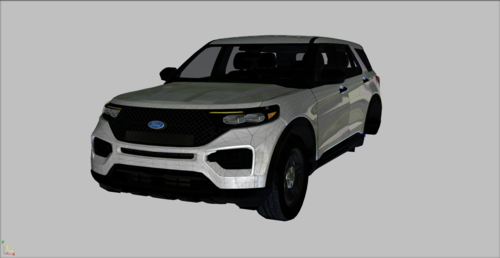 This is a developer resource, not a game-ready vehicle.
 -
Explain. Because if everything works, meaning that the vehicles spawn & drive, their lights work, and don't cause any crashes, then the only issue would be your dislike of the hash names, correct?
- 485 comments
- 78 reviews
-
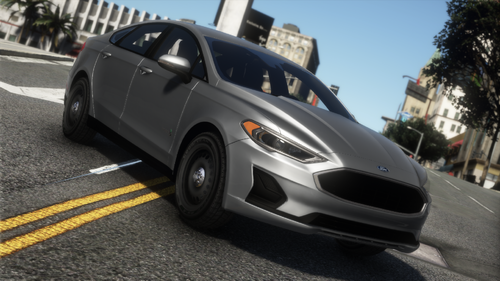 I totally forgot about that. Thank you for finding it!
 -
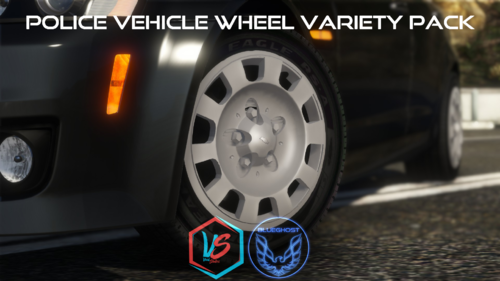
No, sadly. Hopefully there are other vehicles that suit your taste, though! You can't, but you can install my wheel pack
- 485 comments
- 78 reviews
-
-
-
I said "ones", plural
-
It's an isolated issue. You're the only ones I have reporting this bug
-
-
I can't say for sure. Maybe try adjusting the LOD distance in the vehicles.meta to increase the distance at which the detail will still be at its highest
- 485 comments
- 78 reviews
-
Hmm, I don't quite know what the issue would be. There's only one YTD, and none of the light textures are embedded. Are the actual lights still red and blue? Or are the environmentals still red and blue?
- 485 comments
- 78 reviews
-
No, you're good. The texture names are "avenger_mesh", "Light", "linz6", and "tir3"
- 485 comments
- 78 reviews
-
 Idk why you posted the same comment twice, but refer to the above answer I posted
- 88 comments
- 18 reviews
-