




Empire
Members
-
Joined
-
Last visited
Everything posted by Empire
-
Use OpenIV go to Textures, then find loadingscreens.wtd and click on it' then you can see all of the following images. you can replace them with your own images and photos, just make them the same size has each images says and keep them name the same EG if say 1_2 rename your new replacement images as 1_2 as you can see on this image
-
What's Your GPU, as your video is a-bit rough
-
This is what I did/done '?do=embed' frameborder='0' data-embedContent>> All you need to do is Find loadingscreens.wtd, in
-
The idea is that the "bad cop" adopts an antagonistic and aggressive stance that puts pressure on the suspect. The "good cop" is friendlier and more sympathetic- the idea is to get the suspect to try and build up a rapport with the good cop, and hence make the more likely to co-operate. Remember that a lot of suspects are scared and confused, so it's not impossible to get them to reach out to anyone who could appear to be an "ally" to them
-
Not ANOTHER light thread?!
-
He is busy, doing this http://www.twitch.tv/hlsaviorr/new
-
ha ha, great
-
From the album: Empire24453/3010 Production
-
MP- Military Police
-
Yea, more Call outs, even if they work for MP
-
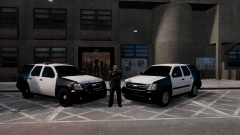 so!! what skins are you going to do, for the new tahoes
 -
You live in America, and a-lot of people don't know about australian laws
-
Location Oz Down under, Australia,
-
'Yea' because police catch you doing things that you're not supposed to be doing. Also the media shows only the bad things police do. The one percenters if you will... If an officer does something "crooked" it is all over the state news, they never are shown doing something good for someone. Here is something a cop didn't have to do, but was a human just like the rest of us and went out of his way.
-
If you looked at my Profile, I'm from Australia, Melbourne
-
Cops get away with legal extortion. They protect and serve their jobs. As soon as my city cut taxes which lowered the funding for law enforcement, they made a vow to punish the public, so they could keep their jobs and they have been giving 30% more tickets. So yeah most cops, are little self righteous pigs.
-
People hate cops because they are crooked, they lie and they are the biggest hypocrites I know. Male cops are also physically abusive to their wives/girlfriends. Cops think they are above the law 'cause guess what....they are. I have to follow the speed limits, cops don't. I cannot drink and drive, cops do it all the time. Then they gang up on people and beat them and get away with it.
-
The term originates from police interrogation techniques, but it has spread to other fields such as sport where a team captain/coach may use the same system. It's also very widely used in parenting. The basis of the technique is for two cops to interrogate a suspect; one cop is aggressive and tries to intimidate the suspect. The other cop is "good" and tries to befriend the suspect, telling him that the "bad" cop will make things very difficult for him, that the bad cop is notorious in the station and so on. The hope is that the good cop will be trusted and the suspect will confess or give information. The crux of the technique is that both cops have planned the technique, and planned who is the good cop, who is the bad.
-
bad cops no donuts
-
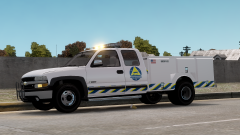 I can see an vup on the road,
 -
YEA, And that there's not a lot about it on that site.http://www.pcgamer.com/2013/05/01/gta-5-pc-release-date/
-
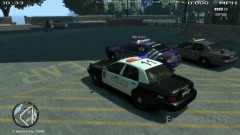
From the album: Bay Side Virtual Emergency Services
Getting reading to go out and patrol the streets of north Wisconsin, with the Bayside police department. we have the chief of police 'Hitt' assistant chief "Pheonix" and the sergeant "Callender" -
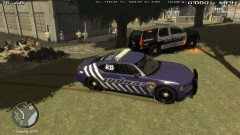
From the album: Bay Side Virtual Emergency Services
we are here to protect the living of the dead -
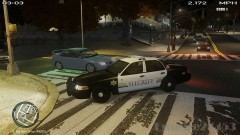
From the album: Bay Side Virtual Emergency Services
Different engel of this crown victoria sheriff car, from the bayside police department community -
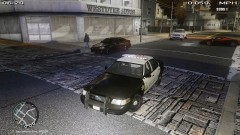
From the album: Bay Side Virtual Emergency Services
An crown vic' sheriff police car, from the Bayside police department


