




Empire
Members
-
Joined
-
Last visited
Everything posted by Empire
-
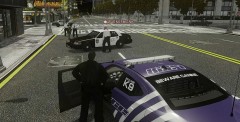
From the album: Bay Side Virtual Emergency Services
Assistant Chief Of Police Phoenix Just arrived, After I arrest the Knife Person -
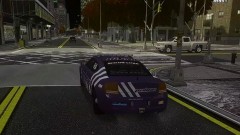
From the album: Bay Side Virtual Emergency Services
At a stop light -
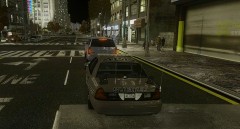
From the album: Bay Side Virtual Emergency Services
Game Crash -
Come On, Please posts your thoughts
-
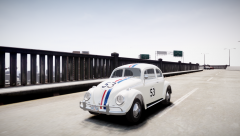 download link, for it. and lest race
 -
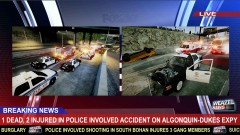 Why 4 LCEMS, Don't need all that Emergency Services "cars" and should have one side of the road closed off, NOT both 2 lanes closed. -Very good' good thinking and Great image, apart from I said^^^^^^^^ I give you 4 ½ stars
 -
Yea' Thanks
-
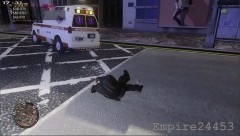
From the album: Bay Side Virtual Emergency Services
An video showing what happend -
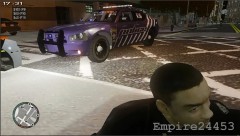
From the album: Bay Side Virtual Emergency Services
A paramedic hit me and Drive away a video showing what happened -
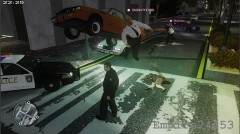
From the album: Bay Side Virtual Emergency Services
It was a code 3 chase just ended' with 3 officers in total, then A car fly over me and Hit an officer to the other side of the road, made my game crashed. Link -
This is from a professional 24 minutes video “from the Bay-side Chain, which I recorded as professionals. But it’s more than professional’ it has a-bit of laughter as such. So I put together an Special cops funny moments' And this is my second episode. And so I like to share this video to the LCPDFR fan-site' And like to hear you thoughts on this Cops Funny Moments. ====And Here it is==== http://www.youtube.com/watch?v=NYngdXqz6Uc Please Wach it on Youtube' Better Video and Screen Yes we had fun and laughs Thanks to the following members that were in the video= -Sergeant Callender -Chief Of Police Hitt - Assistant Chief Of Police Phoenix and Officer Cooper
-
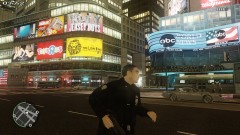
From the album: Bay Side Virtual Emergency Services
Chasing, and subject down the road, -
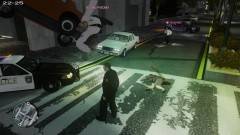
From the album: Bay Side Virtual Emergency Services
It was a code 3 chase' with 3 officers in total, then A car fly, over me and HIt an officer to the other side of the road -
From the album: Bay Side Virtual Emergency Services
Getting Ready to go on patrol, after 4 game crashers each -
The best professional software are!!!!!!!!! -Photoshop CS6 -Corel PaintShop Pro X5 -Photoshop CS5 The Best: Adobe Photoshop The Best for under $100: Adobe Photoshop Elements The Best Free: Picassa from Google and GIMP or paint.net
-
I use paint.net as it's an free software, But for professional means, I use Photoshop CS5' and soon I be getting Corel PaintShop Pro X5.
-
-
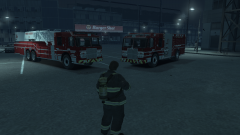 Great skin, Good job
 -
so the Fire department team, has gone to the Burger shot'
-
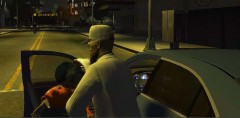
From the album: Bay Side Virtual Emergency Services
Under cop, chasing a white man with beard -
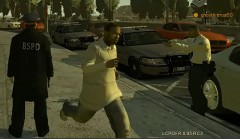
From the album: Bay Side Virtual Emergency Services
Trying to arrest this man from not showing his ID and driver license -
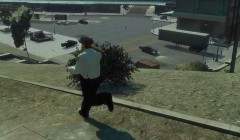
From the album: Bay Side Virtual Emergency Services
-Running away or towards something, After killing 100s and 100s of dogs -
why not post your new PC model with specs from case to mouse
-
1. Tell us what PC specs 2. run the Diagnostics Tool, and post it on thread 3. Is your GTA 4 legal copy there is A main thread about helpful things with game crashes, but I can't find the link. and tutorials for installing http://www.lcpdfr.com/page/tutorials/index.action/_/script-data-file-modification-tutorials/
-
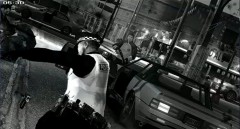 Please, Don't post images at that size, and it's gun not gum - but gum man sounds better, so I stay with gum'

