




Empire
Members
-
Joined
-
Last visited
Everything posted by Empire
-
-
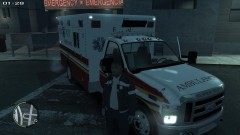 I only Made the Texture for it, not the Ford E350 Super Duty Van
 -
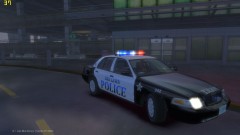 You made this Oak Lawn Textures
 -
From the album: Empire24453/3010 Production
-Download 'NOW' -

From the album: Empire24453/3010 Production
-Download 'NOW' -
 www.UnitedParcelService.com (HAHA)
 -
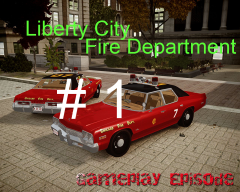 lol^^^^^^^^^^^^^^
 -
From the album: Empire24453/3010 Production
Very First LCPDFR Fire Department Episode, http://www.youtube.com/user/empire24453 -
From the album: Empire24453/3010 Production
http://www.youtube.com/user/empire24453 -

From the album: Empire24453/3010 Production
Very First LCPDFR Episode, http://www.youtube.com/user/empire24453 -
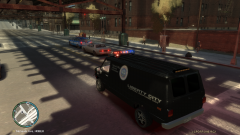 Sorry Can't find that Link
 -
god cars of holy mother Christmas tree
-
there is an TUTORIALS page, all of the help and install is here on LCPSDFR, or YouTube
-
It does not work all the time, I some-times have to leave the game for 2mins, and so I go to the pause menu (where the big map comes up), about so and so mins or secs, I un-pause the game, and I get textures lost, roads may come-up slow, buildings are like not there, it takes 15mins to get it back to 100%, some-times only 5mins. But by bring the game out to map menu and leave it there -DOES not work all the time
-
For None ELS, It's the best I seen 'it will look so cool with strobes mod, But I will still use ELS, 'and using strobes
-
I have ELS v6 -I have about about 5 to 6 scripts Installed,and most of my car mods are changed 'for realism' and ENB, and that I do have crashes, but it depends when it wants to crash,. I can play up to 3 hours - or it crashes at 2 hours of game-play, YES I had the game crashed 10 to 15mins into the game 'it has done that a lot of times for me, and that I fixed it by reinstall the game. WE all know that this game is an hardware eater, it eats it up, I had the game crashed by memory lost, which the PC lost the information on the memory -can't find it, -I have a-lot of mods and scripts and textures running on game, and I have played it up-to 3 hours, I played the game till I went out of the game, and did not crash, It depends on the weather. 16GB Ram Intel Core i7 3930K Sandy Bridge-E 3.2GHz (3.8GHz Turbo) ASUS GeForce GTX 680 DirectCU II Overclocked (x2 SLI)
-
-
I use V6, and it does not crash for me at all, so I can help you, run the G17 Media IV Diagnostics Tools, and post your results here then run Windows 7 Reliability and Problems History Here's How: 1. Do either step 2 or 3. 2. Click on the Action Center icon in the notification area of the taskbar, and click on Open Action Center. (see screenshot below) OR 3. Open the Control Panel (icons view), and click on the Action Center icon. 4. Click on the Maintenance drop down arrow to expand it, then click on the View reliability history link under the Check for solutions to problem reports section. 5. At the bottom of the Reliability Monitor, click on the View all problem reports link. 6. Right click on a listed problem report that you would like to see the details of, and click on View technical details. NOTE: If a solution is available for this problem report, then you can click on View solution to see it. 7. When done, click on OK to return to Reliability Monitor or close the Problem History window. That's it, Shawn Post it here
-
Oh, I thought you was an she, by looking at you profile image, and "PSU" no they are cheaper then OZ down under (Australia)
-
"Ten-4 on that' Just helping out, and that I hop I get full respect from the Site staff members. And why you keep posting (best KPI), you don't need to do it every time you post best, Empire
-
Then Rage at your parents, It's your money, so you can do what you want to do, You own your own clan, and that you don't have the PC to do max out gaming. your local computer guy, will say the same, Get an upgraded PSU '500w' to run an good GPU Card or get an new $1300 budget gaming PC. your local computer guy. Might do an deal, or maybe get an Better Pc -He might ask your parents to give you what you want. people all ways take an no for an answer, so keep at it to your parents, till they say yes, I have an Mate that has really raged at his parents, and after so and so weeks or months he got what he wanted -And he owns the bay-side clan, he has planed to sell the desk-top and his "shitty laptop on eBay and get over $3000, to buy an gaming PC
-
You-tube is not-working for me today!!!! AARRHHH my internet is so ducked up today for me -can you post an image of it, thanks
-
Not another post about ENB, Seen a lot of post about What ENB should I use? -Just use the best out of the best, if there was one! -every-one has different taste, an eye sight
-
so there are 3 things that I thought of that you can do, EASY 1. Get an card that runs on 100w -like the 6670 or below that -BUT it won't run GTA on high settings, more like low settings 2. to run an 6770 and up to an 7850, you need to upgrade your PSU to an 500w, and maybe your memory 'at the moment you have 8gb (which is Okay) it's going to cost around $250 to $400, to upgrade the PC -To run GTA IV at an high settings with scripts -PSU $74.99 http://www.acer.com.au/ac/en/AU/content/model-datasheet/DT.SKNSA.006 3. Your PC cost Around $995 when it was new, Have you thought of selling it for $900, and getting an better PC, (build your own maybe). if you sell it on eBay for $1000, and add your $300 on top of that, you have Around $1300 to spend on an better budget gaming PC that can run GTA iv and more games like Black-ops MW3, at really good settings, ^^^^^^^^
-
BEAST, Yea I like the sound of that, and that I do have an 1200W PSU, to run my SLI 680 cards She's Right,

