




Dozel
Members
-
Joined
-
Last visited
Everything posted by Dozel
-
Make sure you're RNUI is up to date
-
Navigate to GTAV Main folder, find RageNativeUI.dll file, right click>Properties>Details. Send screenshot of that window. I have one idea why, but want to be sure.
-
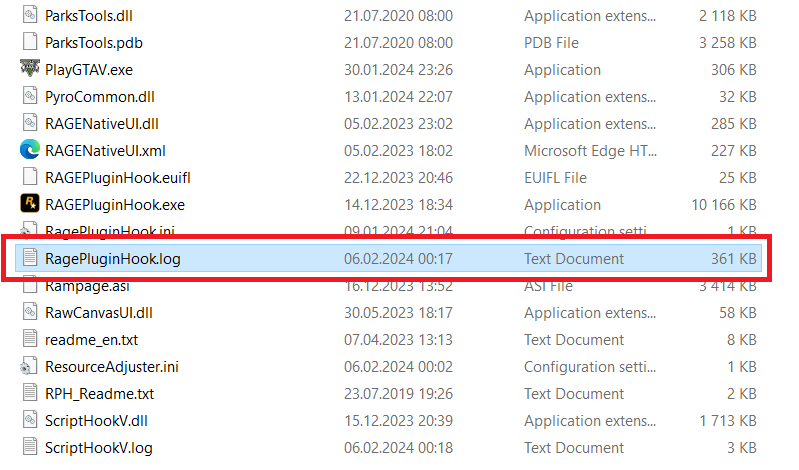
Please attach RagePluginHook.log, file located inside GTAV Main folder, not from the logs folder
-
Send new log with STP and UB installed at the same time, so I can see why and when it crashes.
-
What mods/plugins you talking about?
-
Better use dlc templates. When the forum gta5-mods was still working, there was an archive, and tutorial on how to make your own dlc. I suggest you to search on youtube how to convert replace cars to add-on, maybe there'll be some template dlc.rpf.
-
Install/Update RageNativeUI. Make sure you have RawCanvasUI.dll inside GTAV main folder, if not, reinstall Callout Interface properly.
-
As far as I remember there is no agancy as "Sandy Shores", only Blain County Sheriff Office (in EUPFR Ultimate) which covers Sandy Shores, Paleto Bay, etc, in EUPFR Basic it should be regular LSSD. So if I'm not mistaken, you need create that agancy and assign Sandy Shores area to it. Everything is in .xml files inside lspdfr/data/custom If you need change uniform for patroling units edit agency_eupfr.xml
-
Reattach RagePluginHook.log file. It's in GTAV main folder, not in the logs folder.
-
Try to install/update RNUI
-
So what exectly happend? Crash? Try launch base GTAV and join Story Mode, after that close the game and launch RPH.
-
It's not becouse of cars. From the way I understand it, Invalid node ID can be the result of an unsuccessfully deleted mod, it has something to do with the overwriting of the nodes relative to the game that LSPDFR utilizes. I suggest you to start fresh mods folder.
-
If you have mods folder try to rename it to _mods temporary. See if it help
-
Are you sure you have eup installed? In dlclist.xml there is no string about eup. Suggest you to reinstall it using .oiv file
-
You could use On-Screen Keyboard. I think there is F1-12 keys
-
Did you really installed .dll libraries into Plugins folder? Relocete RAGENativeUI.dll, RawCanvasUI.dll into GTAV Main folder You missing alpr.xml from CalloutInterface Also I belive you missing textures and postal folders from CalloutInterface
-
Your RageNativeUI still does not meet minimum requirements for SimpleCTRL. Seems you again missing IPT.Common.dll, make sure it's inside GTAV Main folder, you can get that file from latest opus49 plugins (Callout Interface or Grammar Police for example) Error occurred while initializing Combat Enhanced. Error occurred while initializing TAGs Callouts. My thought that LSPDFR crashed because of messed .xml files or LSPDFR files
-
-
Not sure it'll help but try to set Plugin Timeout Threshold to 60000 in RPH settings
-
comp_beard
-
Make sure you have Gameconfig, HeapAdjuster and Packfile Limit Adjuster installed, If it doesn't help, rename mods folder to _mods and try again .
-
If you mean "snow not supported by current game version" error, I believe it has been fixed in the latest Simple Trainer update. Also I think this kind of problem with skybox may be caused by some graphics mods and/or unsuccessful attempt to delete it, NVE, QuantV(most likely), Redux, etc.
-
Yap.
-
Make sure you have these installed and try again. Gameconfig or Gameconfig (choose one) HeapAdjuster Packfile Limit Adjuster If it'll not help, suggest you to start new mods folder.
-
Try load game without RPH, if your game will crash rename mods folder to _mods



