
Pierruno
Members
-
Joined
-
Last visited
Everything posted by Pierruno
-
-
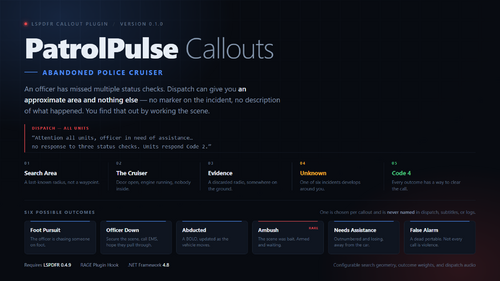 About This File An officer has missed multiple status checks. Dispatch can give you an approximate area and nothing else — no marker on the incident, and no description of what happened. You find that out by working the scene. PatrolPulse Callouts is built around investigation rather than markers and scripted dialogue queues. Version 0.1.0 contains one deep callout: Abandoned Police Cruiser. How it plays 1. Search the approximate last-known area — a radius, not a waypoint. 2. Find the abandoned cruiser: door open, engine running, nobody inside. 3. Inspect the vehicle. 4. Search the ground nearby for the officer's discarded radio. 5. One of six incidents develops around you. The outcome is chosen once per callout and is never named in dispatch, subtitles, help text, scanner audio, or logs. Two scenes that look identical can end completely differently. The six outcomes - Foot pursuit — the officer left the car chasing someone. - Officer down — secure the scene and call EMS. Whether the paramedics bring them back is decided at the scene, not before. - Abducted — a BOLO that dispatch reissues against fresh sightings as the suspect vehicle moves. - Ambush — the scene was bait. Deliberately much rarer than the rest. - Needs assistance — the officer is outnumbered, away from the car. - False alarm — a dead portable radio. Not every call is violence. Suspects you arrest are handed to LSPDFR properly, so transport and the rest of the arrest flow work as normal. Requirements - Grand Theft Auto V - RAGE Plugin Hook - LSPDFR 0.4.9 - .NET Framework 4.8 Installation Extract the archive into your GTA V directory. You should end up with: - Plugins/LSPDFR/PatrolPulseCallouts.dll - Plugins/LSPDFR/PatrolPulseCallouts.Core.dll - Plugins/LSPDFR/PatrolPulseCallouts.ini Start GTA V through RAGE Plugin Hook and go on duty. Do not use RPH's LoadPlugin command — this is an LSPDFR plugin and loads from Plugins/LSPDFR. Successful startup writes this line to RagePluginHook.log: [PatrolPulseCallouts] v0.1.0 initialized by LSPDFR; Abandoned Police Cruiser registered.
 -
Hi, I'm having a repeatable crash with LSPDFR on GTA V Enhanced. My setup: GTA V Enhanced 1.0.1158.13 RAGE Plugin Hook 1.131.1424.17745 LSPDFR 0.4.9 / 0.4.9695.26411 Steam version LSPDFR loads normally, but after a short time it shuts down with: System.AccessViolationException Attempted to read or write protected memory. The stack trace consistently points to: WeaponSkin.cs: line 88 WeaponSkin.FromWeapon(...) RagePedExtension.cs GamePlayer.cs PlayerCharacter.cs It happened twice in the same session, including after manually reloading LSPDFR. The second crash produced the same stack trace again. I also noticed this while loading: Failed to parse as chance while reading: lspdfr/data/inventory.xml And later: Hook encountered low memory environment, forcing manual collection RAGE Plugin Hook detects GTA V Enhanced as supported, and LSPDFR appears to load successfully before the crash. Has anyone seen this specific WeaponSkin.FromWeapon AccessViolationException on the current Enhanced build? Could this be related to the player character/loadout, inventory.xml, weapon components or weapon skins, or a known issue with the current LSPDFR/RPH version? I will attach my full RagePluginHook.log. Thanks. RagePluginHook.log
-
I need Immersive Dispatch not Grammar Police because I don't know the whole sentences.
-
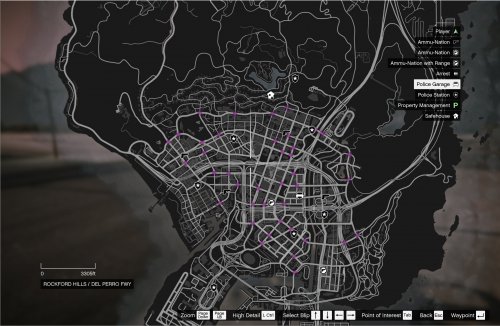 Can you check this? RagePluginHook.log
 -
Yes, absolutely. I think the AI is messing everything up. Thank you. I think I will leave it at that. I tried using Github Copilot and other AI but it's not working.
-
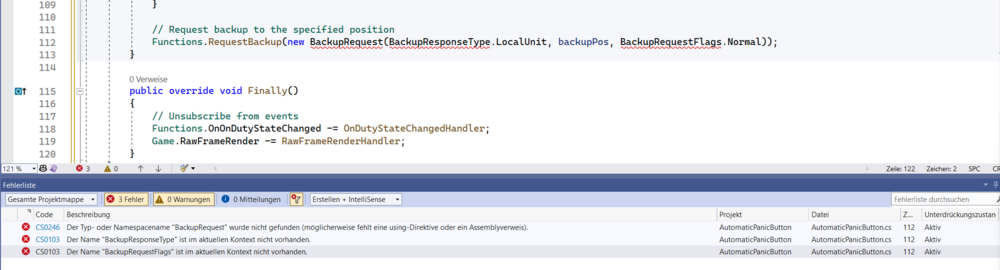
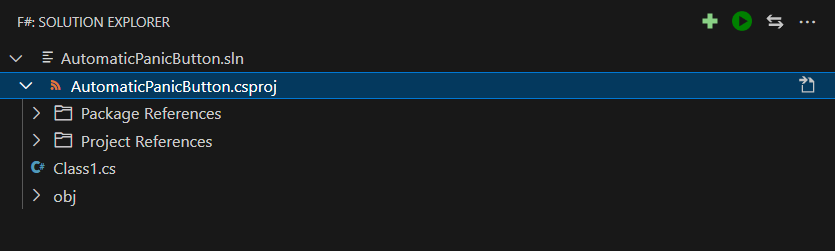
Hello there I switched back to Visual Studio 2022 and I set LSPDR and RageHook dll files as preferences but I get some errors in the code.
-
-
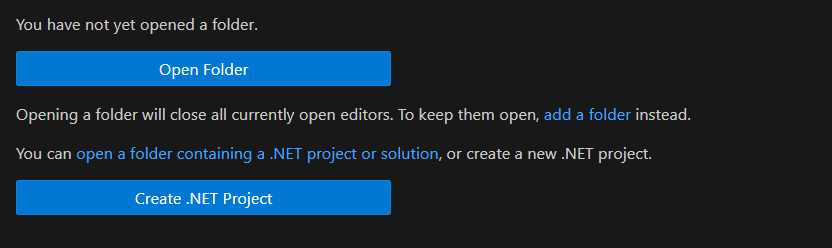
I could not figure it out how to link preferences to the dll. files. I had to install some extensions I could not run it in VS
-
Anyone can explain how to write a Plugin for LSPDFR in VS Code?
-
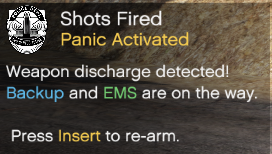 Please update it. It's not working.
 -
-
Can you release this please?
-
-
-
-
-
I'm stillt searching for this 911 Dispatcher game. I found some online but I doesn't like them at all. Anyone know some good games?
-
-
-
-
-
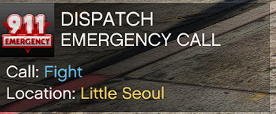 Demonstration or other Big Event
 -
-