




ASTTrprDillon95
Members
-
Joined
Everything posted by ASTTrprDillon95
-
From the album: LCPDFR on Patrol
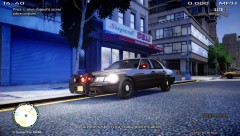
Currently a custom ENB (mixture of Neolux's Nrage ENB, Game4Video's ENB v2, vucko's ENB v3.5, mild ENB and Fonia5's ICEnhancerX with Sgt. Kanyo's Realistic Timecycle v5). -
From the album: LCPDFR on Patrol
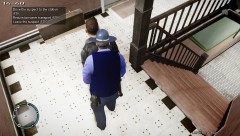
The AST has put a tough stance on Domestic Violence and Domestic Disturbance. -
From the album: LCPDFR on Patrol
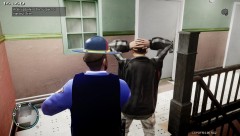
The AST has put a tough stance on Domestic Violence and Domestic Disturbance. -
From the album: LCPDFR on Patrol
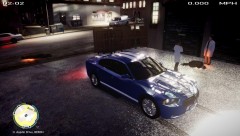
Stealing a bait car is not wise. the AST's ATTF is watching you.... -
From the album: LCPDFR on Patrol
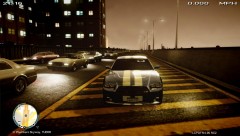
The Alaska State Troopers has introduced a new scheme. Speed radars have been introduced to the Alaska Bureau of highway Patrol. Most speed radars are now conducted by troopers in their POV. -
From the album: LCPDFR on Patrol
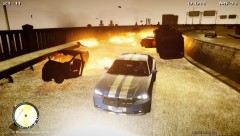
At 8.30pm today, a pursuit took place on the plumbers sky way between the Alaska State Troopers and 2 armed suspects. As the suspect led the AST on a high speed pursuit which endangered the lives of the innocent and troopers. With heavy traffic on the sky way troopers tried their very best in preventing any tragedy from happening. However that was inevitable. Upon joining the pursuit, Trooper Dillon, who was the only trooper to patrol in a POV, took lead of the pursuit. As the pursuit continued through plumbers sky way, the AST adopted the zig - zag tatic. This prevented civilians from being harmed by the dangerous suspect. However, at one of the turns, the suspect lost control of his car and crashed. Both later led the troopers on a foot pursuit. with the suspects' car on fire troopers called in Anchorage FD for assistance. At this point, everything went wrong for the troopers. The FD arrived promptly. However, the Civilian drivers, who were mostly speeding on the sky way, crashed into the Fire Engine which later crashed into the suspects' burning vehicle. With the impact from the engine, the suspects's vehicle exploded. This led to multiple explosions which followed. The AST immediately ordered the closure of Plumbers sky way. Trooper Dillon along with 3 of his colleagues Trooper Bryan, Trooper Jefferson and Sgt. Peterson, managed to escape the explosions unharmed. However, for troopers David and Luis, they failed to escape the explosions and were killed instantly. The AST has expressed their deepest condolences to the families of trooper David and Trooper Luis. Both suspects were taken into custody. With multiple explosions, the AST has confirmed, after a long 24 hrs investigation into this incident, that both the AST and Anchorage FD have fatalities. The AST and Alaska State Coroner's Office, both confirmed that there was a total of 12 fatalities. The Driver of the vehilce that crashed into the Fire Engine escaped unharmed and was taken into custody for attempted murder of 2 Law Enforcement Officers, 2 Firefighters and 8 innocent bystanders. The AST has already formally charged the driver and the 2 suspects involved in the pursuit. More to come.... -
From the album: LCPDFR on Patrol
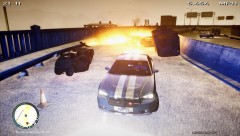
At 8.30pm today, a pursuit took place on the plumbers sky way between the Alaska State Troopers and 2 armed suspects. As the suspect led the AST on a high speed pursuit which endangered the lives of the innocent and troopers. With heavy traffic on the sky way troopers tried their very best in preventing any tragedy from happening. However that was inevitable. Upon joining the pursuit, Trooper Dillon, who was the only trooper to patrol in a POV, took lead of the pursuit. As the pursuit continued through plumbers sky way, the AST adopted the zig - zag tatic. This prevented civilians from being harmed by the dangerous suspect. However, at one of the turns, the suspect lost control of his car and crashed. Both later led the troopers on a foot pursuit. with the suspects' car on fire troopers called in Anchorage FD for assistance. At this point, everything went wrong for the troopers. The FD arrived promptly. However, the Civilian drivers, who were mostly speeding on the sky way, crashed into the Fire Engine which later crashed into the suspects' burning vehicle. With the impact from the engine, the suspects's vehicle exploded. This led to multiple explosions which followed. The AST immediately ordered the closure of Plumbers sky way. Trooper Dillon along with 3 of his colleagues Trooper Bryan, Trooper Jefferson and Sgt. Peterson, managed to escape the explosions unharmed. However, for troopers David and Luis, they failed to escape the explosions and were killed instantly. The AST has expressed their deepest condolences to the families of trooper David and Trooper Luis. Both suspects were taken into custody. With multiple explosions, the AST has confirmed, after a long 24 hrs investigation into this incident, that both the AST and Anchorage FD have fatalities. The AST and Alaska State Coroner's Office, both confirmed that there was a total of 12 fatalities. The Driver of the vehilce that crashed into the Fire Engine escaped unharmed and was taken into custody for attempted murder of 2 Law Enforcement Officers, 2 Firefighters and 8 innocent bystanders. The AST has already formally charged the driver and the 2 suspects involved in the pursuit. More to come.... -
From the album: LCPDFR on Patrol
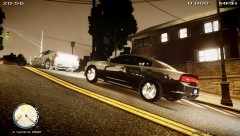
Well I use this as my POV!!! Love this car man Cj24 you rock!!!! -
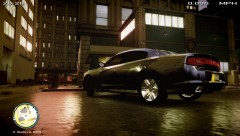
From the album: LCPDFR on Patrol
Well I use this as my POV!!! Love this car man Cj24 you rock!!!! -
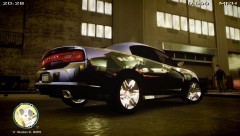
From the album: LCPDFR on Patrol
Well I use this as my POV!!! Love this car man Cj24 you rock!!!! -
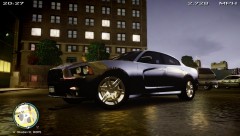
From the album: LCPDFR on Patrol
Well I use this as my POV!!! Love this car man Cj24 you rock!!!! -
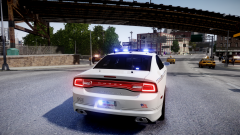 I can't wait for this...... I have almost every of your mods.....
 -
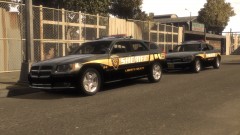 Nice one there Kevin!!!! You've got my download!!!!!!
 -
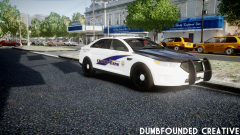 Look you are talking to a very well respected modder here. Arguing here would cause the community team to step in. Many people will be in EVI's side. Everybody respects him here. His mods were stolen before. Look arguing ain't gonna help. The author of this image hasn't said anything. And every P.I looks the same. This Taurus could be from somebody else. So don't assume that it's dodgeboys model. And PMing EVI could be regarded as spamming. I suggest you just keep calm and stop talking about this. Nobody likes mod stealers neither do I. So stop it. The author of this image has not responded nor said anything. Claim this as some else model now wouldn't help. So once again I urge you to step away from this issue. Thank you very much. Yours Sincerely, ASTTrprDillon95 Official Tester and Texture Artist, Liberty Modding Studios
 -
-
-
0.69 works on both
-
-
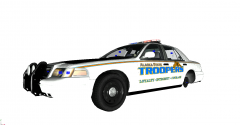 It be my first model though.
 -
I have actually started on a slicktop... But Zmodeler just loves to confuse me in many ways...
-
Multiple agencies??? Hell yeah!!! When I get it and if Rockstar releases it on PC, I gonna change everything to LAPD and LASD!!!!! Huge Fan of LA.....
-
-
-
-
Oops... Maybe it's just the game being an ass... I had to re-install once too but after switching to default handling.dat it worked for me.


