




ASTTrprDillon95
Members
-
Joined
Everything posted by ASTTrprDillon95
-
Actually there's a way to fix it. Use the Default PolPatriot Handling line in the handling.dat file. I had that problem with gxfle's Tahoe.
-
-
-
Check out my gallery images(LCPDFR on Patrol). For now no new images yet. I have just added ICEnchancer X.
-
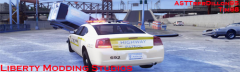
From the album: WIP (ASTTrprDillon95)
DUE TO UNFORESEEN CIRCUMSTANCES, MY ASP LIVERY PACK V3 WILL BE DELAYED. INSTEAD OF THE ASP V3 PACK, I WILL RELEASE MY LCSHP LIVERY PACK. -
Combination of Neolux's N-rage, Game4Video ENB(The one I gave you), Mild ENB and I believe vucko3.5. with sgt. kanyo's realistic timecycle.
-
-
I recommend this. I actually don't mind giving you mine but It's a mixture of a few ENBs...
-
Save it as commandline.txt or command.txt??
-
Where can I find it? Can I have the link?
-
Ok. so I using a custom mixed ENB settings in game. Everything looks fantastic. However, I do have a problem. After about say 20 to 30 minutes of game play, Textures in games takes ages to load. sometimes it evens results in texture lost. I did see a file, that was taken down, that prevented texture lost uploaded here 2 days ago. I asking if anyone remembers the name of the file so that I could Google it?? And One last thing which ENB is the best for ELS-H cars?? PC GPU: AMD Radeon ™ HD 7690M
-
I think it's another bait car mod from another GTA modding site. That's my guess.... I don't think it's the police helper.
-
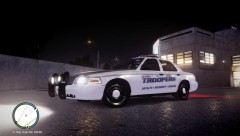 For me the Lightbar doesn't disappear. Your's disappears? That's weird. Thks. It's a combination of 4 ENBs.
 -
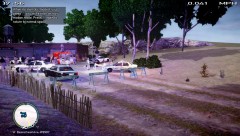
From the album: LCPDFR on Patrol
At 5.40pm today, the LCSHP received a call from the LCPD on a hostage situation at Beaverhead Avenue, Westdyke. LCSHP Commissioner Dillon was called in to assist in the situation as well. Upon Arrival of the first LCSHP unit, there was already 3 LCPD cruisers on scene with 6 LCPD officers at hand. A supervisor of the LCPD was also called in. When LCSHP Commissioner Dillon arrived there was a total of 13 law enforcement officers on scene including the LCSHP Tactical Response Squad. The FDLC was also called in. A fire Engine and an Ambulance were spotted at the scene. The situation lasted for 6 hours. There was a stand-off at the scene. LCSHP Officer David, who was also on scene, described the stand-off as the longest he had ever experienced here in Liberty City, after moving here from Massachusetts. He also stated that it was a very nerve-wrecking situation for both the LCPD and LCSHP, as it was the first time both law enforcement agencies had a 6 hour long stand-off. Comissioner Dillon, of the LCSHP, said "It was the first time we had such a bizarre case here in LC state. It was a very tense situation for us. And it was also the first time the LCSHP Tactical Response Squad was called to such a situation.The suspect was heavily armed. Being newly formed, The Tactical Response Squad handled the situation fantastically, which lead to the arrest of the suspect. I can say that we had done a good job here in protecting the State Of Liberty City." The LCSHP is also the state police for Liberty City State. LCPD Supervisor, Lieutenant Peters, said that the LCPD was alerted to this situation at about 5.30pm. Due to the nature of the call, the LCPD alerted the LCSHP for assistance. Lieutenant Peters commended the LCSHP Tactical Response Squad for their Bravery and Courage as they had only been formed this year. After the 6 hour long stand-off, a Hispanic male around the age of 25 was taken into custody by the LCSHP Tactical Response Squad. No one was hurt in this situation. LCSHP said that the incident is still currently under investigation and that a formal charge of possession of an illegal fire arm has been given. However no formal charge was given on the hostage situation as per yet. More to come..... -
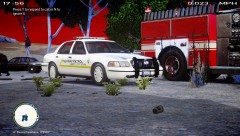
From the album: LCPDFR on Patrol
At 5.40pm today, the LCSHP received a call from the LCPD on a hostage situation at Beaverhead Avenue, Westdyke. LCSHP Commissioner Dillon was called in to assist in the situation as well. Upon Arrival of the first LCSHP unit, there was already 3 LCPD cruisers on scene with 6 LCPD officers at hand. A supervisor of the LCPD was also called in. When LCSHP Commissioner Dillon arrived there was a total of 13 law enforcement officers on scene including the LCSHP Tactical Response Squad. The FDLC was also called in. A fire Engine and an Ambulance were spotted at the scene. The situation lasted for 6 hours. There was a stand-off at the scene. LCSHP Officer David, who was also on scene, described the stand-off as the longest he had ever experienced here in Liberty City, after moving here from Massachusetts. He also stated that it was a very nerve-wrecking situation for both the LCPD and LCSHP, as it was the first time both law enforcement agencies had a 6 hour long stand-off. Comissioner Dillon, of the LCSHP, said "It was the first time we had such a bizarre case here in LC state. It was a very tense situation for us. And it was also the first time the LCSHP Tactical Response Squad was called to such a situation.The suspect was heavily armed. Being newly formed, The Tactical Response Squad handled the situation fantastically, which lead to the arrest of the suspect. I can say that we had done a good job here in protecting the State Of Liberty City." The LCSHP is also the state police for Liberty City State. LCPD Supervisor, Lieutenant Peters, said that the LCPD was alerted to this situation at about 5.30pm. Due to the nature of the call, the LCPD alerted the LCSHP for assistance. Lieutenant Peters commended the LCSHP Tactical Response Squad for their Bravery and Courage as they had only been formed this year. After the 6 hour long stand-off, a Hispanic male around the age of 25 was taken into custody by the LCSHP Tactical Response Squad. No one was hurt in this situation. LCSHP said that the incident is still currently under investigation and that a formal charge of possession of an illegal fire arm has been given. However no formal charge was given on the hostage situation as per yet. More to come..... -
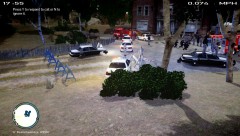
From the album: LCPDFR on Patrol
At 5.40pm today, the LCSHP received a call from the LCPD on a hostage situation at Beaverhead Avenue, Westdyke. LCSHP Commissioner Dillon was called in to assist in the situation as well. Upon Arrival of the first LCSHP unit, there was already 3 LCPD cruisers on scene with 6 LCPD officers at hand. A supervisor of the LCPD was also called in. When LCSHP Commissioner Dillon arrived there was a total of 13 law enforcement officers on scene including the LCSHP Tactical Response Squad. The FDLC was also called in. A fire Engine and an Ambulance were spotted at the scene. The situation lasted for 6 hours. There was a stand-off at the scene. LCSHP Officer David, who was also on scene, described the stand-off as the longest he had ever experienced here in Liberty City, after moving here from Massachusetts. He also stated that it was a very nerve-wrecking situation for both the LCPD and LCSHP, as it was the first time both law enforcement agencies had a 6 hour long stand-off. Comissioner Dillon, of the LCSHP, said "It was the first time we had such a bizarre case here in LC state. It was a very tense situation for us. And it was also the first time the LCSHP Tactical Response Squad was called to such a situation.The suspect was heavily armed. Being newly formed, The Tactical Response Squad handled the situation fantastically, which lead to the arrest of the suspect. I can say that we had done a good job here in protecting the State Of Liberty City." The LCSHP is also the state police for Liberty City State. LCPD Supervisor, Lieutenant Peters, said that the LCPD was alerted to this situation at about 5.30pm. Due to the nature of the call, the LCPD alerted the LCSHP for assistance. Lieutenant Peters commended the LCSHP Tactical Response Squad for their Bravery and Courage as they had only been formed this year. After the 6 hour long stand-off, a Hispanic male around the age of 25 was taken into custody by the LCSHP Tactical Response Squad. No one was hurt in this situation. LCSHP said that the incident is still currently under investigation and that a formal charge of possession of an illegal fire arm has been given. However no formal charge was given on the hostage situation as per yet. More to come..... -
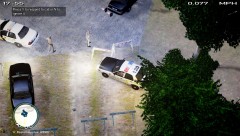
From the album: LCPDFR on Patrol
At 5.40pm today, the LCSHP received a call from the LCPD on a hostage situation at Beaverhead Avenue, Westdyke. LCSHP Commissioner Dillon was called in to assist in the situation as well. Upon Arrival of the first LCSHP unit, there was already 3 LCPD cruisers on scene with 6 LCPD officers at hand. A supervisor of the LCPD was also called in. When LCSHP Commissioner Dillon arrived there was a total of 13 law enforcement officers on scene including the LCSHP Tactical Response Squad. The FDLC was also called in. A fire Engine and an Ambulance were spotted at the scene. The situation lasted for 6 hours. There was a stand-off at the scene. LCSHP Officer David, who was also on scene, described the stand-off as the longest he had ever experienced here in Liberty City, after moving here from Massachusetts. He also stated that it was a very nerve-wrecking situation for both the LCPD and LCSHP, as it was the first time both law enforcement agencies had a 6 hour long stand-off. Comissioner Dillon, of the LCSHP, said "It was the first time we had such a bizarre case here in LC state. It was a very tense situation for us. And it was also the first time the LCSHP Tactical Response Squad was called to such a situation.The suspect was heavily armed. Being newly formed, The Tactical Response Squad handled the situation fantastically, which lead to the arrest of the suspect. I can say that we had done a good job here in protecting the State Of Liberty City." The LCSHP is also the state police for Liberty City State. LCPD Supervisor, Lieutenant Peters, said that the LCPD was alerted to this situation at about 5.30pm. Due to the nature of the call, the LCPD alerted the LCSHP for assistance. Lieutenant Peters commended the LCSHP Tactical Response Squad for their Bravery and Courage as they had only been formed this year. After the 6 hour long stand-off, a Hispanic male around the age of 25 was taken into custody by the LCSHP Tactical Response Squad. No one was hurt in this situation. LCSHP said that the incident is still currently under investigation and that a formal charge of possession of an illegal fire arm has been given. However no formal charge was given on the hostage situation as per yet. More to come..... -
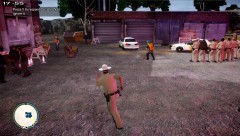
From the album: LCPDFR on Patrol
At 5.40pm today, the LCSHP received a call from the LCPD on a hostage situation at Beaverhead Avenue, Westdyke. LCSHP Commissioner Dillon was called in to assist in the situation as well. Upon Arrival of the first LCSHP unit, there was already 3 LCPD cruisers on scene with 6 LCPD officers at hand. A supervisor of the LCPD was also called in. When LCSHP Commissioner Dillon arrived there was a total of 13 law enforcement officers on scene including the LCSHP Tactical Response Squad. The FDLC was also called in. A fire Engine and an Ambulance were spotted at the scene. The situation lasted for 6 hours. There was a stand-off at the scene. LCSHP Officer David, who was also on scene, described the stand-off as the longest he had ever experienced here in Liberty City, after moving here from Massachusetts. He also stated that it was a very nerve-wrecking situation for both the LCPD and LCSHP, as it was the first time both law enforcement agencies had a 6 hour long stand-off. Comissioner Dillon, of the LCSHP, said "It was the first time we had such a bizarre case here in LC state. It was a very tense situation for us. And it was also the first time the LCSHP Tactical Response Squad was called to such a situation.The suspect was heavily armed. Being newly formed, The Tactical Response Squad handled the situation fantastically, which lead to the arrest of the suspect. I can say that we had done a good job here in protecting the State Of Liberty City." The LCSHP is also the state police for Liberty City State. LCPD Supervisor, Lieutenant Peters, said that the LCPD was alerted to this situation at about 5.30pm. Due to the nature of the call, the LCPD alerted the LCSHP for assistance. Lieutenant Peters commended the LCSHP Tactical Response Squad for their Bravery and Courage as they had only been formed this year. After the 6 hour long stand-off, a Hispanic male around the age of 25 was taken into custody by the LCSHP Tactical Response Squad. No one was hurt in this situation. LCSHP said that the incident is still currently under investigation and that a formal charge of possession of an illegal fire arm has been given. However no formal charge was given on the hostage situation as per yet. More to come..... -
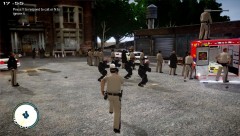
From the album: LCPDFR on Patrol
At 5.40pm today, the LCSHP received a call from the LCPD on a hostage situation at Beaverhead Avenue, Westdyke. LCSHP Commissioner Dillon was called in to assist in the situation as well. Upon Arrival of the first LCSHP unit, there was already 3 LCPD cruisers on scene with 6 LCPD officers at hand. A supervisor of the LCPD was also called in. When LCSHP Commissioner Dillon arrived there was a total of 13 law enforcement officers on scene including the LCSHP Tactical Response Squad. The FDLC was also called in. A fire Engine and an Ambulance were spotted at the scene. The situation lasted for 6 hours. There was a stand-off at the scene. LCSHP Officer David, who was also on scene, described the stand-off as the longest he had ever experienced here in Liberty City, after moving here from Massachusetts. He also stated that it was a very nerve-wrecking situation for both the LCPD and LCSHP, as it was the first time both law enforcement agencies had a 6 hour long stand-off. Comissioner Dillon, of the LCSHP, said "It was the first time we had such a bizarre case here in LC state. It was a very tense situation for us. And it was also the first time the LCSHP Tactical Response Squad was called to such a situation.The suspect was heavily armed. Being newly formed, The Tactical Response Squad handled the situation fantastically, which lead to the arrest of the suspect. I can say that we had done a good job here in protecting the State Of Liberty City." The LCSHP is also the state police for Liberty City State. LCPD Supervisor, Lieutenant Peters, said that the LCPD was alerted to this situation at about 5.30pm. Due to the nature of the call, the LCPD alerted the LCSHP for assistance. Lieutenant Peters commended the LCSHP Tactical Response Squad for their Bravery and Courage as they had only been formed this year. After the 6 hour long stand-off, a Hispanic male around the age of 25 was taken into custody by the LCSHP Tactical Response Squad. No one was hurt in this situation. LCSHP said that the incident is still currently under investigation and that a formal charge of possession of an illegal fire arm has been given. However no formal charge was given on the hostage situation as per yet. More to come..... -
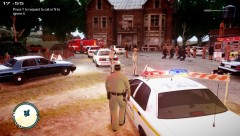
From the album: LCPDFR on Patrol
At 5.40pm today, the LCSHP received a call from the LCPD on a hostage situation at Beaverhead Avenue, Westdyke. LCSHP Commissioner Dillon was called in to assist in the situation as well. Upon Arrival of the first LCSHP unit, there was already 3 LCPD cruisers on scene with 6 LCPD officers at hand. A supervisor of the LCPD was also called in. When LCSHP Commissioner Dillon arrived there was a total of 13 law enforcement officers on scene including the LCSHP Tactical Response Squad. The FDLC was also called in. A fire Engine and an Ambulance were spotted at the scene. The situation lasted for 6 hours. There was a stand-off at the scene. LCSHP Officer David, who was also on scene, described the stand-off as the longest he had ever experienced here in Liberty City, after moving here from Massachusetts. He also stated that it was a very nerve-wrecking situation for both the LCPD and LCSHP, as it was the first time both law enforcement agencies had a 6 hour long stand-off. Comissioner Dillon, of the LCSHP, said "It was the first time we had such a bizarre case here in LC state. It was a very tense situation for us. And it was also the first time the LCSHP Tactical Response Squad was called to such a situation.The suspect was heavily armed. Being newly formed, The Tactical Response Squad handled the situation fantastically, which lead to the arrest of the suspect. I can say that we had done a good job here in protecting the State Of Liberty City." The LCSHP is also the state police for Liberty City State. LCPD Supervisor, Lieutenant Peters, said that the LCPD was alerted to this situation at about 5.30pm. Due to the nature of the call, the LCPD alerted the LCSHP for assistance. Lieutenant Peters commended the LCSHP Tactical Response Squad for their Bravery and Courage as they had only been formed this year. After the 6 hour long stand-off, a Hispanic male around the age of 25 was taken into custody by the LCSHP Tactical Response Squad. No one was hurt in this situation. LCSHP said that the incident is still currently under investigation and that a formal charge of possession of an illegal fire arm has been given. However no formal charge was given on the hostage situation as per yet. More to come..... -
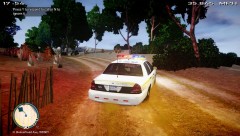
From the album: LCPDFR on Patrol
At 5.40pm today, the LCSHP received a call from the LCPD on a hostage situation at Beaverhead Avenue, Westdyke. LCSHP Commissioner Dillon was called in to assist in the situation as well. Upon Arrival of the first LCSHP unit, there was already 3 LCPD cruisers on scene with 6 LCPD officers at hand. A supervisor of the LCPD was also called in. When LCSHP Commissioner Dillon arrived there was a total of 13 law enforcement officers on scene including the LCSHP Tactical Response Squad. The FDLC was also called in. A fire Engine and an Ambulance were spotted at the scene. The situation lasted for 6 hours. There was a stand-off at the scene. LCSHP Officer David, who was also on scene, described the stand-off as the longest he had ever experienced here in Liberty City, after moving here from Massachusetts. He also stated that it was a very nerve-wrecking situation for both the LCPD and LCSHP, as it was the first time both law enforcement agencies had a 6 hour long stand-off. Comissioner Dillon, of the LCSHP, said "It was the first time we had such a bizarre case here in LC state. It was a very tense situation for us. And it was also the first time the LCSHP Tactical Response Squad was called to such a situation.The suspect was heavily armed. Being newly formed, The Tactical Response Squad handled the situation fantastically, which lead to the arrest of the suspect. I can say that we had done a good job here in protecting the State Of Liberty City." The LCSHP is also the state police for Liberty City State. LCPD Supervisor, Lieutenant Peters, said that the LCPD was alerted to this situation at about 5.30pm. Due to the nature of the call, the LCPD alerted the LCSHP for assistance. Lieutenant Peters commended the LCSHP Tactical Response Squad for their Bravery and Courage as they had only been formed this year. After the 6 hour long stand-off, a Hispanic male around the age of 25 was taken into custody by the LCSHP Tactical Response Squad. No one was hurt in this situation. LCSHP said that the incident is still currently under investigation and that a formal charge of possession of an illegal fire arm has been given. However no formal charge was given on the hostage situation as per yet. More to come..... -
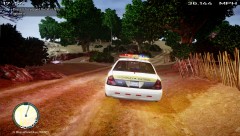
From the album: LCPDFR on Patrol
At 5.40pm today, the LCSHP received a call from the LCPD on a hostage situation at Beaverhead Avenue, Westdyke. LCSHP Commissioner Dillon was called in to assist in the situation as well. Upon Arrival of the first LCSHP unit, there was already 3 LCPD cruisers on scene with 6 LCPD officers at hand. A supervisor of the LCPD was also called in. When LCSHP Commissioner Dillon arrived there was a total of 13 law enforcement officers on scene including the LCSHP Tactical Response Squad. The FDLC was also called in. A fire Engine and an Ambulance were spotted at the scene. The situation lasted for 6 hours. There was a stand-off at the scene. LCSHP Officer David, who was also on scene, described the stand-off as the longest he had ever experienced here in Liberty City, after moving here from Massachusetts. He also stated that it was a very nerve-wrecking situation for both the LCPD and LCSHP, as it was the first time both law enforcement agencies had a 6 hour long stand-off. Comissioner Dillon, of the LCSHP, said "It was the first time we had such a bizarre case here in LC state. It was a very tense situation for us. And it was also the first time the LCSHP Tactical Response Squad was called to such a situation.The suspect was heavily armed. Being newly formed, The Tactical Response Squad handled the situation fantastically, which lead to the arrest of the suspect. I can say that we had done a good job here in protecting the State Of Liberty City." The LCSHP is also the state police for Liberty City State. LCPD Supervisor, Lieutenant Peters, said that the LCPD was alerted to this situation at about 5.30pm. Due to the nature of the call, the LCPD alerted the LCSHP for assistance. Lieutenant Peters commended the LCSHP Tactical Response Squad for their Bravery and Courage as they had only been formed this year. After the 6 hour long stand-off, a Hispanic male around the age of 25 was taken into custody by the LCSHP Tactical Response Squad. No one was hurt in this situation. LCSHP said that the incident is still currently under investigation and that a formal charge of possession of an illegal fire arm has been given. However no formal charge was given on the hostage situation as per yet. More to come..... -
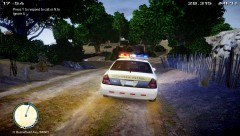
From the album: LCPDFR on Patrol
At 5.40pm today, the LCSHP received a call from the LCPD on a hostage situation at Beaverhead Avenue, Westdyke. LCSHP Commissioner Dillon was called in to assist in the situation as well. Upon Arrival of the first LCSHP unit, there was already 3 LCPD cruisers on scene with 6 LCPD officers at hand. A supervisor of the LCPD was also called in. When LCSHP Commissioner Dillon arrived there was a total of 13 law enforcement officers on scene including the LCSHP Tactical Response Squad. The FDLC was also called in. A fire Engine and an Ambulance were spotted at the scene. The situation lasted for 6 hours. There was a stand-off at the scene. LCSHP Officer David, who was also on scene, described the stand-off as the longest he had ever experienced here in Liberty City, after moving here from Massachusetts. He also stated that it was a very nerve-wrecking situation for both the LCPD and LCSHP, as it was the first time both law enforcement agencies had a 6 hour long stand-off. Comissioner Dillon, of the LCSHP, said "It was the first time we had such a bizarre case here in LC state. It was a very tense situation for us. And it was also the first time the LCSHP Tactical Response Squad was called to such a situation.The suspect was heavily armed. Being newly formed, The Tactical Response Squad handled the situation fantastically, which lead to the arrest of the suspect. I can say that we had done a good job here in protecting the State Of Liberty City." The LCSHP is also the state police for Liberty City State. LCPD Supervisor, Lieutenant Peters, said that the LCPD was alerted to this situation at about 5.30pm. Due to the nature of the call, the LCPD alerted the LCSHP for assistance. Lieutenant Peters commended the LCSHP Tactical Response Squad for their Bravery and Courage as they had only been formed this year. After the 6 hour long stand-off, a Hispanic male around the age of 25 was taken into custody by the LCSHP Tactical Response Squad. No one was hurt in this situation. LCSHP said that the incident is still currently under investigation and that a formal charge of possession of an illegal fire arm has been given. However no formal charge was given on the hostage situation as per yet. More to come..... -
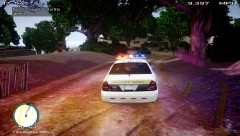
From the album: LCPDFR on Patrol
At 5.40pm today, the LCSHP received a call from the LCPD on a hostage situation at Beaverhead Avenue, Westdyke. LCSHP Commissioner Dillon was called in to assist in the situation as well. Upon Arrival of the first LCSHP unit, there was already 3 LCPD cruisers on scene with 6 LCPD officers at hand. A supervisor of the LCPD was also called in. When LCSHP Commissioner Dillon arrived there was a total of 13 law enforcement officers on scene including the LCSHP Tactical Response Squad. The FDLC was also called in. A fire Engine and an Ambulance were spotted at the scene. The situation lasted for 6 hours. There was a stand-off at the scene. LCSHP Officer David, who was also on scene, described the stand-off as the longest he had ever experienced here in Liberty City, after moving here from Massachusetts. He also stated that it was a very nerve-wrecking situation for both the LCPD and LCSHP, as it was the first time both law enforcement agencies had a 6 hour long stand-off. Comissioner Dillon, of the LCSHP, said "It was the first time we had such a bizarre case here in LC state. It was a very tense situation for us. And it was also the first time the LCSHP Tactical Response Squad was called to such a situation.The suspect was heavily armed. Being newly formed, The Tactical Response Squad handled the situation fantastically, which lead to the arrest of the suspect. I can say that we had done a good job here in protecting the State Of Liberty City." The LCSHP is also the state police for Liberty City State. LCPD Supervisor, Lieutenant Peters, said that the LCPD was alerted to this situation at about 5.30pm. Due to the nature of the call, the LCPD alerted the LCSHP for assistance. Lieutenant Peters commended the LCSHP Tactical Response Squad for their Bravery and Courage as they had only been formed this year. After the 6 hour long stand-off, a Hispanic male around the age of 25 was taken into custody by the LCSHP Tactical Response Squad. No one was hurt in this situation. LCSHP said that the incident is still currently under investigation and that a formal charge of possession of an illegal fire arm has been given. However no formal charge was given on the hostage situation as per yet. More to come..... -
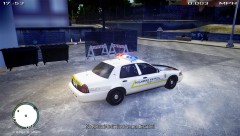
From the album: LCPDFR on Patrol
At 5.40pm today, the LCSHP received a call from the LCPD on a hostage situation at Beaverhead Avenue, Westdyke. LCSHP Commissioner Dillon was called in to assist in the situation as well. Upon Arrival of the first LCSHP unit, there was already 3 LCPD cruisers on scene with 6 LCPD officers at hand. A supervisor of the LCPD was also called in. When LCSHP Commissioner Dillon arrived there was a total of 13 law enforcement officers on scene including the LCSHP Tactical Response Squad. The FDLC was also called in. A fire Engine and an Ambulance were spotted at the scene. The situation lasted for 6 hours. There was a stand-off at the scene. LCSHP Officer David, who was also on scene, described the stand-off as the longest he had ever experienced here in Liberty City, after moving here from Massachusetts. He also stated that it was a very nerve-wrecking situation for both the LCPD and LCSHP, as it was the first time both law enforcement agencies had a 6 hour long stand-off. Comissioner Dillon, of the LCSHP, said "It was the first time we had such a bizarre case here in LC state. It was a very tense situation for us. And it was also the first time the LCSHP Tactical Response Squad was called to such a situation.The suspect was heavily armed. Being newly formed, The Tactical Response Squad handled the situation fantastically, which lead to the arrest of the suspect. I can say that we had done a good job here in protecting the State Of Liberty City." The LCSHP is also the state police for Liberty City State. LCPD Supervisor, Lieutenant Peters, said that the LCPD was alerted to this situation at about 5.30pm. Due to the nature of the call, the LCPD alerted the LCSHP for assistance. Lieutenant Peters commended the LCSHP Tactical Response Squad for their Bravery and Courage as they had only been formed this year. After the 6 hour long stand-off, a Hispanic male around the age of 25 was taken into custody by the LCSHP Tactical Response Squad. No one was hurt in this situation. LCSHP said that the incident is still currently under investigation and that a formal charge of possession of an illegal fire arm has been given. However no formal charge was given on the hostage situation as per yet. More to come.....


