


.jpg.c0f1915bb7c1461daeb678ab0ed8a253.jpg)

ATeaDaze
Members
-
Joined
-
Last visited
Everything posted by ATeaDaze
-
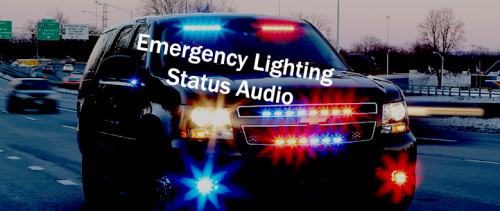 I would NOT recommend using this mod. It hasn't been updated in 5 years and causes CTDs for me too It was working fine for me (for a while). It looks like an issue with newer GTA 5 or LSPDFR versions. It crashes if I get killed and my car respawns at the hospital. Looks like it needs additional checks to see if the car still exists in the game world 😕 RagePluginHook.log: [8/24/2022 11:02:23 PM.391] Emergency Lighting Status Plugin: [8/24/2022 11:02:23 PM.391] Emergency Lighting Status Plugin: ============================== [8/24/2022 11:02:23 PM.391] Emergency Lighting Status Plugin: UNHANDLED EXCEPTION DURING GAME FIBER TICK [8/24/2022 11:02:23 PM.391] Emergency Lighting Status Plugin: ------------------------------ [8/24/2022 11:02:23 PM.391] Emergency Lighting Status Plugin: Origin: Game fiber "<UNNAMED THREAD>". [8/24/2022 11:02:23 PM.391] Emergency Lighting Status Plugin: ------------------------------ [8/24/2022 11:02:23 PM.391] Emergency Lighting Status Plugin: Exception type: Rage.Exceptions.InvalidHandleableException [8/24/2022 11:02:23 PM.391] Emergency Lighting Status Plugin: Exception message: Operation is not valid because the specified Rage.Vehicle is invalid. [8/24/2022 11:02:23 PM.391] Emergency Lighting Status Plugin: ------------------------------ [8/24/2022 11:02:23 PM.391] Emergency Lighting Status Plugin: Inner exceptions: [8/24/2022 11:02:23 PM.391] Emergency Lighting Status Plugin: ------------------------------ [8/24/2022 11:02:23 PM.391] Emergency Lighting Status Plugin: Stack trace: [8/24/2022 11:02:23 PM.391] Emergency Lighting Status Plugin: at Rage.Vehicle.get_IsSirenOn() [8/24/2022 11:02:23 PM.391] at SirenNoise.EntryPoint.<>c.<Main>b__6_0() [8/24/2022 11:02:23 PM.391] at Rage.GameFiber.Main() [8/24/2022 11:02:23 PM.391] Emergency Lighting Status Plugin: ============================== [8/24/2022 11:02:23 PM.391] Emergency Lighting Status Plugin: [8/24/2022 11:02:26 PM.005] LSPD First Response: [TRACE] Aborting AnimatedSwitchWeapon: Animation stopped. [8/24/2022 11:02:32 PM.890] LSPD First Response: [TRACE] we're on the lspdfr page [8/24/2022 11:02:32 PM.890] LSPD First Response: [TRACE] 7FF75CDE7E37 [8/24/2022 11:02:33 PM.695] LSPD First Response: [TRACE] navigated away whilst loading
 -
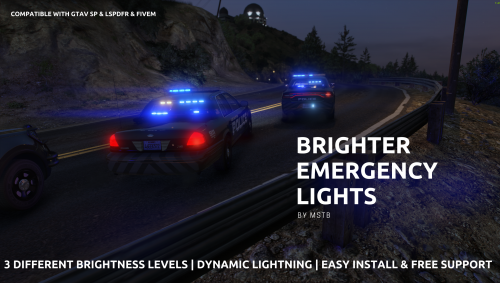 This looks great every time of day! I use the lowest brightness setting as the rest of them are way too bright on my setup Edit: note that this does have the overly-bright taxi bug that every lighting mod has Workaround: You can also manually lower the brightness of the texture with an image editor to suit your brightness level Taxi files: taxi.ytd / taxi_signs_2.dds
- 64 comments
- 10 reviews
-
-

-

- 2
-
-
 I get the same error as Brexin212 K95 RGB Platinum / Corsair iCue v4.16.194 / LSPDFR 0.4.9-8242 [8/19/2022 12:16:43 AM.801] Plugin "Razer Keyboard Police Lights" was loaded from "RazerPoliceLights.dll". [8/19/2022 12:16:43 AM.934] LSPD First Response: [TRACE] Started loading LSPDFR [8/19/2022 12:16:43 AM.935] LSPD First Response: [INFO] Running LSPD First Response 0.4.9 (0.4.8242.35949) [8/19/2022 12:16:43 AM.935] LSPD First Response: [INFO] Compiled on 26 Jul 2022 23:58:18 UTC [8/19/2022 12:16:43 AM.935] LSPD First Response: [INFO] Copyright © 2015-2020, G17 Media, www.lspdfr.com [8/19/2022 12:16:47 AM.719] LSPD First Response: [TRACE] Thread CopManager #1 initialized [8/19/2022 12:16:53 AM.534] LSPD First Response: [TRACE] Game has stopped loading [8/19/2022 12:16:53 AM.896] Razer Keyboard Police Lights: [ERROR] *** An unknown error occurred and the plugin has stopped working *** [8/19/2022 12:16:53 AM.897] Razer Keyboard Police Lights: [ERROR] One or more errors occurred. at System.Threading.Tasks.Task`1.GetResultCore(Boolean waitCompletionNotification) [8/19/2022 12:16:53 AM.897] at RazerPoliceLightsBase.Devices.Razer.RazerUtils.Instance() [8/19/2022 12:16:53 AM.897] at RazerPoliceLights.EntryPoint.IsChromaSdkAvailable() [8/19/2022 12:16:53 AM.897] at RazerPoliceLights.EntryPoint.InitializeDeviceManager() [8/19/2022 12:16:53 AM.897] at RazerPoliceLights.EntryPoint.Main()
- 113 comments
- 13 reviews
-
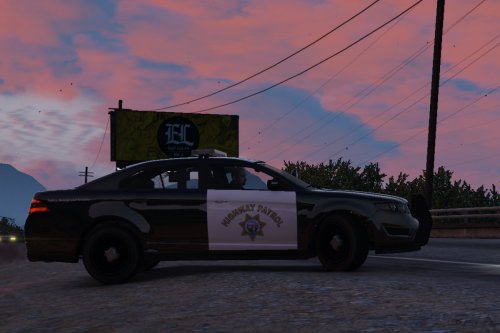 This is always one of the first mods I install with a new setup. I actually like most of the default vehicles but I can't stand the interceptor's bland livery. This version has beautiful liveries, the modeling and textures are on-point and it fits in perfectly with the stock assets. I prefer modded Staniers and Buffalos to mega-high-poly Crown Vics and Chargers. Obviously, I love those cars but I like my GTA world to look consistent 🙂
- 27 comments
- 15 reviews
-
 Is there a way to stop balaclavas from spawning on NOOSE peds? It clips through their face and they look like spaghetti from a distance (I think the model glitch is an EUP issue). I'm wondering if there's a fix or workaround.
- 195 comments
- 24 reviews
-
 I got a crash when I exited Computer+ as well. I'm not sure what causes it. Are you running LSPDFR+ as well?
- 560 comments
- 97 reviews
-
-
- 1
-
-
EDIT: never mind, it's working. I am mistaken. Mods can delete or lock this thread I can't seem to disable the camera effect that happens when you see a suspect involved in a pursuit. I added the line: Chase.DisableCameraFocus = true to lspdfr.ini It doesn't seem to disable this effect. Do I need change this value via the F4 console or is my syntax incorrect?
-
 The truck horn (like on the Flatbed) now sounds like a police airhorn. Which file is overwriting this? I tried replacing 0x14BFBCE3.wav but this isn't the file. It's a bit jarring to hear an airhorn coming from a semi truck in traffic (I'm not using ELS, siren mastery, or any other siren mods)
- 221 comments
- 40 reviews
-
-
- 1
-
-
The AR.CarPacks.xml settings cause Staniers to spawn w/ 2 lightbars clipping on top. The default setting is: <Vehicle PrimaryColor="default" SecondaryColor="default" Livery="-1" Extras="-1" isVan="false">SHERIFF</Vehicle> What can I change the Extras value to so that it will spawn w/ the default extras, only 1, or none? I've tried "default", default, and "1" but it fails to spawn the vehicles w/ these values or crashes when I go on duty. Obviously, I'm not using the proper syntax. Edit: I realize this mod is no longer available but I figure somebody might be familiar w/ the syntax used in this (if it's similar or identical to LSPDFR's backup.xml file Workaround: I've replaced the models that spawn w/ similar looking ones that do *not* have multiple lightbar options in the same location
-
 Nevermind, this fixes it: @Manashirov listed a fix on another page: You need to rename "0x1178999F.wav" to "GTA5_GUN_STUN1.wav" before you replace the files and import them. This will make the deploy/fire sound work again. I think one of the updates changed the file structure for the stun gun.
- 24 comments
- 13 reviews
-
-
- 1
-
-
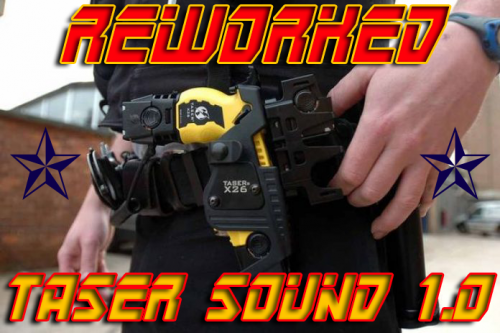 @Manashirov listed a fix on another page: You need to rename "0x1178999F.wav" to "GTA5_GUN_STUN1.wav" before you replace the files and import them. This will make the deploy/fire sound work again. I think one of the updates changed the file structure for the stun gun.
- 20 comments
- 6 reviews
-
^ I wonder if a recent update changed the file structure for the taser sound effect? I can hear the charge sound but the shot sound, "0x1178999F.wav", doesn't play-- nor is it in the weapons.awc folder after exporting, replacing, and importing.
- 24 comments
- 13 reviews
-
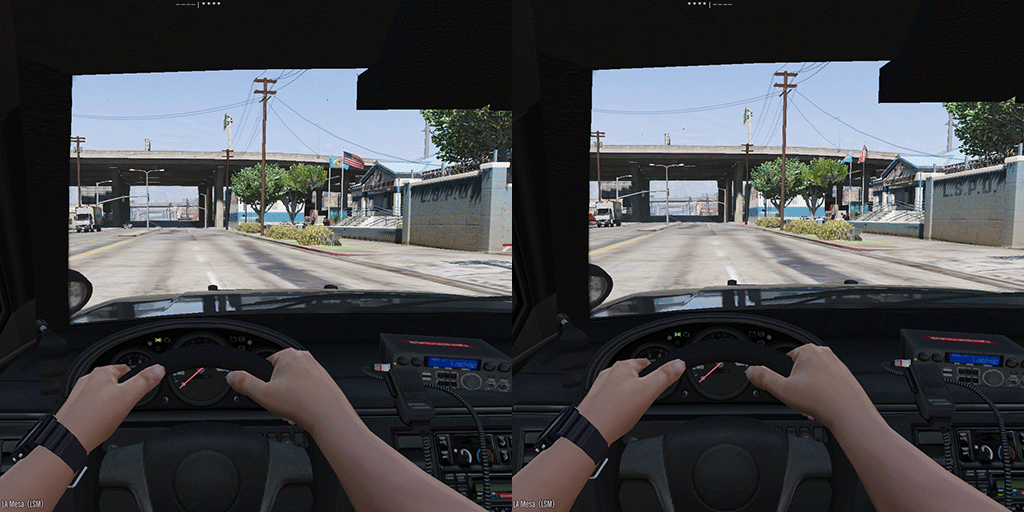 A simple and really useful script. I'll never have to go into 3rd person to check if my lights are on. It's especially useful as the siren/lights key is on the left analog stick so I find myself turning them on/off accidentally. The little siren blip (activated w/ G or D-pad down) is great when you're going through intersections code 2 and you don't want to perfectly time the horn taps (which often ended w/ me turning the lights off). I changed the * to + as I think it looks more consistent. I also changed the OFF string to a blank "" so it's only visible when the lights are on. It would be cool if you could change the colors of the individual characters w/ some kind of code (I know ped/vehicle search mods use some color-coded syntax). Not sure if that's possible w/ the RPH text UI functions. Would you be able to use a fixed font in the UI? It would make the symbols line up perfectly, depending on your custom string(s). I'd love to see a small, unobtrusive sprite instead of text. It could be a very small red and blue rectangle that brightens/flashes when you activate the lights. Definitely not necessary but it would make this great mod perfect.
 -
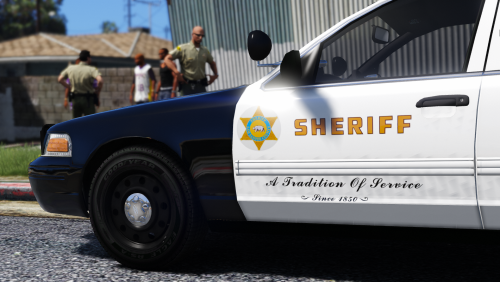 I made a 2K texture fix for Desmond's FPIU: This typo was probably overlooked so... If you'd prefer to have your own fix on this page I can delete my file. (I couldn't find any permissions or restrictions for the textures)
- 27 comments
- 5 reviews
-
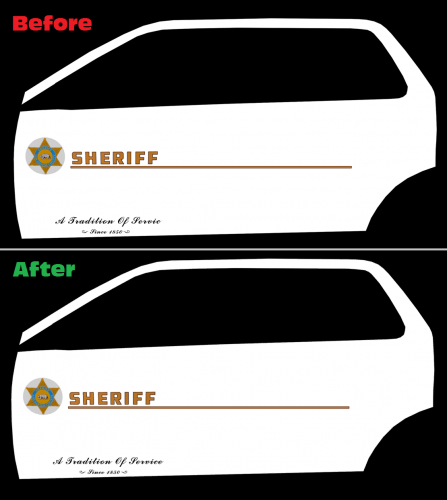 Beren's original LSSD textures for Desmond's FPIU contain a spelling error. Specificially, one side of the livery says "Servic" instead of "Service" and this fixes it. These textures are the 2K versions. I can make 4K versions if there is any interest. Original File: Original Textures: Beren Vehicle Model: Desmond98
 -
RadianceV: too bright for me Realistic Radiance: a little too subtle Mid Level Radiance: the perfect balance! It really comes down to a matter of personal taste but this gives my lights more pop w/out overdoing it. Moreover, the dashboard lights are only slightly brighter-- not "nuclear explosion bright" like they were w/ RadianceV (I know it's model specific but I like my car setup). This is the best visualsettings.dat for my current vehicle setup and it's definitely worth a try. It's really easy to install and uninstall if you don't like it.
- 3 comments
- 4 reviews
-
-
- 2
-
-
 Where do you install the .meta files with the latest update? I followed the README instructions. It didn't work. I put everything in its corresponding folder under "mpimportexport" and the vehicle model/siren works but I have the feet clipping issue. Nevermind, worked when I followed the YouTube tutorial and put vehicles.meta into the main gta5 .meta-- not the dlcpacks subdirectory.
- 218 comments
- 42 reviews
-
-
-
-
-
 The RageNativeUI.dll packaged w/ this plugin (dated Dec-4-16) causes my LSPDFR to crash pretty often (CalloutManager). It crashes after I accept a callout. It has crashed after callouts from "Assorted Callouts" and "Agency Callouts." I'm guessing there's a conflict w/ the way these older callouts interact w/ the newer .dll file. I overwrote this plugin's RageNativeUI.dll w/ an older version from one of the other plugins (dated Oct-9-16) and it fixed the crashes for me. ---------------------------------------------- Add this to the end of your PeterUCallouts.ini: [Eggs] Holidays=true
- 546 comments
- 103 reviews
-
 Can you possibly add an INI option to disable the pink backup blips? Sometimes they don't disappear after the callout and it clutters up the map.
- 1,081 comments
- 166 reviews
-
 This is an essential mod. It's replaced "Keep Calm" in my setup. I prefer this because it keeps peds and drivers calm but it doesn't completely disable reactions. For example, people will still get aggressive if you provoke them enough. Also, gang members will still flash their weapons and attack if you "offend" them (something I missed from Keep Calm). I much prefer these "slightly more calm" peds to the "everyone is on a high dose of valium" effect you get with Keep Calm. Finally, there is no performance hit with this one. 10/10!
- 29 comments
- 21 reviews
-
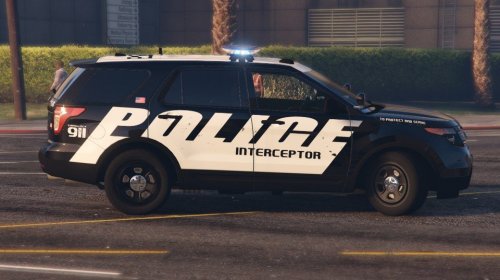
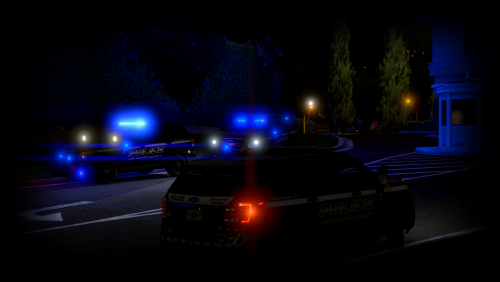
.thumb.jpg.6c80ecc7060134b39a0d153a8d09ac1f.jpg) OK, I figured it was designed that way but it caught my attention because the top of a lightbar is usually clear (or matches the lights). Thanks for the quick response. It's good to know it's not just my installation.
OK, I figured it was designed that way but it caught my attention because the top of a lightbar is usually clear (or matches the lights). Thanks for the quick response. It's good to know it's not just my installation.- 107 comments
- 24 reviews


.thumb.jpg.6c80ecc7060134b39a0d153a8d09ac1f.jpg)