




AlconH
Members
-
Joined
-
Last visited
Everything posted by AlconH
-
-
-
the settings are all customisable. The number of units that respond is randomly generated. By default, there's a minimum of 3 normal units will respond and a maximum of 8. Between 0 and 2 swat units will respond also.
-
http://www.lcpdfr.com/forums/topic/56130-wipapipreview-video-lspdfr-emergency-panic-button/ The panic button is toggled, meaning once the situation is over you press the same button again to turn it off. A message is displayed on screen and the dispatcher reads out "All Units, situation is code 4". The only problem I'm having is that the backup units are handled by LSPDFR. I have no way of stopping them once they're dispatched and so I can't stop any more from coming once you turn the panic button off. I might speak with some of the other plugin devs and see if they have any ways of doing this.
-
Unfortunately not at the moment. Accidentally updated my game and am having trouble reverting it so no more developments until the rage plugin is updated.
-
I like the idea of the animation. I'll definetely look into that. The idea of the panic button is that they don't need to use the radio. It's so that if you're unable to speak, you can use the button instead. I don't think adding in the speech would be needed. Thanks for the suggestion though.
-
Not a problem, the audio there was just to get everything working. As I said, it's not final and I've got a bit of tweaking to do. I'm glad you like it. Forgot to mention in the original post, but the settings are all customisable. The number of units that respond is randomly generated. By default, there's a minimum of 3 normal units will respond and a maximum of 8. Between 0 and 2 swat units will respond also.
-
After suggesting the idea of a panic button plugin for LSPDFR generated quite a bit of interest, I decided to go ahead and make the plugin myself. Original thread: When you're in trouble and need as much backup as possible, simply press the desired key and watch as the cavalry roll in. I'm still working on a few little details but this should be ready to release soon. Please let me know of any suggestions/feedback you may have. Here's the video: NOTE: I can only apologize for the quality of the video. It's the best I could manage without my PC lagging.
-
Ah damn. That's a shame. Thanks anyway.
-
Really nice! I love it. Keep up the good work. Subbed.
-
That's probably what it was. Increasing the sleep time solved the problem. Another quick question, do you know how to add the Key icons to the dialogues? Such as: Game.DisplayHelp("Press F10 to continue.", true);But instead of displaying just the text F10, it instead displays the actual graphic for that button?
-
Hmmmm... That's a surprise because the first audio is less than 3 seconds long, but I'll give it a try and get back to you. Thanks for your help.
-
I'm currently working on a plugin using the LSPDFR API but am having trouble with the scanner audio. Functions.PlayScannerAudio("NEED_BACKUP_NOW") GameFiber.Sleep(3000) Functions.PlayScannerAudioUsingPosition("ATTENTION_ALL_UNITS ASSISTANCE_REQUIRED IN_OR_ON_POSITION CODE_3", Game.LocalPlayer.Character.Position);The problem is, the first audio: "NEED_BACKUP_NOW", plays perfectly, but the second piece of audio doesn't play. The rest of the script executes perfectly, and it appears that the second audio statement is skipped. Does anyone have any experience with this?
-
Simple Native Trainer > Enable Fast Run.... Success!
-
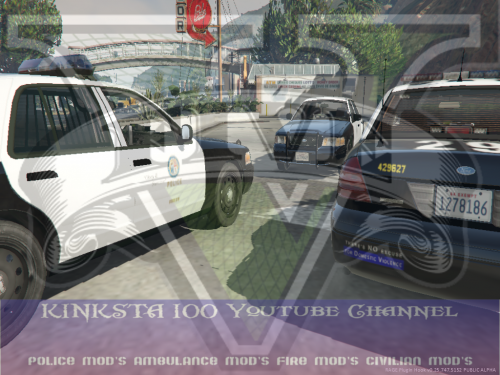 @Kinksta, I'm also having the problem with the lightbar. I do not have any visual or vehicle mods, only basic script mods such as LCPDFR and extra callouts. The rotator lightbar works perfectly. However, the two central lights on the LED lightbar do not flash, and there is no flair on the rear part of the lightbar meaning the lights are dull.
- 23 comments
- 7 reviews
-
Just went to reply to the following thread without being logged in and realised guest posting was now enabled. Is this intentional?
-
Are you using the Traffic Policer plugin? I've noticed that using the "reach for keys" function of that plugin initiates a pursuit 99% of the time.
-
 Tried the latest version. Played for about 30 minutes and responded to two or three ANPR hits. The problem seems to be fixed with that callout, but the problem still persists when using the followme function. Also, the problem occurs with Alexguirres Wilderness callouts plugin, when responding to a Wanted Drug Dealer callout, it gives the vehicle name in hex format. I'm guessing that means something else is causing the issue. I'll have to try a vanilla install and start with Traffic policer alone, and then add the rest of the mods in one by one. I'll do that tomorrow.
- 3,646 comments
- 306 reviews
-
-

- 1
-
-
I'm not sure it's across multiple mods like I thought before. I'll check again tonight and let you know. I'm on the latest version of RPH.
- 3,646 comments
- 306 reviews
-
-
- 1
-
-
The only custom vehicles I have are police and police2. No civillian vehicles have been modded....
- 3,646 comments
- 306 reviews
-
I sorted the modifier keys, turns out it was me at fault. However, the hex format has returned again, both when getting a vehicle to follow and also when responding to the ANPR callout:
- 3,646 comments
- 306 reviews
-
Yup, they were at the front, directly in front of the lights and with no-one in front. I'll keep trying, maybe it's me doing something wrong. Modifier keys, I'm using a UK layout standard QWERTY keyboard. The modifier keys were working fine before the latest update. The hex problem seems to have resolved itself now. ================== The mod itself is absolutely awesome. It's everything I wanted in LCPDFR and more! Really the icing on the cake. Absolutely brilliant. Thanks Albo1125!
- 3,646 comments
- 306 reviews
-
Hi Albo, I've found a few bugs in the latest version. Vehicle names are now being displayed in hex format as opposed to the actual vehicle names. It's also affecting other mods, but only started when I updated Traffic Policer. This seems to have resolved itself with a restart of my game. Will post if it happens again... I've also found that the Modifier keys are not working on the correct side, for example LAltKey translates to the Right ALT key as opposed to the left. I can't seem to get the red light feature to work. Pressing my horn doesn't do anything when the suspect is at a red light during a traffic stop. Thanks
- 3,646 comments
- 306 reviews
-
I was about to say this too. Points are added by the DVLA in the UK, or by the courts. The officers just hand out tickets or refer them to a court hearing.
-
My concern with your flow is: There are so many different possible combinations for the names, that entering information and reports via the application outside of the game would take a long, long time before anything actually shows in game because the chances of you encountering the same name twice is very slim. You could always mass produce the data, but even then, I'm not sure how many potential combinations there are for the names. I'd also be concerned about the resources needed to run an application like this. There'd be a bit of querying involved and if the plugin picks up traction it could become quite expensive and time consuming to maintain.


