



darkblue
Members
-
Joined
-
Last visited
Everything posted by darkblue
-
 Best comment ever! 😂
 -
This does not delete the effect completely. However it reduces it. I think it has something to do with the amount of mods you are using ingame. @samaelxx85 You cannot reduce the file size of the yft. To do so, the model must be unlocked and you have to rework it in zmodeler. Your computer hardware does not matter. I use a i7 4770k with 16 GB Ram and a GTX 1070 and the less mods I use, the better the effect. It´s a simple matter of how much the game can handle. You should get rid of these high powered cars... Sorry
-
Limiting the cars to around 20 MB seem to work. Did not make a long term test though. But for now I guess it does the trick 👌 I usually experience the texture loss after one and a half ingame days or many use of script menus. I had only two cars which exceeded the limit but this was enough I guess. I think there are more options which affect this texture issue... @iMalcolm27 Do you know about other limitations in the files? (I know about the limit in the audio directory but maybe you know about limits in other common files like carvariations.meta / vehicles.meta / handling.meta / vehicles.rpf / wheels_mods / and so on ????)
-
I found a temporary fix by replacing the .yft file with the _hi.yft (I today found out, that the LOD0 is provided in the _hi.yft while the LOD1-X is provided in the .yft file - that´s the reason because it´s mostly bigger - didn´t know about this before). Now my tires disappear in distance but that does not bother me. I know, how to fix it but I guess the game will then be unplayable because this takes a lot of performance. It now is taking a few FPS but still playable normally. If there is another fix, let me know....
-
Jesus, your car sizes are way too big. Changing the livery to 2k does not solve the problem. You have to get around 20,000 KB for one car to get a better performance (that means all car files together of one car - .yft, .ytd, _hi.yft, +hi.ytd shouldn´t reach 20k...) And I see at least 4 cars which exceed the limit...
-
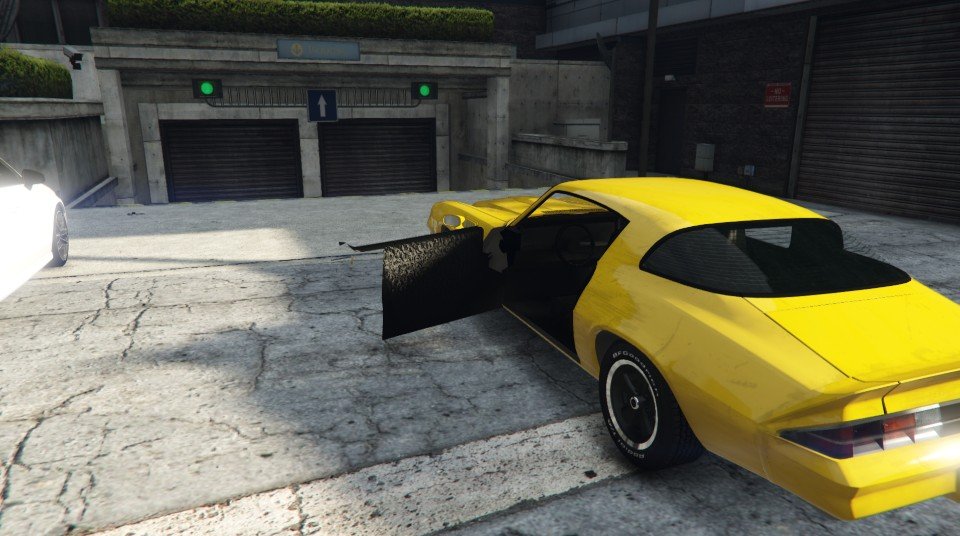
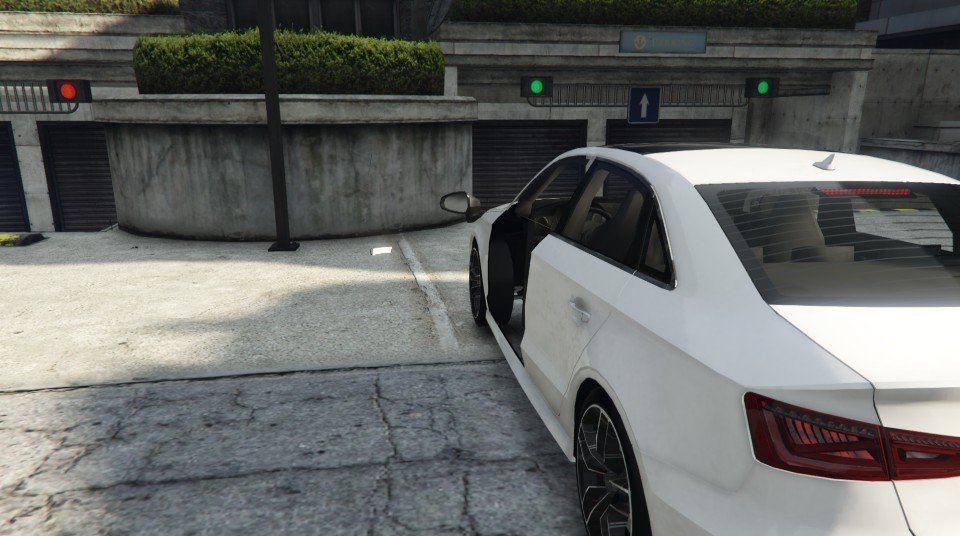
Hey guys, maybe some of you know a solution to my problem. I experienced some LOD issues with my (replace) cars. In the city area the main LOD will not load properly. Textures are missing and will not load unless I enter the car. when I get out, it stays normal but as soon I reach the distance where the LOD changes and I get back to the car it is the same mess again. First I thought I replaced too much cars but the problem stays even after changing over 10 cars back to vanilla. And since the problem first occured I only replaced cars with ones that have a smaller file size. So this is not the issue. I also reduced the file size of the carvariations.meta which first seems to be the issue but no, still no luck. Also changing the LOD distance in visualsettings.dat or vehicles.meta didn´t help. I removed the scripts and plugins I installed after the problem occured but this is also not the problem. Strangely in the countryside everything works well. Also playing around with the graphics is not helping. So any idea which might cause this problem??? The police cars work all well, it´s only some civillian cars....

-
So I guess you guys all know the problem. You found a cool car to replace and then the mess with the handling. The car has inverse physics making its body roll towards the inside of the corner instead of the outside (like a bike) and by braking the front raises instead of the back, when accelerating the rear raises instead of the front. As the only solution seems to be in making the car have almost no body roll I decided to put my knowlodge in a new topic so everybody can benefit from this. THERE IS A SIMPLE FIX FOR THIS !!! And here it is: - open your handling.meta and find these lines of the car which has the problem: <fRollCentreHeightFront value="0.500000" /> <fRollCentreHeightRear value="0.500000" /> to make the car turn and behave properly, you have to lower these values to find the "break even point" (the point of where the turning moves to the opposite). Usualy the lower you get the less body roll the car will have UNTIL it switches over to the other side. I had a car, that had this 0.5 value on vanilla handling and was on inverse physics. There was a handling line provided with it, where it was ok so I tried to figure out, what the difference was (because the provided handling was crap in other things). Of course it had a lot. But this value was the only one, which was negative so I decided to try this value on a vanilla handling line with the same car. BINGO: the car was turning correct now but with a lot of body roll. The value was set to -0.2. I started raising it again to see what happens and figured out that the more I went back towards positive I got less body roll. With 0.2 I got the perfect value to work with and the inverse physics were gone. Some cars might not get a proper handling no matter what you do, seems to be a problem of the model itself. Of course the handling is very complex and there might be another fix for this since every value change affects others aswell. So remember: ALWAYS BACKUP YOUR FILES !!! I hope this will help all you guys for a better experience. I also recommend this handling tutorial, I learned a lot about handling and car behavior with this: https://forums.gta5-mods.com/topic/3842/tutorial-handling-meta One small mistake is in it - this line: <fSuspensionBiasFront value="0.500000" /> This affects the cars stance wether it´s lowered in the front or in the back. 0.5 means that the car has the same height in the front and in the back. over 0.5 = raise cars front (like the vapid blade) under 0.5 = raise cars back Stay healthy and keep patrolling !!!
-
It was a long time something was posted here but I think this could help other people as well because nowhere seems to be a solution. UNTIL NOW! The fix of this problem is quite easy and I figured out how to do it. = Open your handling.meta and search for these lines: <fRollCentreHeightFront value="0.500000" /> <fRollCentreHeightRear value="0.500000" /> then simply lower the values slightly until you get the "break even point". (with one car I had, it was around 0.3. I lowered to 0.2 to get more body roll and make it more realistic - could even go into negative values) It´s a trial and error process but I think you guys will understand quickly. ANOTHER FIX: flipping cars in corners or turns = open your handling.meta and search this line: <vecCentreOfMassOffset x="0.000000" y="0.000000" z="0.000000" /> lower the z value slightly (even into negative) then the car should no longer flip over at turns Editing the handling is very complex and messing around with only one value can even break the whole behavior of the car so always backup!!!! I had this problem on several carmods and tried to figure out what causes this. I looked at the handling and compared every line to find out. I don´t know what exactly causes the problem, maybe it has somehing to do how the car has been modeled because on some cars you don´t get a proper handling no matter what you do.... It took a long time but I think this could help many other people because I still see videos where this inverse physics happen...
-
Hey Guys, I am about to take a closer look into GTA 5 now and was wondering if there is a specific meta file to change the audio of the cars. I know, you can change the audio in the vehicles.meta and I also know how to replace the audio files itself BUT here is the deal: There must be a directory or a meta file to define which car uses which audio. E.G. The civilian granger and both the ranger and the sheriff2 all three use the same audio files for the engine BUT the ranger uses a different siren sound than the sheriff2 and the sheriff2 a different door sound. The civilian of course does not use any siren sound. When I now replace the engine sound file, all three cars will have the same engine sound. When I replace the audionamehash in the vehicles.meta they all three would sound exactly the same so the civilian will have a siren or the policecars will have none. (I hope you know what I mean) To explain: I want the police buffalo sound like a gauntlet but since it uses the same audio for different cars it should only change specific the buffalo. Now, I use sheriff2 audio for the buffalo (changed audionamehash in the vehicles.meta). If I now change the audio file to the gauntlet, all SUV with the same engine sound will have the gauntlet engine then because the engine sound is taken from a sound pool. If I change the audionamehash, it won´t have sirensounds. I want to find out, where I can change the sheriff2 sound setup. With ELS it´s easy, because then you just change the audionamehash in the vehicles.meta because ELS uses it´s own siren sound setup but I only use non-els so it is more in depth customization required. There are less audio files than cars so there MUST be a file which assigns the audio files to the cars because obviosly some cars share the same sounds but have slightly different door or siren sounds. It has to define the door, engine and siren sound, which the car uses. Does anybody know about this file?
-
Hey Guys, I noticed recently, that a few animations on my weapons do not work properly. The slides of my combat, heavy and vintagepistol do not work. (yes, only these three and yes, they have been replaced with ANIMATED mods) A while back they worked just fine, but now they stopped working. It´s only the slide that won´t move anymore, everything else works fine (and on some rifles the attachments move everytime when a shot is fired, but this does not bother me) Is it just because of the amount of mods in the game, that GTA5 can´t handle this anymore or is it caused by something else? Does anyone have an idea??? Edit: It also seems to be a temporary problem. Sometimes it works, sometimes not. And sometimes it depends on the area I am. Totally weird.... Thanks for your replies!
-
 The car is great but the handling is very much like a boat and the damping is way too slow. Anyone knows how I can fix this?
- 133 comments
- 36 reviews
-
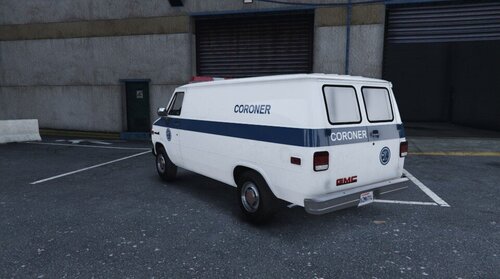 Yes, you´re right. Somehow forgot about this, Sorry. Added ! (but the non-els pack has been removed, I guess...)
 -
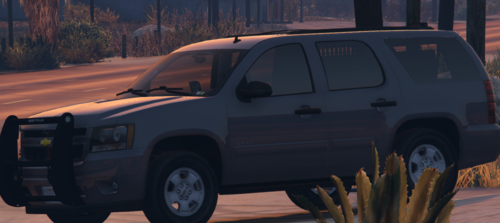 If you decide to do that, please only grille, dash, deck (no christmas tree, please...) 😉 and maybe work at the stance, looks weird with the back down. Usually its bit front down...
 -
Here is a simple Skin I made for the GMC Van by Lozano71. I do not own any credits related to the vehicle or any parts of it. I just made the skin based of the template using paint and paint.net. This skin was made for the GMC Van from the pack NOPD Early 90's Police Cars (Non ELS) 1.0.0 by Officer K Slimm Vehicle was made by Lozano71 Link:
-
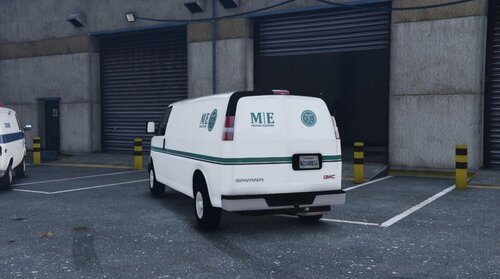 Here is a simple Medical Examiner Livery made by me It should fit any GMC Savana or Chevy Express 3500 Enjoy 🙂
 -
Hey guys. Got one question. When playing as a main character and you are chased by police, the swat will hang on the side of the fbi2 and sheriff2. How can I remove this? Is it something in the vehicles.meta oder the handling.meta? I couldn´t figure out, what is responsible for this behavior. To explain: I run an outdated version of LSPDFR because it´s very stable in the current state. But when doing the callout "prisoner transport required" and I use one the these two cars, the suspect won´t enter the rear seat and instead hangs on the side. Looks bit weird so I was wondering how to change that.... Thanks in advance.
-
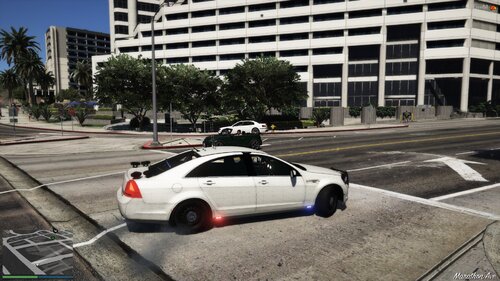 Solid base but needs a lot of work. 1. on the right side is a part of a roof lightbar clip that has to be removed 2. lights in the pushbar work but the low and high beam will be completely off in front when using (it just shows the "on" texture) 3. no underbody (at least a texture would be cool) 4. too many alpr (just an individual opinion of me - should be toggleable extras) the rest looks ok, didn´t make an in-depth test
- 10 comments
- 1 review
-
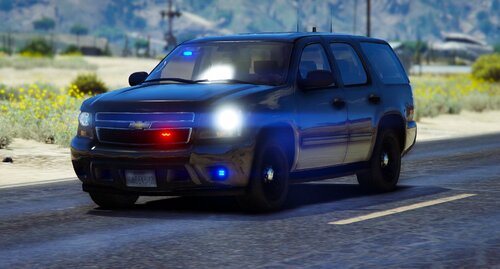 @ZeakorDesigns Hey, very cool car. Best unmarked 2014 Tahoe so far. 🤟 I use it in SP, works fine. But the left rear flashing taillights are not exactly in place (maybe it´s only in my game - looks ok in the vid). And I think these white flashers in front and in the back are a bit too overwhelming. Is there a chance you release a version without them? Or maybe a version with only the dash lights front and back and the grille leds? (you could do the front and rear dash lights together as 1 extra (so people can set it as "always spawn" extra in the vehicles.meta) and maybe replace the flashers with a pushbar or a spot light instead to toggle - just a idea) - or instead of making the flashers as extra -> put it as part of the sirensetting into carcols I really like this undercover look, there is no better tahoe out there with non-els setup 👌
 -
2020-01-303_52_50PM.thumb.png.9c9a4399038987cca897d9b0b91e385d.png) @0 Venom Snake 0 Is it possible to get a black and white theme for the silverado? (I want to make a LACS livery but I´m not good in making doors white...)
@0 Venom Snake 0 Is it possible to get a black and white theme for the silverado? (I want to make a LACS livery but I´m not good in making doors white...) -
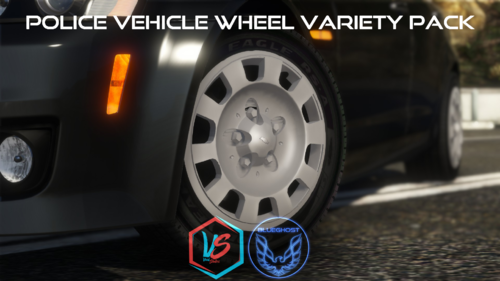 @BlueGhost Hey man, nice wheels. Sadly not all brake disks have a texture and some of the wheels even don´t have brake disks. That should be updated...
- 88 comments
- 18 reviews
-
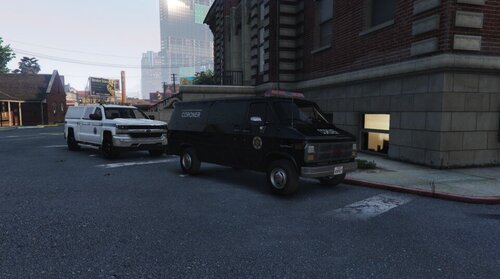 Here is a simple Skin I made for the GMC Van by Lozano71. Also included is a carvariation data with the changed light and sirensetting. It will have yellow old headlights. I also recommend using the audionamehash of the surfer in the vehicles.meta to make it sound properly. I do not own any credits related to the vehicle or any parts of it. I just made the skin based of the template using paint and paint.net. This skin was made for the GMC Van from the pack NOPD Early 90's Police Cars (Non ELS) 1.0.0 by Officer K Slimm Vehicle was made by Lozano71 Quick Video:
 -
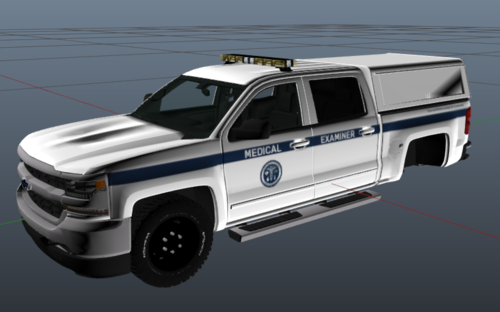 This is a simple Silverado Medical Examiner Skin for the MISC Vehicle pack [Non-ELS] by 0 Venom Snake 0 I do not own any credits related to the car or parts of it. I just made the skin out of the template by myself using paint and paint.net. This is my first uploaded skin, maybe I will do more for several other cars. Quick Video: So Enjoy! The Silverado in this pack is required for this skin. But I think other silverados should also fit.
 -
Now thats what I´m talking about!
-
@HANAKO Hey man, great work on these vests, I really like this. But they have too much stuff on it, it´s the police and not the army special forces 🙂 And most of them are for wide clothes, there is too much space between vest and body. Should be more for uniform shirts and t-shirts or polos. Would be cool to see some more simple vests e.g. from Leon Kennedy Biohazard 2 Remake And we need some cool holsters because there aren´t many around. Maybe you could do some... Great work, keep it up!!
-
2020-01-299_06_08PM.thumb.png.05419732b81f473886f7062b8903602e.png) @Fhsig13 it´s not that complicated than it might look. 1. locate the car files you want and simply replace the car you want (e.g. Police2 with rcmp7) that´s the easiest part - now the more complicated 2. look into the carvariation data and see, what sirensetting rcmp7 is using (e.g. 700) 3. open carcols.meta and search for the sirensetting id 700 - mark everything related to this id and copy it. 4. open YOUR carcols.ymt with "edit" - go to the section "sirens" - add it (layout must be the exact same, as the others from beginning phrase to end phrase / sometimes it won´t work, no matter what you do, dunno why, some non-els codes are not correct and it takes hours to locate the mistake) I recommend copying only from "id value" till the last "cast shadows". the phrases before and after the other id values should be copied directly from the carcols.ymt directory. e.g. rename the siren id 700 to 100 scroll between end of id 10 and beginning of id 11 the last line of 10 is something like: item, item, siren, item / or whatever then id 11 starts make a gap after these 4 lines add the siren id 100 into this gap the last line of 100 should be the cast shadows line copy the line item, item, siren, item add it to the end of 100 after cast shadows leave no gaps after adding and save you can also add it to the end with a number you like, e.g. the last sirensetting is 15 I think. Then go to the end and add 16. BUT: the last 4-line phrase is different than the 4-line phrases between so keep that in mind !!!!! 5. open the carvariations and look for the files of rcmp7 - copy it 6. add it to the carvariation you are using for the rest of your vehicles (e.g. mpchristmas2) - rename rcmp7 to police2 This layout should also be the same as the others 7. Same goes with the vehicles.meta (but replace the phrases of police2 do not add rcmp7) If you have only one phrase incorrect the game will crash at the start. I recommend searching for tutorials if you haven´t done this before. It took a while for me to explore how everything works together but with some practise you will get used to it. Or stick with ELS, then its a lot easier. Hope, I could help with this...
@Fhsig13 it´s not that complicated than it might look. 1. locate the car files you want and simply replace the car you want (e.g. Police2 with rcmp7) that´s the easiest part - now the more complicated 2. look into the carvariation data and see, what sirensetting rcmp7 is using (e.g. 700) 3. open carcols.meta and search for the sirensetting id 700 - mark everything related to this id and copy it. 4. open YOUR carcols.ymt with "edit" - go to the section "sirens" - add it (layout must be the exact same, as the others from beginning phrase to end phrase / sometimes it won´t work, no matter what you do, dunno why, some non-els codes are not correct and it takes hours to locate the mistake) I recommend copying only from "id value" till the last "cast shadows". the phrases before and after the other id values should be copied directly from the carcols.ymt directory. e.g. rename the siren id 700 to 100 scroll between end of id 10 and beginning of id 11 the last line of 10 is something like: item, item, siren, item / or whatever then id 11 starts make a gap after these 4 lines add the siren id 100 into this gap the last line of 100 should be the cast shadows line copy the line item, item, siren, item add it to the end of 100 after cast shadows leave no gaps after adding and save you can also add it to the end with a number you like, e.g. the last sirensetting is 15 I think. Then go to the end and add 16. BUT: the last 4-line phrase is different than the 4-line phrases between so keep that in mind !!!!! 5. open the carvariations and look for the files of rcmp7 - copy it 6. add it to the carvariation you are using for the rest of your vehicles (e.g. mpchristmas2) - rename rcmp7 to police2 This layout should also be the same as the others 7. Same goes with the vehicles.meta (but replace the phrases of police2 do not add rcmp7) If you have only one phrase incorrect the game will crash at the start. I recommend searching for tutorials if you haven´t done this before. It took a while for me to explore how everything works together but with some practise you will get used to it. Or stick with ELS, then its a lot easier. Hope, I could help with this...



2020-01-303_52_50PM.thumb.png.9c9a4399038987cca897d9b0b91e385d.png)
2020-01-299_06_08PM.thumb.png.05419732b81f473886f7062b8903602e.png)