dizza
Members
-
Joined
-
Last visited
Everything posted by dizza
-
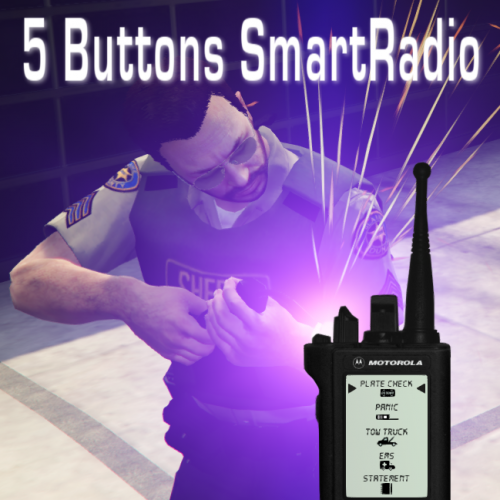 If you guys want the original background but with the new 5 button layout, download this file. https://drive.google.com/file/d/1c0xe5rdkXWsiPyPAYo41lTq4PE1Igxq8/view?usp=sharing
- 7 comments
- 5 reviews
-
-

- 1
-
-
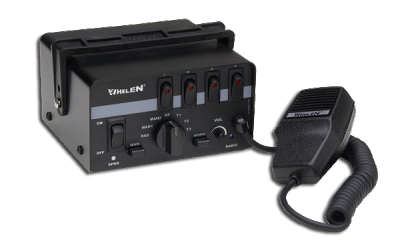 It is choppy. It has some major audio issues.
 -
That demo video is horrible!
-
Any updates on the progress?
-
Do you still run the same cars? I'm starting to build my CA fleet now.
-
 Any updates going to be made to this pack? I live in the OC and would love to use it with ELS cars.
- 139 comments
- 22 reviews
-
 Crashing for me too with the hotfix. Menu control doesn't work still. I changed the keys to be for something unique that I am 100% sure isn't being used by any other mod, still doesn't work. I can initiate the felony stop, but only 1 car arrives even thought the ini file has a setting of ExactNumberOfUnits=4 Could it be that your mod conflicts with another mod out there?
- 242 comments
- 18 reviews
-
I can initiate the felony stop via the CTRL + K method, but the menu will not work for me either when pressing CTRL + T
- 242 comments
- 18 reviews
-
I figured out the issue. Anytime I called backup in game, the backup would spawn several blocks away and just sit there. This issue was affecting this mod as well. As it turns out, the trainer.ini file was missing somehow, even though the trainer worked in game. Because the file was missing, the trainer acted different than the options it showed on screen, for example, an option that was shown as disabled, was actually enabled. I extracted the .ini file from the download, placed in the directory and all was good again! Thanks!
- 242 comments
- 18 reviews
-
-
- 1
-
-
I use the key combo to initiate the felony stop but the arriving cars stay back quite a ways, after a set period of time a little pop up comes up from Arrest Manager stating that if backup is taking too long to get there, to warp them closer by pressing 8. The same thing happens when I call for a transport for an arrestee transport.
- 242 comments
- 18 reviews
-
After installing the mod, any backup that I call spawns about 100-150m away and will not approach the scene. I have to warp them all to me by pressing 8, function of Arrest Manager I believe.
- 242 comments
- 18 reviews
-
 How do we add a livery to this file? I tried adding one that was a LAFD skin that someone posted on this website, however they provided ZERO instructions. I searched for the proper way to do it, but when I add the file to the YTD file, the ambulance spawns with this ugly yellow color over the entire vehicle.
- 209 comments
- 40 reviews
-
-
-
 Am I correct that this is "ELS Style" lighting and not actual ELS lighting setups?
- 779 comments
- 187 reviews
-
 That did the trick! Apparently VisualV has very low settings as a default, 1.50 to be exact. I changed it to 2000 on both and both worked.
- 147 comments
- 65 reviews
-
-
- 1
-
-
Yes, asiloader.log shows up now, and all ASI files are showing as loaded successfully. The tint setting in vehicles.meta within patchday15ng already had the tint setting noted in the readme set, I didn't have to change those. I've loaded 3 different versions of visualsettings.dat from the RadianceV pack and lights still do not work for me. This is driving me insane.
- 147 comments
- 65 reviews
-
Sorry. I did reboot, uninstalled ASI loader, rebooted, installed again, rebooted and I can now see the lights on some cars , but they are extremely dim. I verified that the tint fix is already in place. Not sure if it matters, but I installed these into "patchday15ng". Any other suggestions?
- 147 comments
- 65 reviews
-
I actually don't have a "asiloader.log" file in the GTA5 folder. It does show installed however in OpenIV.
- 147 comments
- 65 reviews
-
-
I'm having some trouble getting this installed. Been a while since I've played LSPDFR, so I might be rusty installing things. Here is what I did: - Installed VisualV - Installed Radiance V - Installed ELS (verified as working, using CTRL-P to bring up the control panel) - Installed this car pack (verified cars spawn when called up) Lights however do not flash at all. I've deleted the mods folder and redid the above steps 4 times and still on luck. Any advice?
- 147 comments
- 65 reviews
-
Any progress on this callout pack?
-
Albo, I contacted the NAudio people and they said that without seeing the actual code, they think the mod is likely "be that they are trying to initialize the soundcard with an unsupported WaveFormat."
-
Well bummer. This is an awesome headset and I'm torn now on keeping it or SirenMaster :)
-
Albo, Came into a bit of a bug I think. I recently purchased a Logitech G430 headset and it loads its own USB audio drivers. The sound on the headset works just fine in the OS and in games. I noticed that after I started using it, SirenMastery would crash immediately upon entering a car. To test my theory, I unplugged the headset, tried GTA5 again and no crash on SirenMastery. Plugged the headset back in, tried GTA5, spawned a car, entered car, crash. Attached is the last log in which I believe it shows the crash. RagePluginHook_25122016_014857.log