



Techengage
Members
-
Joined
-
Last visited
Everything posted by Techengage
-
 Hey, @Albo1125 Can you possibly add a .ini command line to allow us to keep persuit AI permanently on Safe/Slightly Aggressive/Aggresive? I honestly can't stand "Safe". They always fall behind and slam on their brakes randomly.
- 1,178 comments
- 137 reviews
-
-
 Hey, @Captain14 Is there any chance you know why I am getting yellow textures? It happened before I changed the skins or lighting. I've circled the issues in my screenshots. Thanks!
- 148 comments
- 34 reviews
-
-
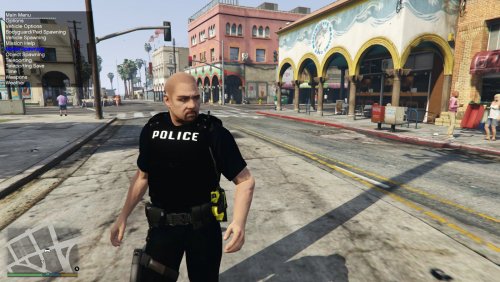 Looks great so far. I can't wait to see how these skins develop. Anyone who works with textures involving X26's is cool in my book.
- 28 comments
- 15 reviews
-
-

- 1
-
-
 Download the new version. They wig-wag now, albeit at an accelerated pace. If you absolutely need the wig-wagging taillights to be super slow, use sirensetting=16. Taillights flash in sync with the sirens, so the faster the siren patterns, the faster the taillights.
- 110 comments
- 23 reviews
-
-
- 1
-
-
EDIT: Nevermind, I found it. Just had to ctrl+f for "replay" in default.meta and remove the three lines for F1-F3. What about removing it from the keyboard?
- 5 comments
- 3 reviews
-
-
- 1
-
-
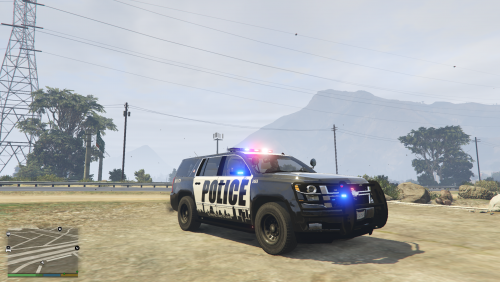 I recommend changing "Respons" to "Response".
 -
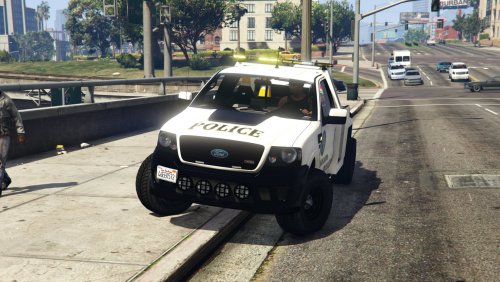 @mohaalsmeer I love the truck, but I mainly use towtruck (I hardly ever see towtruck2). When I change this over to towtruck, the winch hook is far too low. Could you possibly make a version compatible for this? I've attached a picture to show you. The towtruck is on the left and towtruck2 is on the right. Both have the winches pulled up fully.
- 19 comments
- 5 reviews
-
Hey there, I'm sorry to hear that. I recommend redownloading Open IV, because it's definitely not my files causing the issue. I just downloaded the file and tried all three .metas and they all work.
- 110 comments
- 23 reviews
-
Added sirensettings=16 for all blue lighting with slow patterns. If you like it, do me a favor and throw me a review. Have a good one.
- 110 comments
- 23 reviews
-
I'll definitely add this in the next update; which will hopefully be ready by tonight or tomorrow. I enjoyed the sped up lighting so much I never thought to remove it. Thank you for letting me know!
- 110 comments
- 23 reviews
-
This would be an issue with Emergency Strobes, not Custom Visuals. Otherwise the problem is with the custom vehicle you are using. Some developers (I wish I knew why), use the headlight emissives to illuminate the dash/console. When you use Emergency Strobes to make the headlights flash, naturally the dash lights do, too.
- 110 comments
- 23 reviews
-
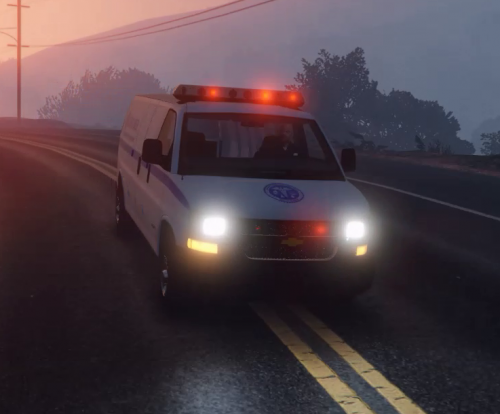 @ALLENjr12, @iansonwheels, @AMSAGENT000 If you want this vehicle with rotating amber lights and coronas, download my Mod: www.lcpdfr.com/files/file/12499-custom-visuals-blue-light-pack As long as you use the carcols.ymt file, you can change sirensettings to 9 for amber, 14 for all blue, and 15 for all red. They work better with the visualsettings.meta, though. This includes environmental coronas and reflections. Enjoy! @Doitmyself, if you don't want me posting this, kindly let me know and I will remove it. I still use the van, by the way.
- 13 comments
- 2 reviews
-
@goincd3, @OfficerGermany, & @AImedSangheili The problem has been fixed. I made a clerical error with the file. I triple tested the new and old ones. This one will definitely work. If you notice an issue like this again, please tag me or PM me. I can't fix a problem if you don't inform me. Thanks!
- 110 comments
- 23 reviews
-
It works perfectly now. Thank you very much!
-
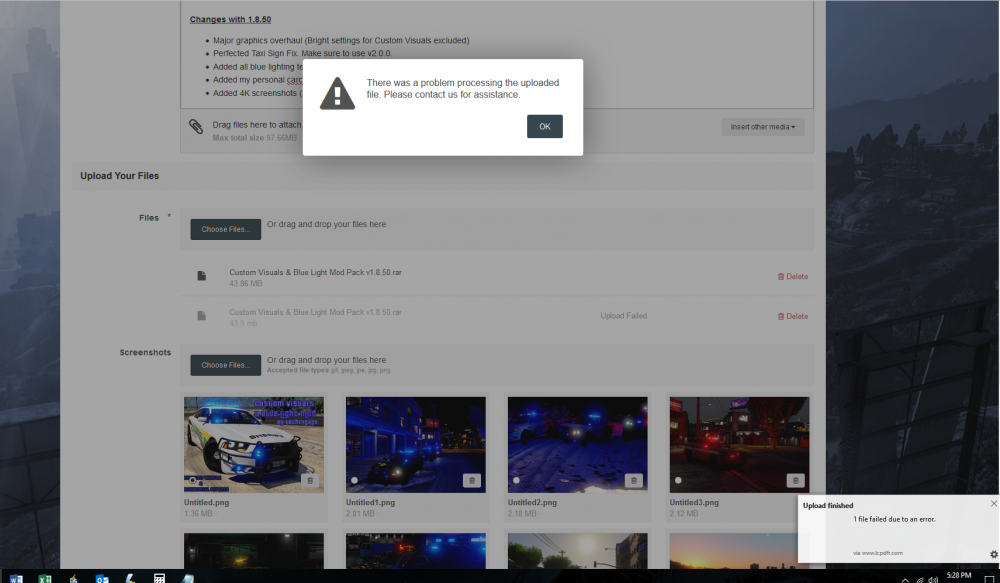
No problem, here you go: Sidenote; I know for a fact it's not my file. It uploaded perfectly this morning. Also, thank you for informing me about the ticket system.
-
FIXED Hello, everyone I recently released a new version of Custom Visuals, but it appears I made a small coding error, causing everyone to CTD. I have now fixed the issue and would like to release the new version, but I cannot. I get a message saying there was an error uploading the file and I should contact them for assistance. The ticket system is blocked by my AVS, though, because of an insecure connection. Is anyone else experiencing this issue? Thank you, Jon
-
Hey, guys I am bad with my attention span and I work all day, so I miss things. But I just noticed Agency Callouts legitimately disappeared. I loved that Mod. Does anyone know if there is a problem, or if development was cancelled? Thanks for the help, ya'll. Jon
-
 EDIT: I tested each value under sirens 1-14, plus my custom 15. I found which variables control headlights, taillights, and police sirens. I now have realistically bright wig-wags and perfect siren lighting/ambience/environmental effects. I love it!
- 246 comments
- 45 reviews
-
@alexguirre Hey, bud. Can you please re-add taillight wig-wags? It just doesn't feel right without them. Thanks!
- 246 comments
- 45 reviews
-
 @Albo1125 Hey, bud I know how busy you can be and I hate ever asking anything of you, but.. Do you possibly have any news for us about the development with Siren Mastery, mainly involving keeping sirens on when you exit a vehicle? Thanks, man!
- 851 comments
- 108 reviews
-
-
 Absolutely beautiful Mod! I've loved and used this one for months and just now realized it belonged to you, Albo. Thank you for the amazing new update and keep up the insane work! Jon
- 1,081 comments
- 166 reviews
-
-
- 1
-
-
 I can attest to the fact that it is, in fact, this .meta edit that is causing FPS drops. This is very possible by adjusting game configuration files. It is much better than the performance loss caused by Keep Calm, though not by a substantial amount. I will honestly revert to backups and try this out again once there is a little more stability. I very much enjoy the way this Mod works, though. I would like to see less peds in vehicles speeding off and driving erratically, if I could recommend anything in the actual functionality of the Mod. Everything else is great, especially because peds on foot still run away (which is very unrealistic in KC that they don't). Keep working on it. You have a great thing started here and I look forward to seeing where this goes! Jon
- 29 comments
- 21 reviews




