



Techengage
Members
-
Joined
-
Last visited
Everything posted by Techengage
-
 I love it and use it for my game. I hated the first screen and this gave it a nice change. Great job!
- 2 comments
- 4 reviews
-
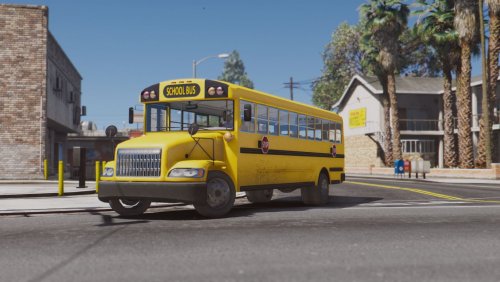 I don't care about the prison bus idea, I just want it so I can have school buses driving around. Thanks!
- 10 comments
- 3 reviews
-
 All melee weapons are non-lethal? I'll look into that, but they still die from knives, broken bottles, etc. for me. I'll keep ya'll updated.
- 36 comments
- 7 reviews
-
Is there not an Installation section? I swear I have one in there, plus one to explain how you need to fully replace your weapons.meta to get the non-lethal shotgun, with instructions. It's exactly like the regular Mod, except the shotgun is updated, by the way. As for the ped responses (getting them to pass out and wake back up without EMS, how to make them convulse/change reactions, or stopping them from falling down after ever freakin' hit..), requires editing .metas that subsequently bugged the entire game out (you would fall into the ground forever when you died, all ped melee/guns killed in one hit, peds would ignore your melee attacks completely with no damage or reaction, etc). I was just sick of knocking folks out with my taser on accident so, I said screw it and tried everything out I could think of for two weeks. If you or anyone you know can find a way to properly edit the other ai files without messing the game up, pllleaassee send me a PM. I'll gladly collaborate!
- 36 comments
- 7 reviews
-
I added the video and gave you credits. Thank you so much for the video and the honest review. I'll keep working on it and see what I can do about making the punch/kick/baton damage less temperamental. My plan is to have punches/kicks knockout in 4-12 hits (depending on the attack used), and batons in 2-7 hits. For now I feel it's 100% better than how it was, though! Let me know if there is anything else you would like changed and I'll gladly oblige. Cheers! Jon
- 36 comments
- 7 reviews
-
If you slam someone directly on the top of the skull with a baton without them knowing, they would probably be knocked out in reality. If you connect a right hook and upper cut to a pedestrians face while they are walking down the street, they will probably be knocked out in reality. It isn't non-lethal melee, but realistic melee. I can punch, kick, and baton the crap outta people and they don't die every time. I'm sorry it isn't working for you. Make sure you replaced the proper .metas, too. There are multitudes of damages and weapons.metas.
- 36 comments
- 7 reviews
-
 I'd check your browser, winrar, and computer. Mine is fine, and I just re-downloaded the Mod to make sure. Perfect. No one else has mentioned this, either. Good luck, brother. I hope you can get it to work!
- 110 comments
- 23 reviews
-
 Another absolute necessity for proper LSPDFR gameplay. One request, though, Albo: When you grab a ped, is it possible to make them use the walk animation, too? As of right now they kind of glide along while standing. Thanks again, man!
- 1,915 comments
- 242 reviews
-
-

- 1
-
-
 I have been waiting forever for this! But can you change the "ToggleSirenSound" so the siren lights can be turned on/off independently? As of now you have to turn on the primary/secondary siren first, then you can toggle the siren sound on or off. Beyond that and having the ability to keep siren sounds on after exiting the vehicle, this Mod is 100% perfect and I am so glad to finally have siren control. Thank you, Albo!
- 851 comments
- 108 reviews
-
-
- 1
-
-
-
If you can make a good looking one, I'd gladly add it and give you credits. Thank you for the assistance!
- 36 comments
- 7 reviews
-
 There already is a version; it's the original backup . That will give you reduced coronas and lighting speed. If your problem is the standard coronas being too small, then try my Custom Visuals with the Bright setting. You will have smaller coronas, normal lighting speeds, and slightly enhanced visuals. I made it to be a non-steroidal version of Radiance V. TheGreatHah has a link to it in the description above. Jon
- 149 comments
- 33 reviews
-
EDIT: Scratch my idea/rambling. Looking at this as an LEO, obviously my squad car will/should keep playing whatever siren I was using when I jumped out of the car. Obviously it won't know to change sirens when I open the door...Either way, like your idea and can't wait to see it happen! Jon
- 851 comments
- 108 reviews
-
Albo!! I would love you even more (if you could believe it ) if you could add an option to automatically switch on Siren 1 after leaving the vehicle (as long as any Primary, Secondary, or ForcedOnly siren is already active at the time of exiting the vehicle, so it doesn't turn on no matter what, of course). But PLEASE, PLEASE, PLEASE don't make it enable Primary siren upon exit. Instead make it activate whatever is set to Siren 1, because one of my Secondaries is set as my Primary so I can toggle between that and another Secondary without the Primary/Siren 1 in the way while using the ToggleSecondarySiren= settings keybind (as you know that keybind goes primary, secondary, primary, secondary), then I set Siren 1 (or what should be Primary) as ForcedOnly and assigned it to a lone key (if that makes sense). That way one key toggles my two Secondaries (Siren 3 & 6), one key toggles my Primary (or Siren 1) on/off, one key toggles Manual siren (which is set as Siren 2), one key activates the Horn on press, and one turns the siren sound on/off. However you can work out the .ini, I would love to simply see a command line that read something like this: "Change Siren number here that you wish to loop upon exiting a vehicle (a siren must be active upon exiting to enable this feature) Choices are 1 - 10 Default Setting: 1 Siren Loop Upon Vehicle Exit: 1" Thank you so much for your work, brother; and expect a Paypal transaction from me soon! Jon
- 851 comments
- 108 reviews
-
-
- 1
-
-
Hey, @Lyrad. Version 3.4.15 of Realistic Melee is the final and 100% stable version. The log is huge because I was originally manipulating multitudes of other .metas to get the same affect that I do now with just weapons.meta and damages.meta edits. Re-coding those other .metas caused deep-rooted issues, such as clipping through the ground forever when you die (I mean, how often do you die on duty? Reasonably it took a while to find every issue). With these problems appearing after hundreds of hours of play, I decided to reevaluate my coding abilities and utterly revamp every bit of the Mod. But you should definitely try it out, because it now has 100% realistic punch/kick/baton damage, no accidental pistol whipping with tasers/pistols, and even the ability to make your shotgun 100% non-lethal (I even found out how to remove blood animations). At worst you won't like it and can just revert to your back-ups! But please, try it out and if you like it, kindly rate me. For some reason no one wants to tell me how I did... Jon
- 36 comments
- 7 reviews
-
-
- 1
-
-
Hey, Dewar. I figured it out. Check your vehicles folder in your Siren Mastery folder. If you added custom sirens and the file size is over 15.5Mb, it will mute all sirens in the dictionary. Albo told us that, I obviously didn't listen lol. Just redo the step where you have to extract the vehicles.awc to .WAV, then copy your vehicles folder over with the new one. Best of luck! Jon
- 851 comments
- 108 reviews
-
-
- 1
-
-
Hey @Albo1125, my game was working fine last night, but now every time I get in the car, the bullhorn starts blaring and will not turn off, even when exiting the vehicle. Any suggestions?
- 851 comments
- 108 reviews
-
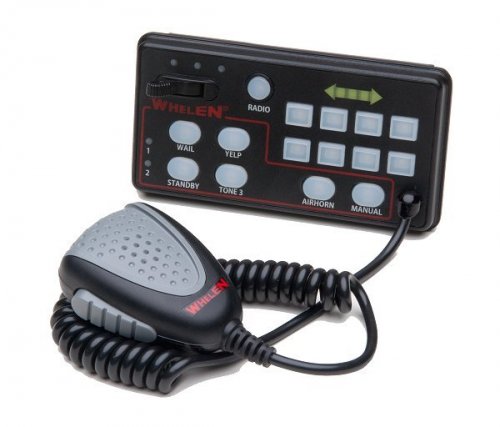 Can we get the airhorn file on it's own? I'd like to use it on my ambulances with Siren Mastery. Thanks!
- 17 comments
- 2 reviews
-
You need to replace your weapons.meta with the one in the "Non Lethal Shotgun Add-On" folder if you want the shotgun to NOT kill people. If you want the shotgun to kill people, use the other weapons.meta in the first folder. Does that help? Also, this Mod does not interfere with arresting. Not being able to arrest is an occasional bug in LSPDFR. Try putting your gun down or walking away a few steps and then coming back.
- 36 comments
- 7 reviews
-
The additional lighting is going to require additional performance from the cpu, but if your computer runs with at least the recommend settings you shouldn't notice anything beyond a 4-5 fps drop with multiple vehicles. Also, certain custom models use an excess of lighting with millions of polygons, so once again, without a high-end computer, this could cause a significant performance lose. On the back end, as you stated, this could still be an issue with RPH. Being a beta download, there are still a ton of problems to be worked out (a lot involving carcols.ymt), respectively. I don't personally notice anything, even after updating RPH, so I hope your issue becomes more positive with v.46. Good luck, comrade! Jon
- 149 comments
- 33 reviews
-
Which of Bx's vehicles are you talking about? I don't have much to work with here.
- 110 comments
- 23 reviews
-
-
Hey, Ranger61. The strobe pattern for ELS if affected per model, not through file code. You might be able to change them, but the car will bug out if it wasn't meant to use that setting.
- 149 comments
- 33 reviews
-
-
- 1
-
-
Hey, rebelpolice and all After sixteen more hours of development, the new version is out! Check out Version 3.4.15 and let me know how it is. I have fixed every known issue, including incompatibility and crashing bugs. Please read the Readme carefully and ensure you install both files correctly. Also, be sure to give me a review if you like it, or shoot me a PM if you have a problem, question, or find any bugs/issues
- 36 comments
- 7 reviews
-
Hello, friends! Sorry for the constant updates over the past few days, but I am back from vacation and decided I want this mod finished. I have fixed every problem I know of as of right now. Please, please, please let me know via private message if you are experiencing any bugs or issues after installing Version 1.3.20. Also, if you are using the BL Mod, please let me know if you are having problems making your car lights all blue or if you cannot figure out how to work it in with thegreathah's EEL. It's not too hard, I promise. Thank you for the support and I hope ya'll enjoy the new version!
- 110 comments
- 23 reviews



