



Techengage
Members
-
Joined
-
Last visited
Everything posted by Techengage
-
 I appreciate that! Also, you are very right. The Biker DLC screwed everything up. I had default lighting set to around 100, now I have it set at almost 1,000. The Biker DLC dimmed the crap out of lights, so I'm glad I was able to find that comfortable equilibrium. As I said, sadly, the problem is with the model itself. I can't complain much, though, because the new models simply look to damned good!
- 779 comments
- 187 reviews
-
the problem is the window tint template located within each file. It is not metadata related, as you suggested . Try selecting and cutting the window tint out with Gimp2 and see if removing the tint completely helps. This is a common issue with models that have interior lights and manual tint. PM me if you need the vehicles.meta for police2. If not, copy+paste the code line from update>update.rpf>common>data>levels>gta5>vehicles>vehicles.meta and copy+paste it to the vehicles.meta within the DLC.
- 779 comments
- 187 reviews
-
-

- 1
-
-
 Replace Radiance V with my Brighter visualsettings.dat, I promise you'll like it. Bxbugs is a great guy, but I honestly don't like RadV versus mine
- 110 comments
- 23 reviews
-
It is, but I highly recommend updating to reshade 3.0.1 and using my reshader presets.
- 110 comments
- 23 reviews
-
You don't have to change the templates; unless you want to. Simply replace your visualsettings with mine. If you want different lighting colors/patterns or envir. lighting, you can use the carcols, too. I don't have any lighting issues anymore, minus models without coronas. Those never look bright at a distance.
- 779 comments
- 187 reviews
-
Try using Custom Visuals. I don't have that issue anymore, and I just added blue/blue templates for the cars. ;)
- 779 comments
- 187 reviews
-
 I never thought I needed this until I used it. The change in how traffic responds is incredible, and I honestly can't play without it now.
- 528 comments
- 42 reviews
-
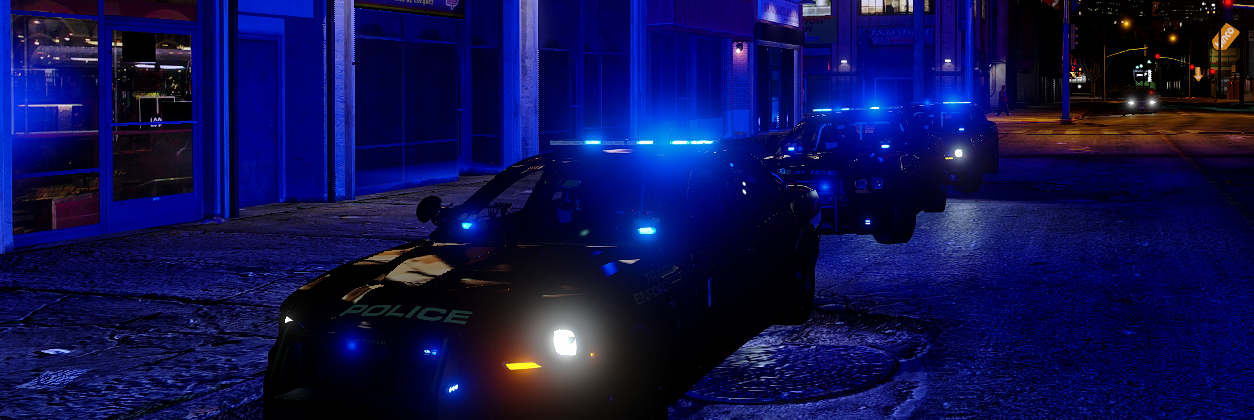
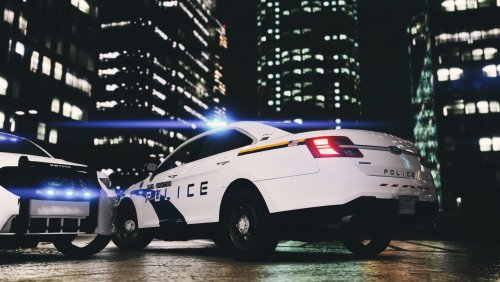 Is there any chance we could get a LSSD pack for Captain14's pack? These look great, but I just can't part with my current LSPD set-up.
- 7 comments
- 3 reviews
-
-
Absolutely amazing work, as always, Captain! I don't like .oiv's so I just made it into a DLC. Works perfectly, and looks beautiful in all blue!
- 779 comments
- 187 reviews
-
Clear the Way really helps with this.
-
 I hear you with that, haha. I hate being able to see everything perfectly at night like vanilla.
 -
Lol, version 2.6.0 is the release for the new Biker DLC. Download it, it works now!
- 110 comments
- 23 reviews
-
-
- 1
-
-
I have no idea. I don't use Redux. Do me a favor and see if it does, then give me an answer? If it is a .fx shader, try it out. Simply add it to the reshader-shaders and load it with the in-game gui. The compiler on the top left during the opening screen should let you know if it doesn't load properly. There is also a error log you can look at. But I believe Darker Nights FX is part of Sweet FX, so it might be overwritten. I recommend using my Custom Visuals mod with this. I have almost perfectly realistic nights now.
-
Not a single drop. If you notice anything at all, it may be an improper installation. Make sure to remove any other graphics mods you may have been using, such as ENB. If you are using Reshade or SweetFX, the new version of Reshade will automatically overwrite them. I simply took the provided presets and tuned them to look realistic/vibrant, because they look horrible without tuning.
-
New version is out. I made a crap ton of changes. Any assistance is definitely appreciated!
-
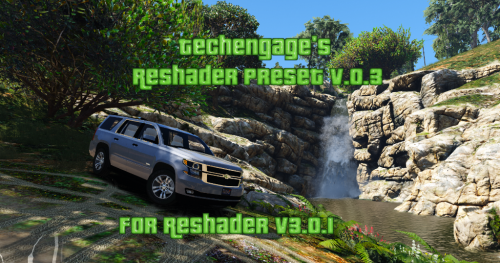
Techengage's Reshade Presets v.0.9 (FOR RESHADE V.3.0+) IF YOU CAN PROVIDE HD SCREENSHOTS TO SHOW THE TRUE BEAUTY OF THESE PRESETS, PLEASE PM ME! These are the customized presets I use in my game with Reshade v.3.0.6 Rip the Hell out of my presets, if you want, but PLEASE GIVE CREDITS IF YOU RE-UPLOAD. You don't need to ask; just credit properly. I RECOMMEND USING THE FOLLOWING SHADERS ONLY (SHIFT+F2 IN-GAME TO OPEN UI MENU). I have not changed the settings on ANY OTHER SHADER YET, SO I HIGHLY RECOMMEND ONLY USING THE SHADERS PROVIDED IN THE LIST BELOW. Clarity Colorfulness Curves Levels LumaSharpen Tonemap Vibrance Installation: Download Reshade v.3.0 here: http://reshade.me/ Complete the setup and allow the application to automatically download the preset shaders. After everything is done, simply replace the files within your GTAV/reshade-shaders directory. I purposely deleted a few, so don't worry about that. Place grand.ini in your main GTA5 directory and you're good to go. Credits: Crosire for Reshade Bur587 for the awesome screenshots!
-
I'm working on updating this. Give me 24 hours and there will be a new release.
- 110 comments
- 23 reviews
-
-
- 1
-
-
I ADDED A CARVARIATIONS LINE FOR YOU TO USE, IF NEEDED. BE SURE TO CHANGE THE VEHICLE NAME AND SIRENSETTINGS=""!
- 110 comments
- 23 reviews
-
 This Mod is far more than necessary with LSPDFR. It should be a default addition and I honestly don't know how I played with the old EMS. I never had a survivor!
- 781 comments
- 85 reviews
-
Is there a possibility of changing from console commands to a GUI? I know this is asking a whole lot, but it's always worth asking!
-
Great point. I'll definitely be trying this one out for my next update. Thank you very much
-
@PNWParksFan I have the exact same question as Lundy. Also, is this "bug with RPH 0.47" also a problem with 0.45? I utilize sirensettings=14-20 with Custom Visuals, so this wouldn't be much help if I can't use it for custom additions.
-
-
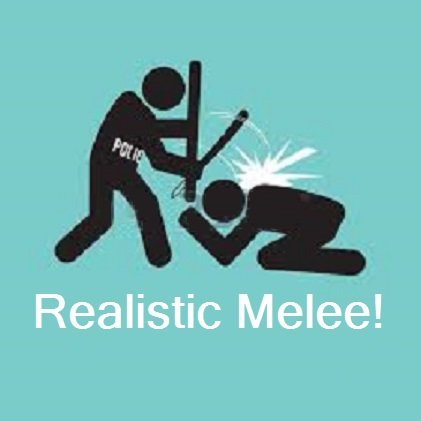 Hey there, alexgobert. It appears weapon damage and pedestrian health is an incredibly difficult thing to re-code. I am currently working on a way to define fists, feet, and nightsticks ONLY as weaker weapons, but the game seems to synchronize weapons with a different code line, which I have yet to discover. I will keep working to find a solution, but it's hard with a business to run and a family to care for. I cannot guarantee an update anytime soon, if ever. If anyone willing to assist me can step forward, there might be some hope for future fixes. For now, I recommend using this Mod in LSPDFR only, and reverting to your vanilla weapons.meta when playing SP. Regards, Jon
- 36 comments
- 7 reviews

