




sixium
Friends of LSPDFR
-
Joined
Everything posted by sixium
-
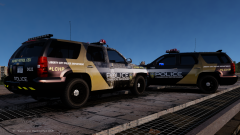 Thanks =) And oh my, a regular police one too? At the rate this is going, it's probably gonna end up being a super mega pack with both regular and special editions of both highway patrol and police skins for multiple vehicles lolol
 -
Sliding doors upgrade, like a minivan. It's very popular in Dubai.
-
Basically, overclocking is running the processor (or GPU, or memory, or whatever you're overclocking) faster than what it is intended to run. For example, my processor runs at 3.5GHz stock, out of the box. That's 3,500,000,000 times a second (that's the clock). Overclocking is forcing it to run faster, say at 4.0GHz or 4,000,000,000 times a second. That means, with overclocking, your processor at 4.0GHz can perform 500 million more operations per second than a stock processor at 3.5GHz. In simpler terms, say you have a machine, and it prints out a picture everytime you click a button. Consider that button to be your "clock". If you click it every second, the machine spits out a picture per second. Now, say you click the button twice a second. You have now just "overclocked" your printing machine, and now it spits out two pictures a second. Now, click that button four times a second. You now have a machine that's four times as fast as the original machine, but the machine stays the same; you didn't "buy" a "faster" machine to do this. You're just running your original machine faster, at the expense of heat, of course. I think this explanation is a lot longer than I intended it to be lol (also, a few poeple have also beat me to the punch) =)
-
Lol, I drive around in a police car, even while off-duty/Niko hahaha
-
I have the MSI board (that exact one) and it's great. Looks nice too, has high quality components, and easy overclocking if you want to. Opt for the "K" processor, and you can overclock with one-click of the mouse with that motherboard. I have a Core i5 4670K 3.5GHz stock OCed to 4.5GHz easy with it.
-
From the album: sixium's WIP
Flat = better? This is what it looks like with the graphics flattened out (instead of at an upwards angle). I think it looks better this way =) Better than the angled version? Model by Lt.Caine -
-
-
-
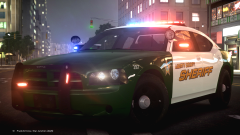 I've been wondering this for a long time... how do you guys get all the lights to light up all at once for your pics?
 -
 Glad you're okay, lol =D
 -
Sounds more like a FedSig siren to me. Possibly Omega 90.
-
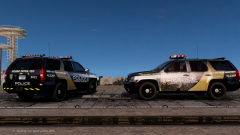 Oh haha, I just threw the skin onto whatever Tahoe I had in my vehicles.img at the time lol. If it's any consolation, it is pretty accurate to some NYPD Tahoes.
 -
Any Schaefft CVPI =O Let the mudslinging begin lol
-
What's the difference? A Tahoe is a Tahoe, right? Does Cj24's Tahoe use a different template?
-
A few people have suggested I make a pack out of this design, so here are some experiments: On the 2012 Charger?? (Model by Cj24) Needs a bit of work, the rake of the graphics is slightly too much. The graphics was originally designed only for the Jaguar, but I'll see if I can make it work. The fonts have also changed, since these are no longer Jaguars, I cannot use the Jaguar JC Book font on them lol. On the Tahoe?? (Model by Lt.Caine) The rake of the graphics is definitely too much on the Tahoe, which is flat in comparison to the natural lines of the Jag and the Charger. Maybe I should make the stripe and lettering flat on cars that are flat, like the Tahoe and the CVPI??? // EDIT: Here's the Tahoe with flattened stripe and lettering: More to come, maybe.
-
From the album: sixium's WIP
On the Tahoe?? I'm thinking the rake of the graphics is too much. The Jag and the Charger has a natural rake in its lines, but the Tahoe doesn't. Maybe I should make the stripe and lettering flat? Model by Lt.Caine -
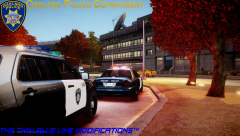 Hey cool, Oakland =)
 -
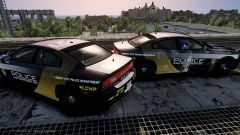
From the album: sixium's WIP
As requested, here is the special-edition and regular-edition LCPD Highway Patrol Speed Enforcement Unit liveries adapted to the 2012/13 Dodge Charger. I don't think it matches as well as it does with the Jag, though =( Needs a bit of work... What do you think? Model by Cj24 -
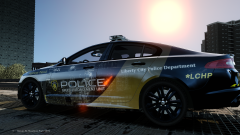 Thanks =)
 -
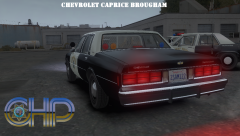 I think I just jizzed my pants
 -
Technically speaking, it is only illegal if you drive it on public roads and/or you try to impersonate an official unless there is a law on the books specifically banning the ownership of such equipment. If you buy Tahoe, paint it flat black, and add a bunch of red and blue lights and a siren, but keep it in your garage, it's perfectly fine. I have a [very] small lightbar collection, and I used to own a used CVPI for a while. One day, I just sat one of my lightbars on top of my CVPI, ran the wires to a box and the battery, and had a field day in my garage. No one was the wiser, and it was sure a bunch of fun =) Again, perfectly legal.
-
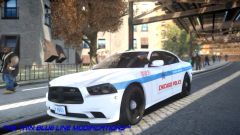 Actually, I take everything back, it looks like CPD is breaking their own rules lol =/ Looks like the CPD Charger does have red lights up in front, and the side facing light is also red.
 -
Haha, that's a good question =) I don't believe I've ever seen a CPD unit with lights on the side, and I have not seen the slicktop Charger before, but I'm willing to bet that they would be blue also.
-
Some CPD units do have red lights sometimes, but like in the UK, red lights only face the rear. Front facing lights are always blue (with the exception, as you said, of airport units). There shouldn't be any red lights facing forward.


