(1)(1).png.e989199bea7ac60c357778906642b0cc.png)

Narobic
Members
-
Joined
-
Last visited
Everything posted by Narobic
-
Changed the LSSD wishlist a bit
-
I want to... but at the same time there's not enough vehicles I like for it. I just wouldn't use it that much tbh (I am extremely picky with my vehicles)
-
It's not an ELS vehicle. It's the only Taurus with a Valor lightbar that I could find. And it didn't come with a file
-
Hi all! I recently installed a vehicle but it spawns by default with the lightbar off... I tried to edit it myself but it was locked. I want it to spawn naturally with the lightbar but I don't know how...
-
-
They don't seem to add the extras. I called in 10 different units and none were applied. (tried this with different vehicles)
-
Is there a way to set a vehicle to randomly apply extras?
-
Of course! I'll get to work on that next I get the chance :)
-
Keyboard bindings changes aren't in the main folders. Only the defaults are. If you want to edit your keyboard bindings just go to this link and scroll down to comment #4.
-
I'll add you right now :) Edit: Sorry... it won't let me add more than 4 people :/ Thank you for your interest, though
-
Thanks for notifying me. I found the issue and it's been fixed. I'll release the updated version right now. :)
-
 Apparently when you take away certain controller bindings it blocks other mods from using them. Sorry, this is a side effect that I cannot fix. I recommend using xpadder and to set up ELS buttons on your keyboard. I'm going to be adding a disclaimer so other people know. Sorry for the inconvenience. I'll release a version with complete backups right now. Sorry for the inconvenience. Backup Files.zip
- 161 comments
- 23 reviews
-
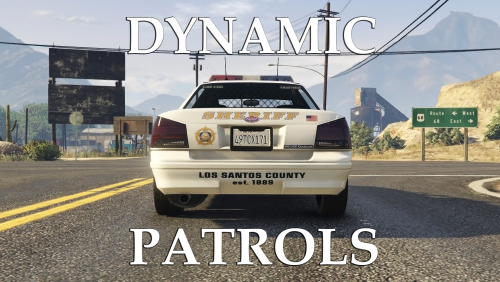 @rmckinstry thanks for the review! This is an issue that has yet to be fixed. As it says in the description "I cannot control the spawn frequency" The mod tricks the game to read certain emergency vehicles as civilian cars in their respective areas. Because it's sees them as civilian cars, it spawns them as such. Meaning it doesn't limit the amount that spawn. The best way to reduce the spawning rate is to install IVPack and to turn your density and variety all the way up in settings. Sorry for the inconvenience and I hope to find a way to fix this by the time the mod comes out of beta :) Also, the city cops are not my doing but rather they are in the game by default.
- 57 comments
- 8 reviews
-
I'm not quite sure what you mean by "make them separate sets"
-
-
Hi all! There are a lot of cool map edits that I'd like to use with my patrols but they all use Menyoo. I was wondering if anyone knew of a way to make Menyoo automatically load maps so that I don't have to load each one individually. Thanks in advance!
-
I'll get to work on that next I get the chance. The vehicle duck is an addon file that doesn't need implementation into the main download. Details in the mod post description.
-
-
I would make sure that your vehicles.meta has a driver set for policeb. Go into the one located at update>update.rpf>common>data>levels Alternatively you can remove it from spawning entirely. Open the popgroups.ymt file that is provided with this modification and search for the freeway spawning section and remove the line that includes policeb. I plan to remove the police bike in the next update because it proves to cause more issues than not.
- 57 comments
- 8 reviews
-
-
-
-
 It didn't work :/ I reinstalled 4 times, tried it once with ONLY c+ installed and default .ini and backgrounds
- 1,742 comments
- 172 reviews
-
-
This time, I don't know if I'm doing something wrong. I installed the latest version and now when I start the computer it doesn't show my mouse and I can't exit. It just sits there on the screen until I force close my game. Any help?
- 1,742 comments
- 172 reviews