


Narobic on YouTube
Insiders
-
Joined
-
Last visited
Everything posted by Narobic on YouTube
-
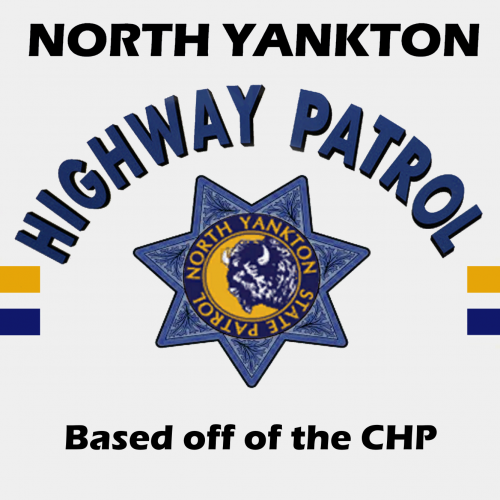 The North Yankton State Patrol logo is the in-game logo from the North Yankton vehicles
- 7 comments
- 2 reviews
-
-
-
This texture is HEAVILY based off of the California Highway Patrol (CHP) Instructions in README This is NOT a model. Just a texture for a model by @Thehurk You can find the model here: Important Information: This mod was made to fit my game. Please take this into consideration before rating. Please rate the mod for what it is, and not what it should be. Thank you. Input is greatly appreciated in the comments section. Thank you!
- 7 comments
- 2 reviews
-
-

- 1
-
-
 I discovered why the vehicles don't disappear when the trucks take them away. Entity persistence keeps them. Is there anyway to increase the distance before the towtrucks disappear? Or take away persistence of the towed vehicle?
- 1,915 comments
- 242 reviews
-
Narobic on YouTube replied to Narobic on YouTube's topic in Script, Ped & File Modifications ShowroomNow I'm confused. I think we're on two separate pages lol Can you list the exact functions you want removed with your set instead of just the buttons.
-
Narobic on YouTube replied to Narobic on YouTube's topic in Script, Ped & File Modifications ShowroomI'll get to that once I finish my list of mods
-
Narobic on YouTube replied to Narobic on YouTube's topic in Script, Ped & File Modifications ShowroomI understand all but 'X' and 'DpadLeft', Just to clarify; do you want to remove Jump, select weapon, radio, and detonate?
-
Narobic on YouTube replied to Narobic on YouTube's topic in Script, Ped & File Modifications Showroom@Brad Philips Townley I may just be missing something, but I couldn't find a way to achieve the aim function you requested.
-
Narobic on YouTube replied to Narobic on YouTube's topic in Script, Ped & File Modifications Showroom@Brad Philips Townley I don't know if there's a way to change the aim in vehicle function. I'll look into your request but no guarantees. From what I understand, you can't change the amount of time needed to activate a function. I'm sure it's possible because other controls use it, but I don't know if I can change that manually
-
I wish I could help... I bought the game on steam so I only know how to trouble shoot on there. Try reinstalling both GTAV & RPH?
-
-
Narobic on YouTube replied to Narobic on YouTube's topic in Script, Ped & File Modifications ShowroomGotcha. I'll get to work on that when I finish my other projects.
-
Narobic on YouTube replied to Narobic on YouTube's topic in Script, Ped & File Modifications ShowroomPlease be specific with what you want. None of the sets are an "LSPDFR" version.
-
 Yes. In the .ini you can find the edit key button. This button activates an in-game editor that allows you to adjust the position of the spotlight per vehicle.
- 476 comments
- 73 reviews
-
 Hi there. I'll get to work on that within this week. In the future, however, please put requests in the request forum. :)
- 161 comments
- 23 reviews
-
 I'm not trying to hassle you, I just wanted to tell you that you didn't have to submit a whole new file to change it. You could have just uploaded a new version and edited the original description and title. I like the file. I haven't tried this new one, but I used the old one and it's fantastic. What was the hiccup that you changed?
- 15 comments
- 4 reviews
-
-
- 2
-
-
If you check the .ini file you can find what the key is. I have mine changed from the original so I'm not much help as to what the key is.
- 476 comments
- 73 reviews
-
 GTAV>plugins>LSPDFR>PoliceRadio If you don't have Police Radio installed, then just ignore it :)
- 311 comments
- 39 reviews
-
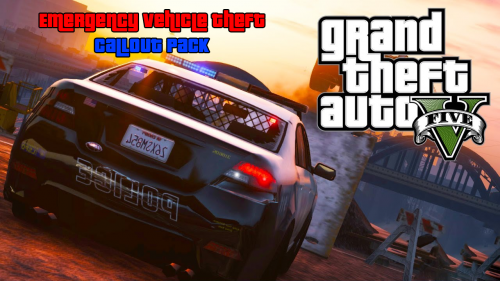 Doesn't @Albo1125 already have emergency vehicles as part of his "Hot Pursuits" callout?
 -
 Yes Everyone complaining about crashing: It works fine for me. Run the uninstall package and then run the installer. If it still crashes, make sure that you don't have any conflicting files for the vehicles in other DLC packages (vehicles.meta etc)
- 779 comments
- 187 reviews
-
I can't help you, sorry. But in order for people to help, you have to provide your .ini, rage log, custombackup.xml, and backup.xml files
-
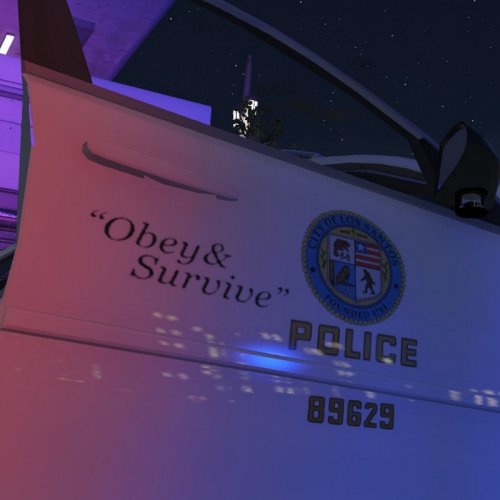 @Beren has already done that on his own account :) Beautifully done, too, I might add
- 11 comments
- 4 reviews
-
-
- 1
-
-
Ignore the double quote. I'm using mobile and it's not the best, LoL... The "Audio Related" folder is for Police Radio. The documentation provided clears this up :P
- 311 comments
- 39 reviews
-
 Hi sir, if you re-download this mod using the blue "DOWNLOAD" button above, you can find the required documentation. If you need further assistance, I'd be happy to help. Just send me a Private Message :)
- 131 comments
- 20 reviews
-
-
- 2
-

