


Corrupted Cop
Members
-
Joined
-
Last visited
Everything posted by Corrupted Cop
-
Hi! Is it gta5.exe and/or PlayGTA5.exe ?
-
 @Captain14 Your model is good but, the rear indicators don't work. (On the charger and the Sheriff's Tahoe). Thank you for your promptly reply EDIT : Nope, they work but there are not enough visible... They should be more powerful
- 445 comments
- 108 reviews
-
-
Yeah..
-
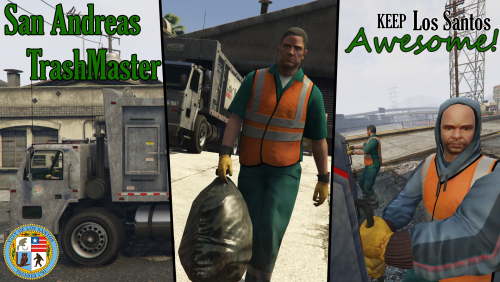 @alexguirre Hey! I don't know if you see my comment of gta5-mods but I will put here : "Finally, I will list all my problems: - The editor is horrible, sorry, but it is. There is no crosshair, no possibility to move left/right - I can not save my route because I was told to enter a name, when I enter a name, the plugin does not save, briefly unusable. - The free cam is strange... But your mod is very good but perfectible... Thank you!"
- 35 comments
- 14 reviews
-
Happy Birthday! I thought there is a update for LSPDFR but no; never mind. =)
-
-
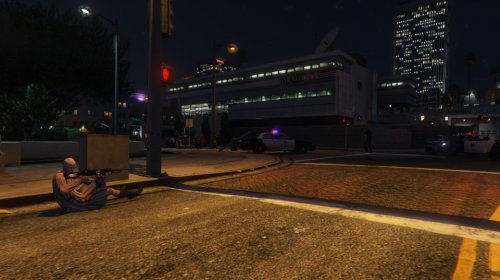 @Luigi4518 Your callouts crash LSPDFR... (Multiple armed suspects and some time terrorist attacks)
- 61 comments
- 17 reviews
-
Did you install mods?
-
Awesome! Like my post (the solution) to see the solution to other poeple please
-
-
-
-
 Hi! The mod is very cool but... ...I unistall it because there is a little annoying bug. Actually, the custom backups menu appears but behind this menu, the LSPDFR's menu appears. And even, If I select Ambulance, the LSPDFR's menu will send NOOSE UNIT because I selected without realizing it. Thanks for your assistance @PNWParksFan
- 378 comments
- 23 reviews
-
Hi I'm back! (after sleeping long time ) So I remember that I have the same problem so, install this : https://www.microsoft.com/en-us/download/details.aspx?id=48130 And reboot !!! Or check the other softwares here : https://ragepluginhook.net/Requirements.aspx
-
Ok, I will see tomorrow (I hope a person will response before). It is 2.45 AM at home xD
-
-
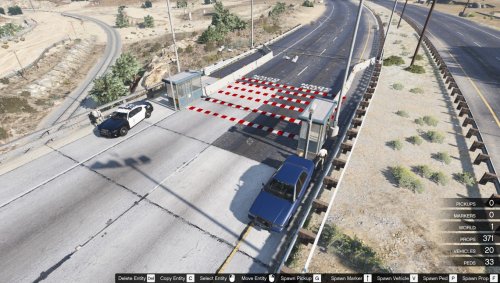 @charles10241 I have a question: the speed bump are they physical objects or are they just an image? Thank you.
- 24 comments
- 2 reviews
-
-
 Very good mod! The EMS are most smart and I like that! Thank you @PNWParksFan!
- 783 comments
- 86 reviews
-
-

- 1
-
-
Can you be more precise ? You click and the software don't open right?
-
A simple thing : When we enter a name/license plate the other menu don't appear... For example : If I have the name "Baney", the menu "Backups" will appear because I type "B" and ect...
-
 Thanks, but... It found nothing and everything works in game. Strange but thank you for the tool !
- 1,081 comments
- 166 reviews
-
There are a problem with your mod uploaded today, the mod seems to be in conflict and the only callouts I have are : "Grand Theft Auto" and "Pursuit". That it. I have nothing else.
- 1,081 comments
- 166 reviews
-
 Okay, I will try to explain better (I'm not english ) In fact, when I want a police car come to take the suspect that I arrested. The car in question appears a few blocks, but does not come, it is blocked and I have to force his appearance by pressing the "8" key. Ok, I will include the log the next time I play LSPDFR !
- 1,915 comments
- 242 reviews



