


Joe C Wilson
Members
-
Joined
Everything posted by Joe C Wilson
-
 Hi, everyone! I am almost done updating the mod. San Andreas Ultimate Backup [EUP] + LSPDFR EUP Configurations 3.5 will be renamed to: San Andreas Ultimate Backup [EUP] Complete Edition 3.6 This will cover the data folder, EUP Menu, and Ultimate Backup using EUP Law & Order 8.2 and Serve & Rescue 1.4 configurations. Please keep a copy of the EUP archives on your PC, so you will always have these configurations at hand in case any of the following modifications become outdated or removed. If you have any bugs or issues that need to be fixed please let me know. I have fixed all reported issues that were reported as well. Thank you, and see you soon!
- 953 comments
- 24 reviews
-
GTA 4 LCPDFR 1.1 #01 - Officer Down | LCPD '11 CVPI via @YouTube
-
Recently I have returned to LCPDFR with GTA 4 the complete edition, and have decided to start recording content within the mod again. This will be a place where I share some of my photos from LCPDFR alongside new episodes in the upcoming days!
.thumb.jpg.283036f6158cec09c1bd06b8156f2b37.jpg)
.thumb.jpg.cd479b8e053b7d5c072c4c875705820d.jpg) Recently I have came across a downgrade tutorial guide, and decided to try out LCPDFR again. I have the complete edition with GTA 4 on Steam, and this tutorial has helped me out greatly. Before finding this tutorial I was only using the official Rockstar Games patch files from their website, but my game would always stay on 1.0.8.0. I now play on 1.0.7.0 for GTA 4, but this download also has the 1080 version for GTA 4 as well. LCPDFR only worked briefly, no tasers, or traffic stops, but it did run without crashing. I never gave up hope, and I am excited to finally play my favorite police mod from G17 Media. LCPDFR has an amazing world, just right, it has something that LSPDFR doesn't. Maybe I have been on the west coast too long, but man, it feels good to be home, back in LC. Check out my patrols on YouTube, and I hope to see you there! I will leave a link in the spoiler tag below for the patch files which has helped me fix GTA 4 the complete edition on steam alongside LCPDFR (LCPD First Response 1.1). Hopefully this patch fix works for you as well!GTA 5 LSPDFR 0.4.9 #94 - Kidnapping Attempt | LSPD '11 CVPI via @YouTube
Progress Update; I have recently finished SAHP, SASP, and half of BCSO alongside a great majority of overall improvements and fixes within the modification. LSPD, LSFD, LSSD, and LSCFD are already completed. I am in the process of updating all files for the data folder, Ultimate Backup, and EUP Menu. I have the following departments left to update, and then I should be done. BCFD, FIB, DOA, NOOSE, IAA, USAF, SASPA, LSIA, LSPP, RHPD, DPPD, and NYSP. ETA 2 weeks.
Recently I have came across a downgrade tutorial guide, and decided to try out LCPDFR again. I have the complete edition with GTA 4 on Steam, and this tutorial has helped me out greatly. Before finding this tutorial I was only using the official Rockstar Games patch files from their website, but my game would always stay on 1.0.8.0. I now play on 1.0.7.0 for GTA 4, but this download also has the 1080 version for GTA 4 as well. LCPDFR only worked briefly, no tasers, or traffic stops, but it did run without crashing. I never gave up hope, and I am excited to finally play my favorite police mod from G17 Media. LCPDFR has an amazing world, just right, it has something that LSPDFR doesn't. Maybe I have been on the west coast too long, but man, it feels good to be home, back in LC. Check out my patrols on YouTube, and I hope to see you there! I will leave a link in the spoiler tag below for the patch files which has helped me fix GTA 4 the complete edition on steam alongside LCPDFR (LCPD First Response 1.1). Hopefully this patch fix works for you as well!GTA 5 LSPDFR 0.4.9 #94 - Kidnapping Attempt | LSPD '11 CVPI via @YouTube
Progress Update; I have recently finished SAHP, SASP, and half of BCSO alongside a great majority of overall improvements and fixes within the modification. LSPD, LSFD, LSSD, and LSCFD are already completed. I am in the process of updating all files for the data folder, Ultimate Backup, and EUP Menu. I have the following departments left to update, and then I should be done. BCFD, FIB, DOA, NOOSE, IAA, USAF, SASPA, LSIA, LSPP, RHPD, DPPD, and NYSP. ETA 2 weeks.- 953 comments
- 24 reviews
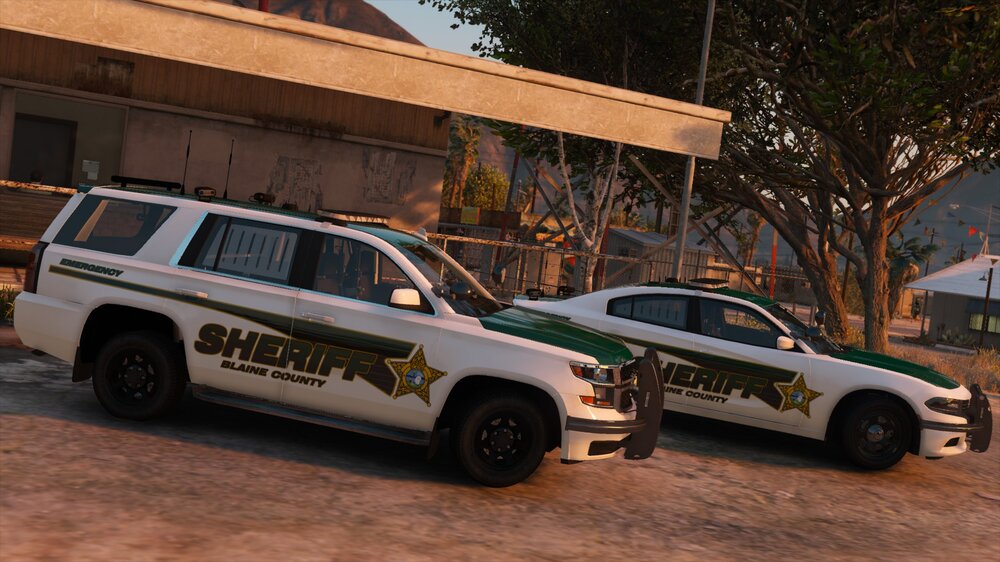
New LSPDFR Build Is Done! PD Pack By Jedahdiah & Sheriff Pack By Ripple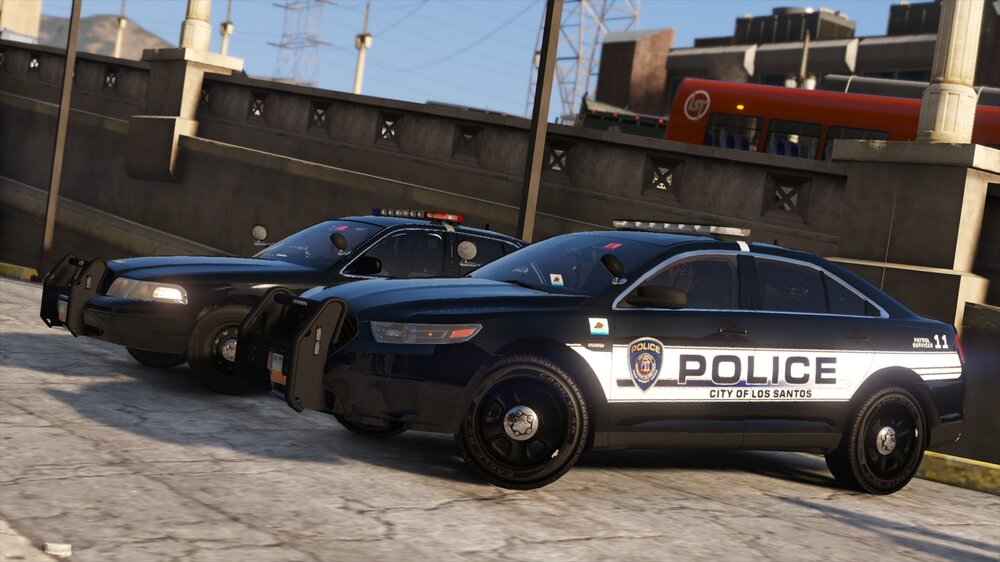
 N/AN/AGTA 5 LSPDFR 0.4.8 #93 - Fight or Flight | BCSO K9 '13 Tahoe via @YouTube
Again you need to remove prop hats in the data folder in LSPD EUP. Ultimate Backup has hats too which you can remove with prop hats. EUP Menu is only for your character. The data folder EUP files are what creates the settings for NPCs that spawn ambient and come from the default backup menu.
N/AN/AGTA 5 LSPDFR 0.4.8 #93 - Fight or Flight | BCSO K9 '13 Tahoe via @YouTube
Again you need to remove prop hats in the data folder in LSPD EUP. Ultimate Backup has hats too which you can remove with prop hats. EUP Menu is only for your character. The data folder EUP files are what creates the settings for NPCs that spawn ambient and come from the default backup menu.- 953 comments
- 24 reviews
You can remove this by finding prop_hats= tex_hats= [in EUP Menu] prop_hats is what the hat number is and then tex_hats is the texture number Just as an FYI hats are going to be included in the next update for both the data folder and Ultimate Backup. 2 ways to remove hats (in the new update). You can find it first in prop_hats= tex_hats= [in Ultimate Backup / EUP Menu] OR <Props> <Prop id="0" drawable="0" texture="0" /> <!--p_head--> </Props> [in data folder / outfit selection] prop_hats is what the hat number is and then tex_hats is the texture number This is an example, but each department has their own number/texture for hats.- 953 comments
- 24 reviews
Very excited! Thank you!N/A
I located the issue. The shoes tex number is 2 when it is supposed to be 1. Set it to tex_shoes="1" for now as a temporary fix. Thank you.- 953 comments
- 24 reviews
-
-

- 1
-
Thank you for reporting. I'll take a look at it. Is it the data folder or ultimate backup? This will be added to the list of things needed to be fixed for the next update. Thanks again.- 953 comments
- 24 reviews
GTA 5 LSPDFR 0.4.8 #98 - Can’t Outrun Air 1 | LSPD '11 CVPI via @YouTube

.png.d042545aa9face01157b221d8f2719e9.png)

.jpg.63c45076adf9b76f7dc49cd46c0e4e79.jpg)
.jpg.2e027492c157beb947e4cbf94937e84a.jpg)


Account
Navigation
Search
Configure browser push notifications
Chrome (Android)
- Tap the lock icon next to the address bar.
- Tap Permissions → Notifications.
- Adjust your preference.
Chrome (Desktop)
- Click the padlock icon in the address bar.
- Select Site settings.
- Find Notifications and adjust your preference.
Safari (iOS 16.4+)
- Ensure the site is installed via Add to Home Screen.
- Open Settings App → Notifications.
- Find your app name and adjust your preference.
Safari (macOS)
- Go to Safari → Preferences.
- Click the Websites tab.
- Select Notifications in the sidebar.
- Find this website and adjust your preference.
Edge (Android)
- Tap the lock icon next to the address bar.
- Tap Permissions.
- Find Notifications and adjust your preference.
Edge (Desktop)
- Click the padlock icon in the address bar.
- Click Permissions for this site.
- Find Notifications and adjust your preference.
Firefox (Android)
- Go to Settings → Site permissions.
- Tap Notifications.
- Find this site in the list and adjust your preference.
Firefox (Desktop)
- Open Firefox Settings.
- Search for Notifications.
- Find this site in the list and adjust your preference.