


Joe C Wilson
Members
-
Joined
Everything posted by Joe C Wilson
-
 Yes! That's the plan. I'm almost done with ultimate backup, still have about 2 and a half files to go. In the previous versions I included rain and snow versions, but I don't know if I'll do that this time around. It's too much work to do by myself again, but maybe I'll get around to it once I am done.
- 944 comments
- 23 reviews
-
-

-

- 3
-
GTA 5 LSPDFR 0.4.8 #88 - Bait Car [EUP 8.2 Preview] | VWPD '11 CVPI via @YouTube
Hello, everyone! Thank you, everyone for 10,000 downloads via LCPDFR! A quick update for San Andreas Ultimate Backup [EUP] 2.8; I have added all new duty belts, holsters, and body cameras for both male and female units. For one I tried to use CodeyWynne's modifications that are currently prerequisites for the current version 2.7 for EUP 8.1, and OpenIV crashes when I try to install them. Thankfully, the new EUP mods I have found are working well with the new update. I will update the prerequisite list once I am done. Right now, I have finished adding in the new duty belts, holsters, and body cameras for both male and female units. I'm also working on the LSPDFR data folder. BCSO, and DOA is finished. After that, I am planning on redoing ultimate backup entirely since EUP 8.2 and Serve and Rescue 1.4 have corrupted all of the old configurations. This will take some time due to the size of the project. Hopefully by Monday, or mid next week at the earliest point. I'll keep you guys updated as we head into the weekend or sooner!- 944 comments
- 23 reviews
-
-
-
- 2
-
I haven't had a chance to get in game yet, but do you know what's broken and needs to be fixed? From what you've seen so far? Besides the hats and vests?- 944 comments
- 23 reviews
I will for sure update this to use the newest version of EUP. I do not know how long this is going to take me though.- 944 comments
- 23 reviews
-
-
- 2
-
How To Install San Andreas Ultimate Backup [EUP] & Prerequisites | GTA 5 LSPDFR (2021) via @YouTube- 944 comments
- 23 reviews
I just uploaded a tutorial guide on my YouTube channel. I'll link it here. Maybe it could help you with your issue.- 944 comments
- 23 reviews
How To Install San Andreas Ultimate Backup [EUP] & Prerequisites | GTA 5 LSPDFR (2021) | EUP 8.1 via @YouTube
I get the same popup, but it doesn't mean anything. I don't know why the officers don't have any decals, unless you're using the rain or snow versions. Those 2 lack decals for their attire. In your file it says; [1/25/2021 2:11:47 AM.027] LSPD First Response: UB: DEFAULT REGIONS FILE IS SUCCESSFULLY LOADED [1/25/2021 2:11:47 AM.079] LSPD First Response: UB: CUSTOM REGIONS FILE IS SUCCESSFULLY LOADED [1/25/2021 2:11:47 AM.384] LSPD First Response: UB: SPECIAL UNITS FILE IS SUCCESSFULLY LOADED So I don't think Ultimate Backup is the issue. It would've crashed if it could not read the decals. Do you have all of the prerequisites installed? Does your game crash at all?- 944 comments
- 23 reviews
I forgot to announce this, but a trailer link has been added to the recent update. I will be uploading the tutorial guide on Monday at 6PM EST, and the modification showcase for 2.6 on Wednesday also at 6PM EST. If you did not check out the previous modification preview showcase video, check it out here. Thank you!- 944 comments
- 23 reviews
What's New In 2.7? Adjusted Water Rescue Air Ambulance Adjusted Air SAHP SWAT Added New Screenshots Added New Trailer Link Updated Prerequisites Air Medic Helicopter Note: You Have To Replace One Of The Two LSPD AS 350 Helicopter (Linked Below) Liveries With The Air Medical One Using Slot 2 In OpenIV (You Should Have One LSPD Livery, Air Medic Livery, and SAHP Livery - If Done Correctly)- 944 comments
- 23 reviews
GTA 5 LSPDFR 0.4.8 #87 - Realistic L.A. Reshade | SAHP '13 Explorer via @YouTube Amazing! This script works as intended, and it allows us to patrol on the island as well as have the ability to have AI officers respond on the island after creating backup settings for them. Thank you!
Only public release for now. I am not subscribed to the beta or patreon versions.
Amazing! This script works as intended, and it allows us to patrol on the island as well as have the ability to have AI officers respond on the island after creating backup settings for them. Thank you!
Only public release for now. I am not subscribed to the beta or patreon versions.- 944 comments
- 23 reviews
Yes, the EUP files included in the data folder make the units spawn ambiently as EUP well as backup.- 944 comments
- 23 reviews
-
-
- 1
-
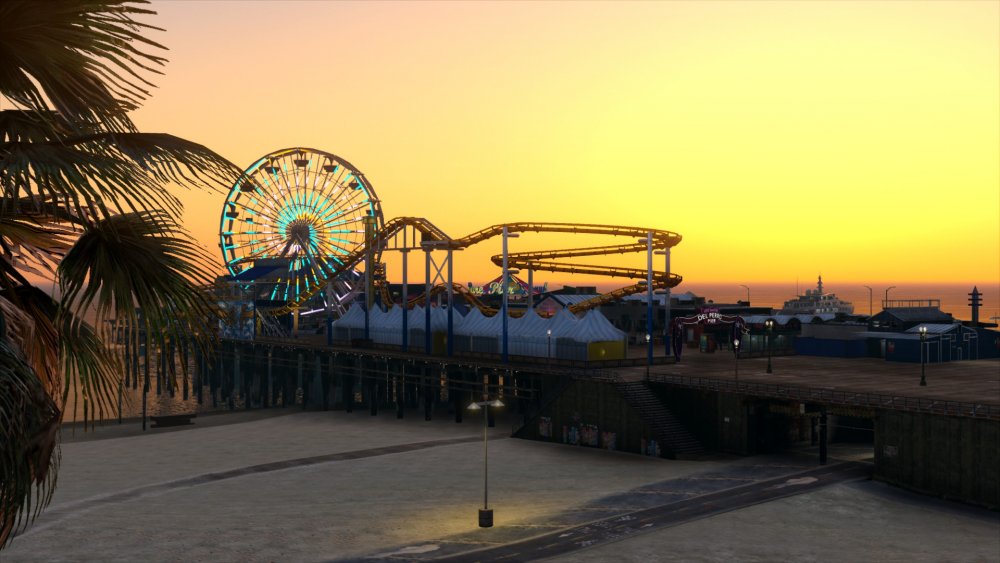
New graphics mod Realistic L.A. Reshade Preset by Reacon, and also a new ambulance by DcK.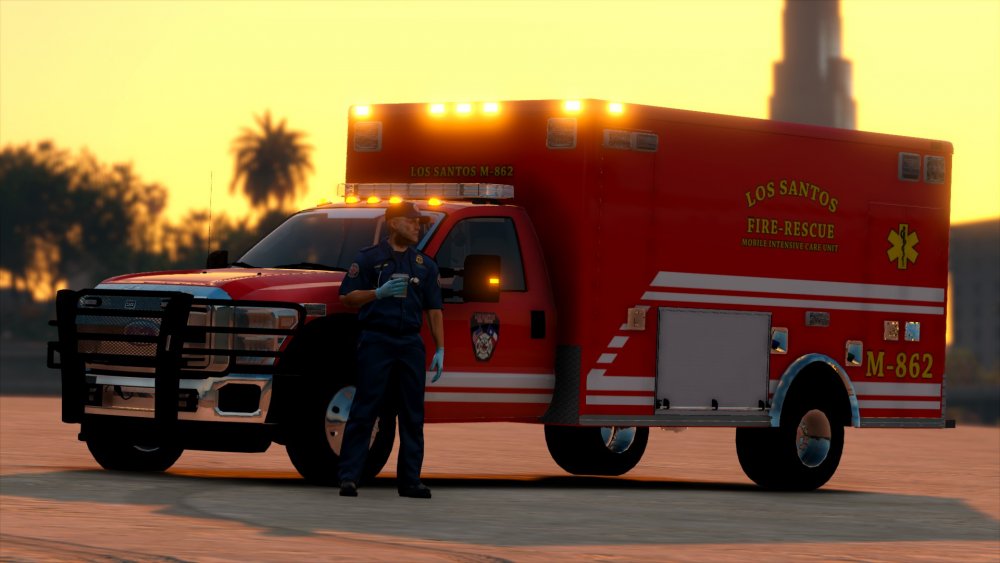
 I'll see what I can do. Sometimes people report missing legs with coroner or EMS, but I never have it happen to me. So I can't fix it on my end. I'll let you know if I find a cause to this bug.
- 944 comments
- 23 reviews


Account
Navigation
Search
Configure browser push notifications
Chrome (Android)
- Tap the lock icon next to the address bar.
- Tap Permissions → Notifications.
- Adjust your preference.
Chrome (Desktop)
- Click the padlock icon in the address bar.
- Select Site settings.
- Find Notifications and adjust your preference.
Safari (iOS 16.4+)
- Ensure the site is installed via Add to Home Screen.
- Open Settings App → Notifications.
- Find your app name and adjust your preference.
Safari (macOS)
- Go to Safari → Preferences.
- Click the Websites tab.
- Select Notifications in the sidebar.
- Find this website and adjust your preference.
Edge (Android)
- Tap the lock icon next to the address bar.
- Tap Permissions.
- Find Notifications and adjust your preference.
Edge (Desktop)
- Click the padlock icon in the address bar.
- Click Permissions for this site.
- Find Notifications and adjust your preference.
Firefox (Android)
- Go to Settings → Site permissions.
- Tap Notifications.
- Find this site in the list and adjust your preference.
Firefox (Desktop)
- Open Firefox Settings.
- Search for Notifications.
- Find this site in the list and adjust your preference.