


Joe C Wilson
Members
-
Joined
Everything posted by Joe C Wilson
-
 The backup file XML controls the jurisdiction settings. It lets you set which department you want in the specific part of the map. The agency file is the default xml file that remains default. You need to go inside the custom folder and locate agency eup XML. This one controls the uniforms which the units spawn in as well as certain settings letting you call them for backup, transport, etc. for the default backup menu.
- 944 comments
- 23 reviews
-
GTA 5 LSPDFR 0.4.9 #100 - Tasered In The Rain | BCSO '20 Charger via @YouTube
-
Thanks, but I was only curious to see how many people were interested in it. Not many at all. Either that or hardly no one visits the forums anymore.
- 944 comments
- 23 reviews
N/AN/AEverything I use can be found in the GTA 4 Mods section.N/AHello, all! I have been thinking about creating a new dispatcher voice for LSPDFR and GTA 5. I would like to create a poll and see how many of you would like the different options. The voice will be an American English-based one as is in GTA 5. I am currently deciding if I should create a male or a female dispatcher voice for LSPDFR, but can not decide which. This will be BOTH for OpenIV and the LSPDFR files. So if there are scripts written for the story of GTA 5 this audio modification will work with it, as well as LSPDFR. I will also try my best to have the correct pronouns from the base GTA 5 dispatcher to the new one. Lastly, I will be getting rid of the lines such as "uh, um" etc. Please partake in the poll and let me know what you'd think. Please share any advice or suggestions you may have for the mod, thank you! Poll will end 8/9/21 6:45 AM EST. Vote now!GTA 4 LCPDFR 1.1 #03 - Robbed Money Truck | LCPD '11 CVPI via @YouTube
What's New in Version 4.1? Added Transport Units For Custom Regions Updated Vests For Original Folders (Dirt Bike & SASPA)- 944 comments
- 23 reviews
The new LSPDFR build is finally done! Next up for Ultimate Backup EUP is going to be new transport units for custom regions!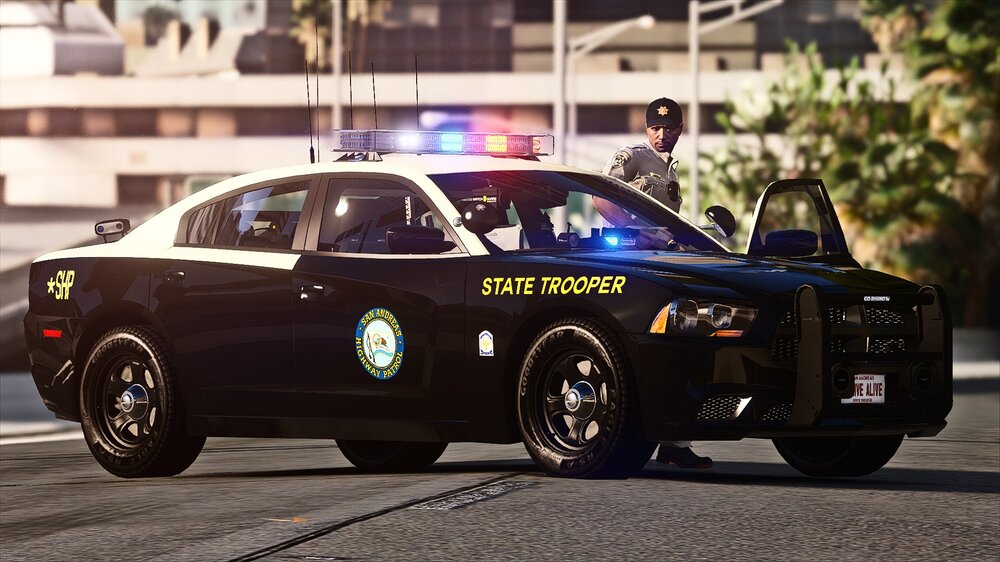
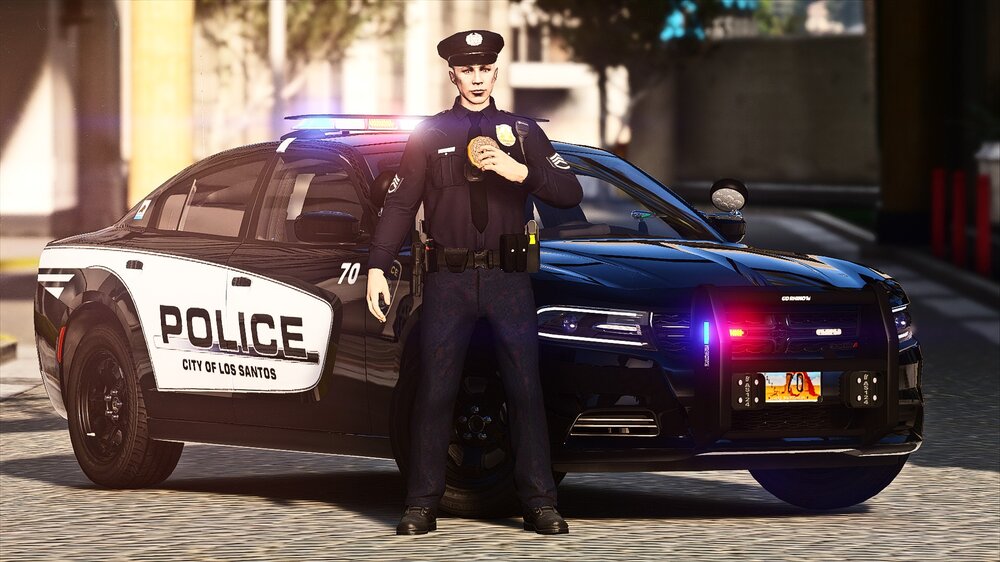 It looks like I don't have to 'retire' any time soon after all! I reinstalled GTA 5 from scratch, and the game works again (surprising, right?). I should've tried doing this to begin with, but I didn't think it could be so simple. I think some of my settings with OpenIV were conflicting with the new update, and caused my game to stop working. Anyway, I plan to continue being active in the community, now that my new game build is running well, and I wish to continue contributing to the boards as well as my LSPDFR series. My modifications will remain available to everyone, and I plan on continuing to update the mod as I see fit.Dear all, As some of you may have noticed, my activity in the LSPDFR scene has decreased significantly over the past few months. It mostly comes down to becoming busy with other things in my life, as well as LSPDFR, being less interesting for me having played it for so long and recently a change of my preference of games to play. I won't be developing plugins for LSPDFR anymore, at least not for the foreseeable future. I have spent 3 years playing LSPDFR, while one of them has been developing the San Andreas Ultimate Backup [EUP] mod. Sadly the gameplay of LSPDFR has started to become repetitive to me. I have used various plugins, scripts, callouts, and custom vehicles throughout my time with the mod, but nowadays I find myself dealing with the same things, different days. As for the continuation of my mod, I hope other developers will take it upon themselves to improve the mod where necessary and create pull requests to share those improvements. These can then be merged and released, with credits included for contributors. If you are a subscriber to my channel, I plan to continue with LCPDFR / GTA 4. Recently GTA 5 had an update for GTA Online and the new update has broken my game and caused it to stop working despite having a backup copy. GTA 5 is so complex compared to LCPDFR when it comes to reinstalling mods. I use a variety of mods for LSPDFR / GTA 5 and it's so discouraging having to redo everything from scratch. My time here has been spent well meeting new people, contributing to the boards and using new exciting modifications for the game. This was an amazing community to be apart of, but it is time to find another hobby to enjoy doing. In conclusion, I am stepping away from LSPDFR and the modding scene for the foreseeable future, and will continue playing LCPDFR with GTA 4. Thank you, everyone, for everything, much appreciated!
No, sorry. The mod comes how it is. Its so much easier to let people customize the mod how it comes vs doing it all over again because of a small detail. Plus my game doesn't work right now and I can't play for the next while anyway. The new update broke everything for me.
It looks like I don't have to 'retire' any time soon after all! I reinstalled GTA 5 from scratch, and the game works again (surprising, right?). I should've tried doing this to begin with, but I didn't think it could be so simple. I think some of my settings with OpenIV were conflicting with the new update, and caused my game to stop working. Anyway, I plan to continue being active in the community, now that my new game build is running well, and I wish to continue contributing to the boards as well as my LSPDFR series. My modifications will remain available to everyone, and I plan on continuing to update the mod as I see fit.Dear all, As some of you may have noticed, my activity in the LSPDFR scene has decreased significantly over the past few months. It mostly comes down to becoming busy with other things in my life, as well as LSPDFR, being less interesting for me having played it for so long and recently a change of my preference of games to play. I won't be developing plugins for LSPDFR anymore, at least not for the foreseeable future. I have spent 3 years playing LSPDFR, while one of them has been developing the San Andreas Ultimate Backup [EUP] mod. Sadly the gameplay of LSPDFR has started to become repetitive to me. I have used various plugins, scripts, callouts, and custom vehicles throughout my time with the mod, but nowadays I find myself dealing with the same things, different days. As for the continuation of my mod, I hope other developers will take it upon themselves to improve the mod where necessary and create pull requests to share those improvements. These can then be merged and released, with credits included for contributors. If you are a subscriber to my channel, I plan to continue with LCPDFR / GTA 4. Recently GTA 5 had an update for GTA Online and the new update has broken my game and caused it to stop working despite having a backup copy. GTA 5 is so complex compared to LCPDFR when it comes to reinstalling mods. I use a variety of mods for LSPDFR / GTA 5 and it's so discouraging having to redo everything from scratch. My time here has been spent well meeting new people, contributing to the boards and using new exciting modifications for the game. This was an amazing community to be apart of, but it is time to find another hobby to enjoy doing. In conclusion, I am stepping away from LSPDFR and the modding scene for the foreseeable future, and will continue playing LCPDFR with GTA 4. Thank you, everyone, for everything, much appreciated!
No, sorry. The mod comes how it is. Its so much easier to let people customize the mod how it comes vs doing it all over again because of a small detail. Plus my game doesn't work right now and I can't play for the next while anyway. The new update broke everything for me.- 944 comments
- 23 reviews
What's New In 4.0? Added Ambient Spawning For Fire/EMS (Data Folder) Added Fire/EMS In Duty Selection Menu (Data Folder) Fixed Fire Department Units Spawning (Data Folder) This update along side 3.9 includes fixes for the Duty Selection / Default Backup Menu (Data Folder) as well as Ultimate Backup Files (All Folders) All reported issues have been fixed. Please report any further issues in the comments (not review), and I will get back to you as soon as possible. Thank you!- 944 comments
- 23 reviews
I forgot to mention this a long time ago, but this mod will work without custom belts, body cameras, holsters, ear pieces, etc. I forgot to remove them from the prerequisites list, but you do not need them.- 944 comments
- 23 reviews
What's new in 3.9? Fixed FIB Agent & Suit For Female EUP Wardrobe, and PresetOutfits Fixed Various Female Uniforms (DOA/FIB Agents, SASP Lifeguard Jacket Pants, National Guard) Fixed Various Units Spawning With 3 Instead Of 2 (Ultimate Backup) Fixed NOOSE Male/Female Uniforms (For EUP VEST & EARPIECE) This update includes fixes for the Duty Selection / Default Backup Menu (Data Folder) as well as Ultimate Backup Files (All Folders) All reported issues have been fixed. Please report any further issues in the comments (not review), and I will get back to you as soon as possible. Thank you!- 944 comments
- 23 reviews





.png.21a6407bd7a7934bda251b709576876c.png)


.png.e086aa59f3da31f3b48a304c4b470e47.png)


Account
Navigation
Search
Configure browser push notifications
Chrome (Android)
- Tap the lock icon next to the address bar.
- Tap Permissions → Notifications.
- Adjust your preference.
Chrome (Desktop)
- Click the padlock icon in the address bar.
- Select Site settings.
- Find Notifications and adjust your preference.
Safari (iOS 16.4+)
- Ensure the site is installed via Add to Home Screen.
- Open Settings App → Notifications.
- Find your app name and adjust your preference.
Safari (macOS)
- Go to Safari → Preferences.
- Click the Websites tab.
- Select Notifications in the sidebar.
- Find this website and adjust your preference.
Edge (Android)
- Tap the lock icon next to the address bar.
- Tap Permissions.
- Find Notifications and adjust your preference.
Edge (Desktop)
- Click the padlock icon in the address bar.
- Click Permissions for this site.
- Find Notifications and adjust your preference.
Firefox (Android)
- Go to Settings → Site permissions.
- Tap Notifications.
- Find this site in the list and adjust your preference.
Firefox (Desktop)
- Open Firefox Settings.
- Search for Notifications.
- Find this site in the list and adjust your preference.