


Joe C Wilson
Members
-
Joined
Everything posted by Joe C Wilson
-
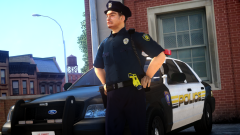
From the album: 2022
-
 5.7 is the last update for awhile. I had mistakenly left body cameras on certain units that shouldn't have had them. I am actively working on a trailer for EUP 9.3 and hope to capture all 60 departments within this modification more or less. Last time for EUP 8.2 I aimed for 12 minutes with most local patrol units including special units. This time I hope to expand with more departments and variety. If you come across any issues or have a suggestion for the modification please let me know, thank you.
- 937 comments
- 23 reviews
-
-
GTA 5 LSPDFR #65 - Police Ambush In El Burro Heights | LSSD '17 F150 via @YouTube
-
Also, make sure you install the data folder files for LSPDFR as well. "There's an issue with the backup configuration file" Usually indicates a region or jurisdiction is missing from the data folder files or from Ultimate Backup too. At least from my experiences receiving the error in previous versions.
-
I forgot to mention that certain callouts will use the local patrol configurations from this modification if certain callouts enable them.
- 937 comments
- 23 reviews
-
It still does it with a vanilla folder too? Odd.
-
Did you only remove the vehicle files or did you also revert the changes to the metas too? I'm not crashing on my end.
-
Edit - I just went in-game and called the NOOSE SWAT unit and they spawn correctly for me without issues. Perhaps you installed a custom vehicle that is corrupt or has an issue with a meta file somewhere?
-
In my XMLs nothing appears to have a typo. If it was it would say "incorrect input string" or something. You don't have a custom vehicle in the riot slot do you?
-
-
-
-
Last update for awhile. I fixed all of the reported issues as of now. I apologize for the inconvenience of re-downloading a mod that was previously updated, but it's much better to fix these things sooner than later.
- 937 comments
- 23 reviews
-
I was made aware traffic vests (specifically) motor units have an incorrect vest for Ultimate Backup. I did not notice that traffic vests were moved to a new slot (as they remain the same for EUP Menu and the data folder). I will upload a fix as soon as I can.
- 937 comments
- 23 reviews
-
-
You might have a typo for the ped or vehicle data when you possibly changed them in the ini. Could you also specify which folder you are using and where on the map were you? I have 2 main folders including 4 sub folders for San Andreas Ultimate Backup [EUP] Complete Edition. So, knowing which specific folder will help me narrow the location of the problem. [WARN] Invalid vehicle or ped data for NooseSWAT
-
-
My apologies for the confusion. I appreciate your interest in the modification!
- 937 comments
- 23 reviews
-
Yes. This is the public version from EUP Law and Order and Serve and Rescue.
- 937 comments
- 23 reviews
-
Aside from what's recommended in the description I don't know what else I can suggest. You're launching GTA 4 with LaunchGTAIV.exe correct? (It comes with the essentials files download) The downgrade works for myself and for others so I don't know why it doesn't work for you. If you have the complete edition on Steam or from the Rockstar Launcher it should work if you run the update title of the patch 1070 GTA 4 folder. In my experience LCPDFR 1.1 and GTA 4 1070 are the best optimized versions to use together for GTA 4. Using the complete edition hook asi fix will cause a lot of scripts to stop working if you are using that. ELS won't work, tasers won't work either, etc.
-
-
Could you run the diagnostics tool and see if you can upload the diagnostics log? Everything is in the green, minus the last section, so the issue may not be lcpdfr related. Have you installed any graphics, cars, sounds or anything else aside from lcpdfr?
-
The only thing I can think of is that maybe you're missing the Visual C++ 2005 Service Pack 1 Redist Package (both x64 and x86) from Microsoft. https://www.microsoft.com/en-us/download/details.aspx?id=26347
-
It seems your ScriptHookDotNet is the wrong version. Try using the files from 1.1 old rar LCPDFR since you have the 1070 version of GTA 4. You may be using the complete edition hook asi fix version of 1.1 and that may be the cause of your issue.





